Second-Model Answer Verification: Where It’s Really Needed
Second-model verification helps where mistakes are expensive: in payouts, contracts, and medical text. Here’s when it is worth the added latency.
Why one model is often not enough
LLMs often fail not where the text looks strange, but where the answer sounds too confident. A model can mix up an amount, a date, a limit, a contract term, or a refund rule and still write everything smoothly. The reader sees a neat answer and easily misses the mistake.
The problem is simple: the model does not “understand” facts the way a person does. It continues the most likely text. When a task includes numbers, exceptions, conditions, or several similar items, the model sometimes assembles something plausible but wrong. For a simple FAQ, that is annoying. For a payment, a contract, or medical data, it is a real risk with a real cost.
A common example: an assistant prepares a short contract summary and says the penalty applies after 10 days, although the document says 30. The wording is clean, the style is calm, the logic seems fine. If an employee reads quickly, the mistake can easily slip through. Later, the invoice, the payment deadline, or the dispute outcome changes.
The same happens with amounts and dates. The model may retell the general meaning correctly and get one digit wrong. And one digit changes everything. In banking, that affects a payment. In retail, it affects a discount or a return. In a clinic, it affects a dosage, an intake interval, or an exam date.
Manual review does not always save the day either. People get tired quickly from repetitive answers and notice obvious failures more often than neat small distortions. The most expensive mistakes usually look normal.
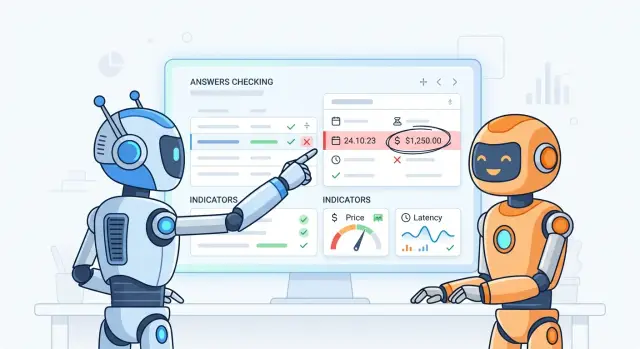
That is why second-model verification exists. Not as overcaution, but because the price of one unnoticed mistake is higher than an extra 1–2 seconds of waiting and one more model call.
Self-checking by the same model helps less than it seems. If the first version relied on a wrong reading of a passage or a weak calculation, the same model often repeats the same failure in different words. An independent checking model is more likely to catch the mismatch because it follows a different reasoning path.
Which mistakes are actually expensive
An expensive failure is not the one where the model chose an awkward phrase. What gets costly is the answer after which a person changes a rate, promises a client something extra, or pastes text into a document without checking.
The simplest example is numbers. If the assistant named the wrong limit, fee, or deadline, the error quickly turns into money. A manager sends the answer to the client, the client agrees to the terms, and then the team spends hours explaining and correcting it. Sometimes the company also loses the deal because the first promise has already been made.
Unnecessary promises in email or chat are almost as dangerous. The model likes to sound confident and may add something that is not in the rules: “we’ll set it up in a day,” “we’ll process the refund,” “we’ll approve an exception.” For a normal question, that is minor. In support and sales, that line can easily become a commitment the company never intended to make. The employee did not mean to mislead anyone; they just copied a ready-made answer.
Another risk zone is excerpts from a contract, offer, or internal policy. If the model missed a condition, mixed up the notice period, or paraphrased a clause too freely, that text should not be used as the basis for a decision. In fast-moving teams, nobody rereads the full document after every answer. That is why a checking model is especially useful when the assistant refers to rules, pricing, and legal wording.
There are also mistakes that are not obvious right away but become expensive later. A finished text can leak personal data: a phone number, IIN, address, order history, or case details. One missed item in a draft email or a summary for a colleague, and it is no longer just a bad answer, but a compliance and internal security risk.
These failures usually share three traits: a person trusts the answer and does not check it, the answer goes to a client or into the work system, and the error affects money, legal risk, or personal data. If none of these factors are present, a second check is often unnecessary. If at least two are there, one model pass is usually not enough.
When a second model helps
Verification is not needed everywhere. It pays off where one rare miss costs too much: money goes to the wrong place, a client gets the wrong answer, and the team later has to manually sort out the incident.
Typical cases are high-risk tasks with strict rules. If the LLM tags a complaint, prepares a bank response, extracts data from a contract, or checks whether a text contains personal data, the cost of a mistake is higher than an extra 300–800 ms of latency. One wrong flag can cost more than thousands of ordinary requests.
In these scenarios, the checking model is useful not as a “second opinion,” but as a separate filter with a clear role. It should not debate whether it likes the first model’s answer. It is better to give it a narrow job: compare the final output with the source, find missing fields, check tags, and make sure the JSON is not broken.
This works especially well in four situations:
- the answer affects a payment, limit, approval, or rejection;
- the model extracts facts from a long document;
- the system needs a strict output format, such as JSON with required fields;
- mistakes are rare, but investigating one failure takes hours or leads to a fine.
With long documents, the second model often catches what the first one missed: an amount, a date, an expiration term, or an exception in the notes. But this is only useful if you ask it to compare the answer with the document source. If it checks the answer using its own “logic,” it may confidently confirm someone else’s mistake.
The format case is even simpler. The first model may produce almost correct JSON but forget one field or place a string where an array is expected. The second model quickly checks the schema and returns the reason for rejection. That protects the rest of the system, where such small issues break processing.
If your team uses a gateway like AI Router, it is convenient to send only risky requests for re-checking, not the entire stream. Usually this is a narrow layer: contracts, money-related decisions, legal tags, and PII. That setup gives a more honest balance between quality, latency, and LLM spend.
A simple rule: use a second model where the mistake is rare but expensive, and where the check can be tied to a source, a schema, or a clear rule.
When it only slows the response down
If the request is simple and the cost of a mistake is low, a second model usually gets in the way more than it helps. The user asks: “shorten this email,” “make it more polite,” or “give me five headline options.” Even if the answer is not perfect, the person can fix it quickly, and the extra 2–5 seconds just annoy them.
Verification also works poorly when both models look at the same weak context. If RAG did not retrieve the right document, if the table already contains the wrong number, or if the prompt cut off an important condition, the checking model cannot see the truth out of thin air. It reads the same data slice and often confirms the same mistake.
There is an even worse case: both models make the same error. That happens with long tables, similar legal wording, confusing units of measure, or rare terms. From the outside, you see “agreement,” but that is a false signal. Two identical mistakes do not become one correct answer.
Checking rarely makes sense if the answer is needed almost instantly, if you do not have a rule for the verdict, if the data source is weak, or if the task is creative and does not have one right answer.
Without a clear criterion, the check quickly turns into noise. If you did not set a simple rule like “compare the amount, date, and company name with the source,” the second model will start writing vague remarks: “overall it looks similar,” “may need clarification,” “there is a slight ambiguity.” That output is hard to automate, and the team will still have to review the disputed answers manually.
The worst choice is to enable a checking model for every request by default. In AI Router, that is easy to set up through a single OpenAI-compatible endpoint, but the setup does not become useful just because it is easy to turn on. If 90% of your requests are paraphrasing, meeting summaries, or email drafts, one pass is cheaper and faster.
A simple guideline: if the mistake does not affect money, compliance, or user action, measure the latency first. Often that makes it clear that a second model increases token spend and hurts UX while the quality barely changes.
How to build the checking setup step by step
Do not try to catch every error at once. For the first version, choose one risk that is expensive for the business. Most of the time it is not “bad answer style,” but something concrete: a wrong amount, a personal-data leak, a missing AI label, or a confident claim without support from a document.
A simple example: a team launches an LLM assistant for a bank in Kazakhstan. At the start, it is more sensible to check one risk, not everything at once — whether the answer exposed the client’s personal data or invented a rule that does not exist in the internal knowledge base.
Separate the model roles
The main model should solve the user’s task. The checking model should only judge the result. If you give it an author role, it will start rewriting text, debating style, and spending tokens where they are not needed.
Usually, the main model gets the full context, and the checking model gets only what it needs for the verdict: the user request, the main model’s answer, a short checking rule, the relevant knowledge-base or policy fragment, and the output format for the check itself.
Do not overload it with extra data. If you show the judge the entire conversation, system instructions, and dozens of documents, it will slow down and make more mistakes itself.
The prompt for the checking model should be short and strict. Ask it not to “improve” the answer, but to return a verdict like: accept, flag, reason. The reason should be short, one sentence. That is enough to either pass the answer through or send it back for regeneration.
Plan the route for disputed cases
A flag on its own does not solve anything. You need to decide in advance what the system does next. For low risk, you can ask the main model to answer again with the reason in mind. For high risk, it is better to send the case to a person or a stronger model.
A practical flow usually looks like this:
- “accept” — the answer goes to the user;
- “flag” — the system asks for a retry with the comment in mind;
- repeated “flag” — the case goes to a person or a stricter queue.
This route is especially convenient when the team already switches models by cost and latency. For example, through AI Router, you can keep a fast model for the draft answer and connect a more expensive one only for disputed cases through the same OpenAI-compatible endpoint.
After launch, watch three numbers: cost, latency, and the share of errors actually caught. Take at least 100 live conversations, label them manually, and compare the scenarios. If the check added 700 ms and only caught a couple of harmless phrasing issues, it is better to simplify it. If it stopped a PII leak or an incorrect tariff answer, that latency is usually worth it.
A simple scenario example
A bank client asks in chat: “What is the rate for a 24-month loan and is there a penalty for early repayment?” An error in such an answer is expensive. If the bank gives the wrong rate or forgets the restriction, the client dispute will take a long time to resolve.
In this setup, the first model does not make the final decision. It quickly writes a draft from the bank’s knowledge base: it turns the information into clear text, inserts the product conditions, and removes unnecessary details. That is convenient because the operator does not need to manually search every clause in the documents.
The second model does a different job. It does not rewrite the answer; it checks facts against the source. Usually you give it the draft and the source excerpt that contains the relevant conditions.
The check here is narrow: rate, term, penalties, and restrictions. If the draft says “there is no penalty,” but the document includes a fee in certain cases, the system does not send the answer to the client. It calls an employee and shows exactly where the mismatch was found. The operator quickly reviews the disputed passage, fixes the answer, and only then sends it.
If there is no mismatch, the client gets the answer right away. For a simple question, that is a reasonable compromise: the bank does not keep a person on every message, but it also does not let through answers where a mistake could cost money or trigger a complaint.
This scenario works especially well when the answer is built from an internal knowledge base rather than general web data. In a bank, the wording can be friendly and easy to read, but the meaning must match the document whenever the answer involves a rate, a term, or penalties.
If your team already uses a single LLM gateway like AI Router, this setup is easy to build without rewriting the whole app. The first model creates the draft, the second performs the narrow check, and the escalation rule stays in the service. The second model does not “think better” than the first one. It simply catches expensive errors in places where a miss costs more than a couple of extra seconds.
Common setup mistakes
The most expensive mistake is simple: turn on re-checking for every request. On paper, that looks safe. In practice, you pay more and wait longer even where the risk is almost zero. For short FAQs, email drafts, or polite replies, that setup usually brings no value.
It is better to select only the cases where the mistake truly affects money, risk, or reputation. For example, when the model calculates a sum, fills required fields, answers based on internal rules, or draws a conclusion from a document.
An equally common problem is a vague task for the checking model. If you ask it to “evaluate answer quality,” it will start judging style, tone, or its own guesses. Checking works better when it has clear rules: do the facts match the source, are there any forbidden recommendations, are all required fields filled in?
Another trap is giving both models the same prompt and expecting an independent opinion. That usually does not work. Similar instructions produce similar mistakes. To make the second model actually check rather than duplicate the first, give it a different role: not “answer the question,” but “find mismatches between the answer and the source.”
Many teams do not count the cost of false positives. If the check is too strict, it will start rejecting normal answers. The user sees extra pauses, escalations, and strange refusals. Trust in the system drops fast.
Look not only at errors caught, but also at the side effects: how many normal answers the check rejected, how many seconds it added to response time, how much the request cost increased, and how often disputed cases had to be reviewed manually.
There is another weak spot too: not keeping a set of bad examples. If the team does not collect cases where the setup broke, tuning turns into guessing. Save the original request, the first answer, the checking verdict, and the human decision. If traffic goes through a single gateway like AI Router, those cases are easier to collect in one place and review later in the logs.
After a couple of weeks, that archive usually shows an uncomfortable but useful picture: some checks can be removed, and some should be made stricter with clear rules.
Quick checklist before launch
Before launch, it helps to be a little boring and picky. You need a second model not because “it is safer,” but because a wrong answer really costs money, a fine, a lost request, or extra work for the team.
If an incorrect answer is easy to live with, re-checking often does not pay off. For an internal email draft or a post idea, an extra model call only adds latency. But for a client answer, a terms calculation, data extraction from a document, or text with legal risk, a second check already makes sense.
Checking works only when it has a clear source of truth. Sometimes that is a rules base, sometimes a response template, sometimes a person who can quickly confirm a disputed case. If the second model just says, “I think there is a mistake,” and there is nothing to compare against, you added an opinion, not control.
Before launch, check five things:
- The mistake must cost more than one more model call.
- The check must rely on a rule, a reference, or a clear format.
- The verdict must change something: send the answer to a person, ask another model again, or return a more cautious version.
- Cost, latency, and trigger rate metrics must be visible for each route.
- Someone on the team must review disputed cases and update the rules.
The third point is especially often missed. The team adds a checking model, gets a “questionable” flag, but nothing happens next. Then the whole system becomes an expensive log. A proper check changes the response path: a simple question goes straight to the client, and a risky answer goes to a stricter model or a manual queue.
Metrics also cannot be left for later. Look not only at the share of errors caught, but also at average latency, the cost of one successful answer, and the false alarm rate. If the check catches one error out of a thousand but slows all requests by 2 seconds, that is a weak deal.
And assign an owner in advance. Even when you run through a single gateway like AI Router, disputed cases will not sort themselves out. Someone has to review examples, update criteria, and decide when the check helps and when it is time to simplify it.
What to do next
Do not roll the check out to every answer at once. Pick one scenario where the mistake clearly affects money, team time, or business risk. To start, one narrow case is enough: a client answer about pricing, document field extraction, or a short summary for an operator.
Second-model answer verification only makes sense on real data. So first collect 50–100 live examples, not tests invented in a quiet room. The set should include both good answers and misses: wrong amounts, missed restrictions, mixed-up names, and overconfidence where the model should say “I don’t know.”
Then run the same set through three modes:
- one model without checking;
- the main model plus a checking model;
- the main model plus manual review only for disputed cases.
Use the same evaluation format for all three modes. Then the difference becomes visible quickly and without unnecessary debate.
Look not only at the number of errors found. Count how many costly misses the setup catches, how many false positives it produces, how much latency it adds, and how much one processed answer costs. If the second model finds two minor issues in a hundred requests but adds 1–2 seconds to every response, it is better to remove it. If it regularly catches wrong amounts, missed restrictions, or dangerous advice, the delay looks very different.
It is useful to keep a simple table with four fields: error caught or not, request cost, response time, and whether a person was needed. That is usually enough to avoid arguing based on impressions.
If your team routes multiple models through an OpenAI-compatible gateway like AI Router, the comparison becomes easier. You can keep the same code, change only the model or route, and watch cost, latency, and quality in one place. For teams in Kazakhstan, it is also a convenient way to build this on one API without changing familiar SDKs and prompts.
After such a pilot, the decision usually becomes clear. Either you keep one model, or you enable LLM response validation only for risky request types, or you send disputed answers to a person. That is less flashy than “check everything,” but almost always cheaper and more honest in the result.
Frequently asked questions
When do you really need a second model?
Use a second model where one unnoticed mistake affects money, rules, or personal data. Typical cases are tariff and limit answers, contract excerpts, PII checks, and strict JSON for a system.
When does a second check only slow things down?
Do not use it for paraphrasing, short FAQs, email drafts, or content ideas. In those tasks, a person can fix the answer quickly, and the extra delay only gets in the way.
Can you ask the same model to check itself?
Rarely. If the first version misread a passage or made a calculation error, the same model often repeats the same mistake in different words.
What exactly should the second model check?
Give it a narrow judge role, not an author role. Have it verify the amount, date, deadline, presence of PII, or JSON structure against the source and return a simple verdict with a short reason.
Should the checking model get the whole conversation and all documents?
No, the full context usually just gets in the way. Pass the user request, the first model’s answer, a short checking rule, and the source fragment it should use for the verdict.
What should you do if the second model flags an issue?
Decide the route right away. If the risk is low, ask the first model to regenerate the answer with the reason in mind. If the risk is high, send the case to a person or a stronger model.
Does a second model help if the problem is in RAG or the source data?
Not always. If the needed document never reached the knowledge base or the table already contains a wrong number, the second model will see the same bad data and may confirm the mistake.
How do you know if this setup pays off?
Watch three numbers: how many costly errors the setup caught, how much latency it added, and how many false alarms it produced. If it catches a couple of harmless issues but slows every response, the value is low.
Do you need to check every request with a second model?
No, that usually adds unnecessary cost. It is much better to send only risky requests for checking: contracts, money-related answers, legal wording, PII, and required system fields.
Where should you start a pilot without unnecessary complexity?
Start with one scenario and 50–100 real examples. Compare a single model pass, a checked setup, and a version where a person reviews only disputed cases. After that, the decision is much clearer than going by intuition.