Versioning Tool Schemas Without Breaking Agents
Tool schema versioning lets you change fields and rules without outages: how to introduce versions, keep compatibility, and catch errors early.
Why an agent breaks after a field change
An agent does not "understand" a tool the way a person reads documentation. It remembers a pattern: the function name, field names, allowed values, call examples from the prompt, and past successful outputs. When the team changes a function contract, the agent often keeps assembling arguments using the old schema.
The most common failure looks trivial. Yesterday get_order_status(order_id) worked, and today the function expects order_id and channel. Out of habit, the agent sends only the old set of arguments, and validation immediately rejects the call.
But a break is not always visible right away. If you change a field type, the model trips over that too. A field was a number and became a string. It used to be free text and is now an enum with several values. The agent still chooses arguments using the old logic and starts sending things that used to pass.
There is also a quieter version. The function still runs formally, but the meaning is no longer the same. For example, order_id was replaced with external_order_id, but the agent, following old memory, puts the internal number there. There is no JSON-level error, the response comes back, but the user gets the status of someone else's order or an empty result. These failures are worse than obvious ones because they are noticed late.
Usually the problem comes down to four causes: the agent remembers old field names, does not know about the new required argument, keeps choosing the old type or old enum value, or uses examples from the prompt that no longer match the schema.
The last point is often underestimated. The schema was updated in code, but the system prompt, few-shot examples, and test scenarios were left old. At that moment the model gets two different signals and often trusts the examples more than the new declaration.
This is especially noticeable in tool calling systems. Even if calls go through a single OpenAI-compatible gateway, endpoint stability does not help if the tool schema changed without a compatible transition. That is why versioning tool schemas is not a formality, but protection against hidden errors in agent behavior.
What is part of a tool contract
A tool contract is not just the JSON schema in the function description. For an agent, it is the whole set of expectations: what the function is called, which fields it should send, which data types are allowed, and what it will get back.
The function name already sets the meaning. If a tool is called check_order_status, the agent expects an order status check, not a discount calculation or a customer search. Even a small rename can shift behavior, because the model relies not only on the description but also on the name itself.
On the input side of the contract, the agent reads fields almost like a form. It looks at which arguments exist, which ones are required, and how they should be filled in. If order_id was a string yesterday and is now a number, some calls will start failing. If you made a new region field required, the chance of a successful call drops too: the agent simply has nowhere to get that value in the old scenario.
This also includes value formats and response structure. For a person, the date 2025-04-27 and 27.04.2025 are equally understandable. For an agent, those are two different rules. The same goes for amounts, currencies, and identifiers: 001234, 1234, and ORD-1234 can lead to different logic paths.
The tool response is part of the contract too. The agent builds the next step from the response fields, not from your intent. If it used to receive status: "paid", and now gets a nested payment.state object, it may not understand whether it should confirm the order, ask for payment, or call another tool.
This is especially obvious in systems where the agent layer lives longer than one prompt version and one model. The team may not change the SDK or touch the endpoint, but a function contract change still changes agent behavior. A simple rule here is this: the contract includes everything the model reads before the call and after it.
When you need a new version
You do not release a new schema version when you just want to "clean things up", but when the old call can no longer live the old way. If the agent sends the same set of fields and gets the same clear response, a new version is usually not needed. That is normal API backward compatibility.
The safest case is when you add a new optional field. Old agents do not send it, and nothing breaks. New ones can start using it right away, while old ones keep working without changes.
A new version is needed when the function contract itself changes. Usually this is visible in four cases: a field changes type, an optional field becomes required, a field gets a different meaning, or the function response changes in a way the old agent can no longer parse.
Changing the meaning of a field is one of the worst scenarios. If status="paid" used to mean the order was paid, but now means an internal processing stage, the agent will start making wrong decisions. You should not quietly give an old field a new meaning. It is better to add a new field and keep the old one until the end of the transition period.
A useful rule for field versions is simple: add first, then mark deprecated, then remove. Not the other way around. Marking deprecated in the schema, documentation, and system prompt lowers the chance that the team forgets about the old format.
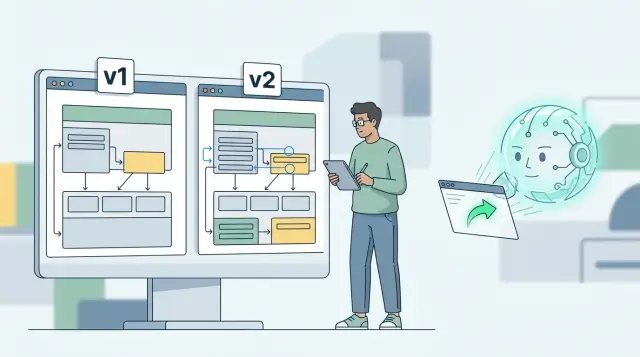
Parallel support for two versions also helps often. For a while, the tool accepts both v1 and v2, and the code inside maps them to one internal model. This lets the team see who is still on the old contract and migrate without rushing.
This is especially useful where different models and different prompts call the same tool. Updates almost never happen on the same day for all clients and all scenarios. A short period of dual support is usually cheaper than an urgent production fix.
If you are unsure, ask one question: can the old agent call the function without changes and get the same meaning back? If not, release a new version.
How to change the schema without breaking things
An agent breaks not because of the change itself, but because of mismatched expectations. Yesterday the tool accepted order_id, today it expects order.id, while the prompt and agent code still build the old call. In the end validation fails, the response goes empty, or the agent starts repeating the same tool call over and over.
First find the break point. Check real calls: which fields the agent is sending now, which ones are required, where you see empty strings, old names, and old types. That quickly shows whether you are only changing the shape of the data or breaking the contract entirely.
A workable order is usually this:
- Add
v2alongsidev1and do not overwrite the old schema in place. - Accept both formats at the input. If
order_idused to come in and now anorderobject is needed, support both. - Map both inputs to one internal model. The business logic should work with one set of fields, not branch by version.
- Write a warning to the logs for old calls. It is better to handle the request than to break the agent's flow.
- Remove
v1only after observing real traffic, not after a local test.
A simple example: check_order_status_v1 accepts order_id: string, while check_order_status_v2 accepts { order: { id: string, source: string } }. On the server, you should not keep two separate processing branches all the way through. It is better to immediately map both formats to an internal structure such as normalized_order_id and normalized_source, and then call the same code.
The warning log should be useful too. Record the tool name, version, client, call frequency, and the old fields that are still coming in. That kind of data shows which agent or service is still on the old contract and how much traffic it produces.
A common mistake looks neat only on paper: the team publishes a new schema, updates the tool description, and immediately removes the old fields from the validator. For people, that feels like clean architecture. For agents with tool calling, it is just a hard break. It is much safer to keep a transition period, watch traffic for several days or weeks, and turn off v1 only when old calls are almost gone.
Example with an order-checking function
A support team has a check_order tool. In the first version, the agent sends two arguments: phone and order_number. This is how the chat bot, the voice assistant, and several internal flows work. Everyone is used to this contract, so a sudden replacement almost always hits production.
Later, the team changes the internal data model. Now the system looks up an order not by phone number and order number, but by customer_id and order_id. That is better for the new logic: IDs do not depend on phone number format, duplicates are fewer, and lookup is faster. In v2, the tool schema already asks for customer_id and order_id.
The bad path is obvious: delete v1 and wait for everyone to update. The agent with tool calling will keep sending old fields, the validator will reject the call, and the user will see an empty response or "order not found", even though the problem is not the data but the broken contract.
The normal transition looks different. A compatibility layer stays on the input. It accepts old and new arguments, then converts them into one internal format. If phone and order_number arrive, the adapter looks up customer_id and order_id through the CRM and order system. If customer_id and order_id arrive, the request continues without conversion. If the agent sends a mixed set of fields, the code takes the new fields and writes a warning to the log.
That way the agent can still send v1 for another month without crashing. The user notices nothing, while the team sees the real picture in the logs: which agent is still living on the old schema, how many such calls are left, and where the adapter often fails to match fields.
A few log markers are enough for this: the agent name, schema version, whether the adapter was triggered, and whether old fields were successfully mapped to new ones. With that data, the team does not guess when to shut off v1. It looks at facts.
In practice, the schema rarely breaks everything by itself. Usually the problem is speed. While old fields are still needed, keep them at the system boundary and work only with the new model inside. Then the migration goes smoothly, and the v1 shutdown date is based on logs, not hope.
Compatibility in code, schema, and prompt
When a function changes its contract, the agent most often breaks not because of the schema itself, but because of small mismatches between the code, the tool description, and the examples in the prompt. One compatibility layer between old and new fields usually helps more than an urgent switch to v2 for everyone.
One compatibility layer
Keep one mapping table for old and new fields. Not in the team's head and not in notes, but in code and next to the schema. If the agent used to send customer_id and now the function expects client_id, the handler should accept both and map them to one internal field.
Give old fields the same default values they had before. If in v1 the include_details field defaulted to false, do not silently change it to true in v2. The agent may not send that field explicitly, and then behavior changes at the worst possible time.
The response is also better kept the same for v1 and v2 if the function meaning has not changed. If the agent is used to reading status, message, and result, do not return only data in the new version and expect it to adapt on its own. Inside the service you can keep a new format, but outside it is safer to expose the same structure.
A simple rule works well: the internal implementation can change as much as needed, while the external response should stay stable for as long as possible.
Examples and tests
Prompts age faster than code. If you updated the schema, update the call examples too. The agent often copies the example itself rather than reading the field description as carefully as the team hopes.
Before release, check at least four things: the old call example still works without errors, the new example gives the same type of response, the agent understands both the old field name and the new one, and default values do not silently change the result.
After that, run the same prompt against the old and new contract. Look not only at the JSON, but also at the agent behavior: did it choose the same tool, did it send the right arguments, did it understand the response without extra clarifications?
If you route LLM traffic through a single gateway, these checks are easier to build into a shared tool layer. For example, in AI Router you can run the same scenario through one OpenAI-compatible endpoint and compare how different models fill in the tool call without changing the SDK. But even without a separate gateway, the rule is the same: compatibility needs to live in the code, the schema, and the examples at the same time. If one of those layers falls behind, the agent will start making mistakes.
Mistakes that break agents most often
Agents rarely break because of one complicated reason. Usually the team changes the schema as if a person were reading it, not the model and code around it. For an agent, even a small edit can become a break.
The most common mistake is making a field required without a transition period. Yesterday the agent sent customer_id, and everything worked. Today you added a required region, but the old prompt and old code do not know about it. The result is predictable: calls start failing, and the model tries to guess the value out of thin air.
The second mistake is no less painful: the team changes a field type from string to object in the same version. For a person, that looks like a normal evolution of the function. For an agent, it is already a different format of the same call. If it used to send address: "Almaty", and now you expect { city, street }, old calls stop passing validation.
Working with enum also often breaks things. Suppose the tool accepted the statuses new, paid, and cancelled. Then you decided to keep only paid and cancelled because new is no longer needed. But old agents, tests, or saved scenarios still send new. If you narrow allowed values, you should accept old values for at least a transition period and map them explicitly.
There is also a quieter break: the field description stayed the same in form, but changed in meaning. The date field first meant the order creation date, and after the edit it meant the delivery date. The schema is formally the same, validation stays silent, but the function now does something else. Changes like that are more dangerous than obvious ones because they are noticed late.
Another problem is a release without logs and simple metrics. If you do not watch which arguments the agent is actually sending, you will not see the failure on the first day. After rollout, it helps to track at least four signals: the validation error rate for each tool, unknown and missing fields, old enum values that are still arriving, and the success rate of calls by schema version.
The good rule here is simple: if the data shape or field meaning changes, do not disguise it as a small tweak. Let the new version live alongside the old one, collect logs, and remove the old contract only when traffic on it is nearly gone.
Quick check before release
If a release changes the contract by even one field, the agent may not break right away, but several days later. The problem often hides not in the schema itself, but in the fact that old calls still live in code, prompts, and caches.
Before shipping, it helps to go through a short checklist:
- Run the old call without manual edits. Take a real payload from logs or tests and send it as is.
- Compare not only the API response, but also the business outcome. The new call should produce the same result as the old one.
- Separate logs by version. In tracing, metrics, and audit records, it should be clear whether
v1orv2came in. - Add tests for messy inputs: empty strings, old field names, unexpected
enumvalues, and extra arguments. - Fix the date for turning off the old version and share it with developers, integration owners, and the support team.
If even one item fails, it is better to delay the release. One extra day before shipping is almost always cheaper than a quiet production break, when the function still answers formally but no longer does what you expect.
What to do next
Do not try to clean up every tool at once. Pick one function that has changed more often than the others over the last few months. That is usually the place where the agent has already made mistakes: it mixed up an old field name, skipped a new required argument, or built the call from the old contract.
Then set a simple rule for the team. If you add an optional field, keep the old names and the old response meaning, you can stay on the same version. If you change a field type, make it required, rename an argument, or change the meaning of the result, release v2. That rule removes review arguments and makes tool schema versioning a normal engineering habit.
A useful minimum for one short sprint is this: choose one problematic function, describe its current contract in one place, turn on logs for schema versions and validation errors, and then run 10–15 real scenarios across several models. The last step is especially important. One model may tolerate an extra field and fill in the call on its own, while another starts dropping a required argument or sending the old format. A test on only one model guarantees almost nothing.
The logs do not need to be complicated either. Save the schema version, tool name, validation error text, and input arguments after masking sensitive data. Then you will quickly understand whether the agent broke because of the prompt, the model, or the new contract.
If the team already routes LLM traffic through AI Router, the new schema is easy to test on one endpoint and compare the behavior of several models without changing client code. But even in a simpler architecture, the meaning is the same: compatibility first, old version removal second.
That is enough to keep the next changes from breaking agents by accident. Tool schema versioning works best when it becomes a normal part of release flow, not an emergency measure after a failure.