Prompt Library for the Team: Cards, Tags, Owners
A prompt library helps a team keep working templates in one place: cards, tags, owners, examples, and an update routine.
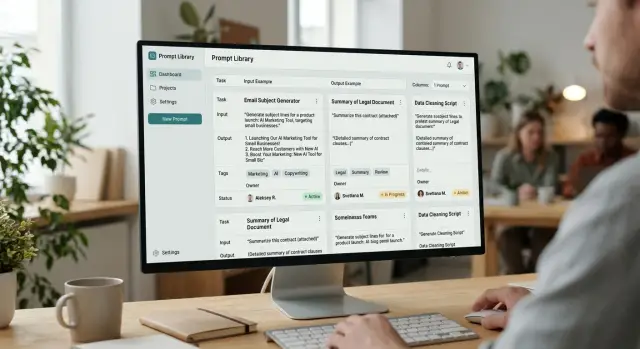
Where teams lose good prompts
Good prompts rarely disappear all at once. Usually they spread across personal chats, notes, pinned messages, and pieces of code. In the end, the best template is known by one person, while everyone else only remembers that “there was a good version somewhere.”
The problem becomes obvious when a new employee joins the team. Someone forwards an old text from a chat, they copy it into their work, and they do not know that the wording has already been changed, the response limits were adjusted, and the steps were reordered. The mistake seems small. A week later you already have two almost identical versions, and a month later - five.
Then the arguments start. One manager says the working template is in Notion, another is sure the best version was in Slack, and a third keeps their own file marked “final 3.” No one can quickly show which prompt is the current one and why. The team spends time not on the task, but on finding the right text.
There is also a less visible kind of loss. For the same tasks, people keep writing prompts from scratch: call summaries, complaint analysis, a draft reply to a customer, text risk checks. One such start takes 10–20 minutes. Individually, that seems like nothing. At the team level, it is already hours every week.
Worst of all, the knowledge lives not in the process, but in the memory of specific people. If a strong employee goes on vacation or changes roles, the good wording, examples, and small edits that produced stable results often disappear with them.
A typical scenario looks like this: a support specialist finds a good prompt for handling difficult requests, keeps it in a personal chat, and tweaks it a little for themselves. A month later, a colleague takes the old version because it appeared first. The replies get longer again, the tone becomes inconsistent, and the team starts debating the model, even though the real issue is the prompt itself.
A prompt library is not about order for its own sake. It removes unnecessary searching, shows the current version, and stores working ideas where the whole team can use them, not just the author.
What to keep in the library
A library should not hold everything. It should only contain what the team repeats regularly. If a task comes up every week, it almost certainly needs a card. That could be support request analysis, a call summary, extracting fields from a contract, or a draft response to a customer.
One-off ideas usually do not belong there. A prompt for one strange task lives for a couple of days and then only gets in the way. When the library grows without a filter, people stop trusting it and go back to copying texts from personal chats.
A simple filter looks like this:
- the task is done regularly;
- more than one person uses the prompt;
- the result can be checked against clear criteria;
- the prompt saves time instead of creating extra choice.
It helps to keep two types of templates side by side: working and test. The working version is for day-to-day use, where everything is already adapted to the real process. The test version helps you quickly check a change, compare wording, and avoid breaking what the team uses every day.
For example, support may have one template for replying to customers and рядом its test version with short examples of difficult cases. Then a new employee does not have to guess which text to use, and the team lead can safely change the wording and immediately see what happened.
Another useful principle is to organize materials by role and scenario, not by author. Not “Ira’s prompts” and “Daniyar’s prompts,” but “Support - refund,” “Legal - NDA check,” “Sales - meeting summary.” That way, people find what they need faster, and no one depends on who happened to write a good version once.
It is better not to drag rough drafts without value into the shared library. If a prompt does not produce stable results, needs verbal explanation, or has not been opened in months, send it to the archive. A live library should be small, clear, and useful today.
What a prompt card should look like
A good card should be readable in half a minute. If someone spends longer than that, they will go back to searching an old chat, and the library will remain just a formality.
Start with a short task name. Not “universal assistant,” but “Reply to customer about a refund” or “Call summary in CRM.” From the name alone, it should be clear what the prompt does and where it is needed.
Right under the name, add a short context: when to use this prompt and when not to. This greatly reduces errors. If the card only works for incoming emails under 500 characters or only for requests in Russian, it is better to write that directly.
Keep the prompt text itself free of long intros and explanations around it. A person should open the card, copy the text, and run it. Notes can go below, but the working version should live in the card in full, with no guessing and no “I also tweaked it a bit in chat.”
The most useful part of the card is the example. Show real input and the answer the team considers normal. Not the perfect answer for every case, but one real sample. If the prompt writes a short summary of a request, give the request text and the expected result in 4–6 lines. After such an example, a new person usually understands the task faster than after a long description.
Technical fields matter too. Record the model, temperature, other parameters, the card version, and the date of the last check. This is especially important if the team compares multiple models or routes requests through a shared OpenAI-compatible gateway, such as AI Router. The same text can behave differently on different models, and without that note, a debate about quality quickly goes in the wrong direction.
At the end, specify the owner and status. The owner is responsible not for eternal perfection, but for relevance. Four statuses are usually enough: draft, testing, working, archive.
Inside the card, there should only be the essentials: a short task name, usage conditions, the full prompt text, an input example and expected answer, plus the model, parameters, version, date, owner, and status. If one of these fields cannot be filled in, the card is not ready yet.
How to write examples that actually help
An example in the card should answer one question: what exactly does the team consider a good result? If the library contains toy examples with two lines, they cannot be used to reproduce a normal answer in real work.
Use real volume. If a manager usually pastes a customer email of 1,200 characters, do not shorten it to something like “the customer is unhappy, reply politely.” With short text, the model almost always looks smarter than it really is.
Weak example
Request: “Reply to the customer, they have a payment issue.”
Expected answer: “Hello! We’re sorry about that. We’ll look into it.”
This example is almost useless. It has no facts, no constraints, and no real volume. From it, you cannot tell whether the answer should ask for an order number, whether it can promise a timeline, or who is responsible for the next step.
Working example
It is better to take a real request with almost no shortening. For example, a customer email in two paragraphs: they could not pay the invoice, they are writing from a different address, they want access opened today urgently, and they attached an old contract number.
The expected answer should also be complete, not just a sketch. Let it be 5–7 sentences with a clear structure: acknowledge the issue, verify the details, do not promise access before the check, name the next step, and give the response time.
It also helps to mark in the example the places where the model most often makes mistakes: do not promise a refund, do not confuse the contract number with the invoice number, do not repeat the customer’s personal data, and do not say the issue is already solved.
Another good layer is manual edits after the model’s answer. They show where the prompt is still not strong enough on its own. Record not only the final text, but also what the person changed: removed an unnecessary promise, added a missing step, shortened a long intro, fixed an inaccurate deadline, or deleted personal data.
If those edits repeat across several cards in a row, the issue is no longer the employee - it is the prompt itself. Then the card quickly shows what needs to change: the instruction, the response format, or the input data.
How to agree on tags
Tags are not for decoration. They help you quickly find the right prompt when the team does not have time to scroll through dozens of cards and guess which version to use.
Confusion usually starts with the best intentions. One person adds the tag “support,” another “support team,” and a third “reply to customer.” A month later, the library seems to exist, but search barely works.
At the start, four axes are enough: task, team, language, and risk. For task, this could be replying to customers, summarization, classification, or data extraction. For team - support, sales, analytics, legal. For language - ru, kk, en. For risk - no personal data, personal data, manual review.
Do not try to invent 30 labels right away. It is better to start with 5–8 common tags that the team actually uses every day. If a tag is needed once a quarter, it probably is not needed at all.
Usually 2–4 tags per card are enough. More than that gets in the way. A card with the tags “support,” “ru,” “reply to customer,” “manual review” reads clearly. A card with nine tags looks more like an attempt to cover every possible case.
Also remove synonyms. Choose one word for one meaning and standardize it. If you decide to use “support,” do not keep “sopport” and “support” alongside it. If you choose “summarization,” do not create both “summary” and “text recap.” Otherwise, card owners will start adding tags out of habit instead of following the rule.
How to adopt the rules without bureaucracy
Gather the team for 20 minutes and open 15–20 real cards. It becomes obvious very quickly which tags repeat and which ones everyone understands differently. After the meeting, leave a short guide: a list of tags, one meaning per tag, and one example each.
The working rule is simple: if two people cannot explain a tag in the same way, it needs to be renamed or deleted.
Once a month, it helps to clean up the library. Remove empty, debatable, and rare tags that do not help with search. It is boring work, but without it the system quickly gets messy.
If the team works with customer data or internal documents, it is worth introducing a risk tag right away. This is especially useful where masking PII, audit logs, and manual review before sending the result to the user matter. If the team uses AI Router, such notes are easy to connect to the real control process instead of keeping them only on paper.
Who is responsible for the cards
Every card needs one owner. Not a department, and not a chat - one specific person. If everyone is responsible, in practice no one is.
The author and the owner are often different people, and that is normal. The author wrote the first version of the prompt, added examples, and described the task. The owner makes sure the card delivers the right result now, not just on the day it was created.
This becomes especially clear after a model change. A prompt that worked well yesterday may start answering more verbosely, more strictly, or may confuse the format. The owner should run the card on fresh examples and check whether the quality has dropped.
If the team changes provider or model but keeps the same API layer, the code may not change at all. The model’s behavior still changes. That is why a review after such a switch should be treated as mandatory. In teams that use AI Router, this is easy to do without rewriting the SDK and integration: the route changes, while the cards can be compared in the same process.
Four things are enough in the card: who the owner is, when the card was last checked, when to review it again, and which examples the owner uses to check quality.
The next review date removes unnecessary arguments. For frequently used cards, a check every 30–60 days is usually enough. For rare scenarios, the interval can be longer, but the date should be in the card, not in someone’s head.
It is also important to agree on a clear archive rule. If a card has not been opened or run for, say, three months, the owner marks it as archived. Deleting immediately is not necessary: old versions sometimes help when the team returns to a previous scenario. But only the cards people actually use should remain in the working list.
A simple example. A support analyst created a card for analyzing incoming requests and then moved to another project. If no new owner is assigned, the card quickly becomes stale: no one notices that answers got worse after the model change, and the examples no longer look like real conversations. If there is an owner, they take 15–20 real anonymized chats once a month, check the result, and adjust the card if the response format drifts.
Prompt management in a team usually breaks not at the text level, but at the level of responsibility. A named owner keeps the library alive and prevents it from turning into a storage room of old lucky finds.
How to build a library in two weeks
You can build a working library in two weeks if you do not try to create the perfect catalog right away. First, look not for “the best wording,” but for live prompts that already help the team get work done.
Week one
In the first few days, gather everything people already use: prompts from personal chats, shared channels, documents, notes, and tickets. Take even rough material. At this stage, completeness is more useful than cleanliness.
Then sort the findings quickly. If two prompts do the same thing, keep the version the team uses more often. Empty drafts, one-off jokes, and phrases without context are better removed right away, otherwise the library will be cluttered in the first month.
The easiest way is to follow this order: first collect everything into one table or folder, then mark the task for each prompt, merge duplicates into one working version, and remove entries without a clear goal or result.
After this cleanup, it is common for 15–20 cards to remain from 40–50 findings. That is normal. A small base that is used every day is better than an archive of everything.
Week two
Now move what remains into a single template. A card should answer simple questions: what the prompt does, when to run it, what input is needed, what result counts as normal, and who is responsible for edits. Add tags and status right away: “draft,” “checked,” “outdated.”
After that, test the first cards on real tasks. Do not ask people to judge them by eye. Give, for example, five fresh support requests, one typical sales case, or a set of short texts for rewriting, and compare the result with what the team did before.
When the cards pass that check, open the library to the whole team. Let people not only read, but also edit: change the wording, add examples, mark weak spots. If each card has an owner, the library will not drift back into personal chats.
After two weeks, you will have not a pile of drafts, but a working base that the team actually comes back to.
Example for a support team
Support usually has the same problem: a customer sends a long thread, and the agent needs to understand the gist in a minute and reply without mistakes. In that situation, a library helps not with nice theory, but with a simple everyday template.
Imagine an 18-message conversation. The customer first complains about a charge, then remembers an old order, then asks for a faster reply. The agent needs a short summary of that chain: what happened, what has already been checked, and what to do next. If everyone writes their own prompt from scratch, reply quality starts to drift quickly.
For a case like this, the card stores not just the text sent to the model. It defines the working frame: what text goes in, what tone the response should have, what format the agent expects in the summary, where facts must not be invented, and what needs to be separated out - risk, next step, promise to the customer.
The card can be very simple:
Задача: сжать длинную переписку в 4 строки для оператора поддержки.
Вход: полный текст диалога клиента и агента.
Тон: нейтральный, спокойный, без канцелярита.
Правила: не придумывай причины проблемы; если фактов мало, напиши "недостаточно данных".
Формат ответа:
1. Суть обращения
2. Что уже сделал оператор
3. Что нужно проверить
4. Что ответить клиенту сейчас
Search also should not be overcomplicated. If an agent sees a tag for the request type, they do not dig through dozens of templates. They open “refund,” “order not received,” “payment error,” or “complaint about response time” and immediately take the right template.
Such a card should have an owner. Usually that is the team lead or a senior shift specialist. If the company changes refund rules or adds a new escalation script, the owner updates the card the same day, not a month later when half the team is already working from the old version.
A new employee benefits the most from this. Instead of private messages like “send me your good prompt,” they take a ready-made card, see the input example, tone, and limits, and get up to speed faster. After a couple of shifts, they are already more consistent and spend less time untangling long conversations.
Where teams go wrong most often
A prompt library usually does not fall apart because of the tool. The problem is almost always discipline. The team writes something down, but a month later no one remembers why it exists, where the working version is, or whether it can be trusted.
A common mistake is giving a prompt a neat name without describing the task. A title like “Customer summarization v2” looks fine, but it does not answer a simple question: what exactly does this prompt do, for which channel, on what input, and what result counts as normal? Without that, the card looks tidy but does not help.
Cards that contain only the prompt text are no less harmful. Text by itself rarely explains how to use it. You need at least one good input example and an expected answer. Otherwise, a new person on the team either changes the prompt at random or goes looking for the author in private messages.
Another common failure is when drafts sit right next to working versions and are not clearly different. In the end, a manager grabs the experimental version, support copies the old wording, and then everyone argues about why model answers got worse. The working card should be clearly marked right away. A draft is needed too, but separately.
What breaks a library fastest
When a card has no owner, it quickly becomes nobody’s responsibility. The error is visible, but no one edits the text, updates the examples, or removes the outdated version. After a couple of months, such a library looks more like an archive than a working tool.
Teams also often overdo tags. Instead of clear labels like “support,” “summarization,” “Russian,” there are dozens of nearly identical words. The same prompt may get the tags “sopport,” “support,” “helpdesk,” and “customer care.” Search becomes harder, not easier.
Another problem appears after a model change. If the team tested a prompt on one model and then moved the same scenario to another, the tone, format, length, and accuracy of instruction following all change. This is especially noticeable when the infrastructure makes it easy to switch routes between providers. Convenience does not replace validation: after such a change, the card needs to be tested again.
A good warning sign is very simple: the card cannot be understood in a minute. If using it requires messaging the author, digging through chats, and guessing which version is live, the library has already stopped working.
What to check next
If, after launch, the library lives in five places at once, the team will quickly stop trusting it. The reason is usually simple: the cards exist, but a couple of required fields are missing, and the working version gets lost between chat, spreadsheet, and notes.
Start by checking each card against a short list: is the task clear without vague words, is there an input example and a good answer, are tags set, is an owner assigned, and can you see which version is working and which one is a draft? If even one item is missing, the card is almost certainly going to fall out of use.
The second check is about rhythm. Libraries age quickly: tasks change, models change, tone requirements change, and response formats change. So it is better to introduce a short monthly review. No one needs a big one-hour meeting. It is enough to go through the cards that are used often and answer three questions: does the prompt still work, are there any duplicates, and is the example outdated?
A common mistake is trying to build the perfect base all at once. It is much better to start with ten cards that the team opens every day. That is how a real habit forms: people fix examples, argue about tags, notice weak spots, and understand faster where a separate owner is needed.
If the team tests one library across different models, it is convenient to keep a single access layer for them. For example, AI Router lets you work with different LLMs through one OpenAI-compatible endpoint and avoid changing familiar SDKs, code, and prompts. For a library, that is useful: comparison happens on the same set of cards instead of getting lost in small technical edits.
The normal next step is simple: choose the ten most common scenarios, create cards for them, assign owners, and put a half-hour review on the calendar for next month.
Frequently asked questions
Do we need a prompt library if the team is small?
Yes, even for a small team. When good texts live in personal chats, people quickly start working from different versions and waste time searching.
Which prompts should go into the library first?
Focus only on repeatable scenarios. If a task is handled often, at least two people use the prompt, and the result can be checked quickly, the card will pay off.
What should not be stored in the shared library?
Don’t put one-off experiments and rough drafts with no clear value into the shared library. It’s better to keep that material separate or archive it right away so the working base stays clean.
What must a prompt card contain?
A card should include a short task name, usage conditions, the full prompt text, an input example, and a good expected answer. Also record the model, parameters, version, review date, owner, and status.
What makes an example in the card actually useful?
Show a real case, not a toy one-line phrase. A good example gives a realistic input size and an answer that helps a new teammate understand the tone, format, and boundaries right away.
How many tags should we use, and how do we avoid getting confused by them?
Usually 2–4 tags per card is enough. It helps to agree on simple axes: task, team, language, and risk, and remove synonyms like “support” and “helpdesk” immediately.
Why assign an owner if the author already exists?
The owner keeps the card up to date. They check the prompt on fresh examples, adjust the text after a model or process change, and move the card to archive when it is no longer used.
How often should cards be reviewed?
For working scenarios, a review every 30–60 days is usually enough. Also review the card right after a model, provider, or workflow rule changes, even if the code stayed the same.
Can drafts be kept next to working versions?
No, drafts and working versions should be clearly separated. When they are mixed together, the team grabs the first text they see and then argues about answer quality, even though the real issue is the prompt version.
How can we launch a prompt library quickly without a long project?
Start with the ten most common tasks. In the first week, collect the current prompts from chats and documents, and in the second week move them into one template, assign owners, and test them on real cases.