Support ticket benchmark: how to build a live set
A support ticket benchmark helps test a model on real cases. We cover anonymization, labeling, and how to launch the first set quickly.
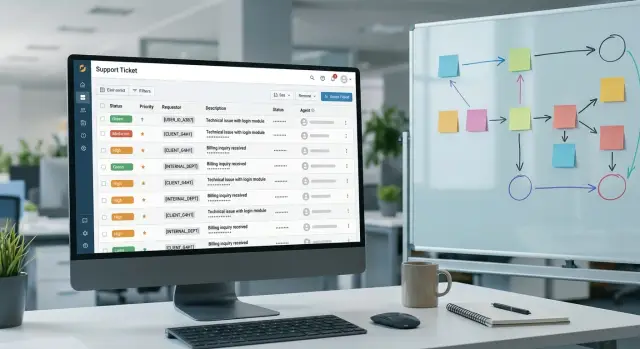
Why training examples do not look like support
Training examples are almost always too clean. In them, the person writes clearly, there is only one problem, the context is complete, and the correct answer feels like it is already waiting nearby. Support is not like that.
Users write on the move. They mix up dates, make typos, throw out half-sentences, and jump from one thought to another. One customer writes flatly, “payment does not work,” another is angry, and a third sends half a message and expects the operator to understand everything.
So the model is not just solving “give the correct answer.” First it has to understand what happened at all. That is an important difference. If you test the model on neat examples, the score will almost always look better than real-life performance.
A live conversation rarely stays on one topic. A customer may start with a delivery question, then remember a promo code, and end by asking why the login code is not arriving. For a person, that is a normal conversation. For a model, that is several tasks at once, and not all of them should be answered in a single reply.
A support agent also does not answer the first message as if they already know every detail. They ask for the order number, check the status, request a screenshot, and verify the return terms. A good answer often starts not with a solution, but with a normal clarifying question. Training sets almost never show that, and the model gets used to guessing instead of calmly collecting missing data.
This becomes especially obvious when a team builds an internal benchmark from support tickets to evaluate an LLM. On sterile examples, the model looks confident. On live dialogues, it starts confusing the customer’s intent, missing the second problem in the message, and answering too boldly where it should stop and clarify.
Support needs more than accuracy. It needs careful wording, a calm tone, and the habit of not inventing extra details. If the customer did not provide data, the model should ask. If the topic is sensitive, it should not promise a refund, unblocking, or a plan change without checking. That is why a real set built from tickets is almost always more useful than a polished training dataset.
Which tickets to include in the set
If you are building a benchmark from support tickets, do not go after the cleanest dialogues. The set should feel like a real shift: repeats, messy phrasing, missing details, and cases where the operator changes the answer after a few clarifying questions.
Start with frequent requests, but do not flatten them into one template. If customers constantly ask about delivery, refunds, or payment, collect many different ways of phrasing the same problem. One person writes “Where is my order?”, another sends the order number right away, and a third starts with a complaint. For the model, those are different situations, even if the topic is the same.
Dialogues where the solution did not appear right away are especially useful. They show whether the model can ask clarifying questions instead of guessing from the first two messages. For example, a customer complains about a double charge, and later it turns out that one operation only placed a hold and will disappear later.
Do not remove cases with incomplete data. In support, that is normal: no order number, a cropped screenshot, or the customer only remembers an approximate purchase time. If you keep only complete and tidy requests, the support data evaluation will be too soft.
You also need tickets where the form of the answer matters, not just the fact itself. Complaints, refunds, company policy refusals, disputed compensation, conversations with an irritated customer, requests to delete or correct data — in all these cases, the model must not only answer correctly, but say it the right way.
A simple filter helps when selecting cases. Keep high-volume topics that repeat every week. Save dialogues with several clarifications before resolution. Leave some requests missing one important field. Add cases where the operator refused or moved the conversation to another channel. And spam, empty chats, and one-off outages that rarely repeat are better left out.
Rare isolated failures usually get in the way more than they help. If a strange bug happened once in six months on an old app version, it should not take as much space as hundreds of questions about order status or refunds.
A good internal support dataset looks a little uneven. It contains many similar topics, but the tone, data completeness, and conversation path are different inside them. That kind of set quickly shows where the model gets lost in a real support queue.
How to anonymize data and keep the meaning
Raw support dialogues almost always contain personal data. Usually that includes names, phone numbers, IIN, addresses, order numbers, email addresses, and sometimes card numbers or the last digits of a document. It is better to start not with a total cleanup of the text, but with finding entities by type. That makes it easier to avoid missing small details like a signature at the end of an email or an order number in the ticket subject.
The rule is simple: replace personal data with clear labels of the same type. If a dialogue contains a phone number, it should always become [PHONE], not [TEL] in one place and [NUMBER] in another. A customer name is better replaced with [NAME_1], an order number with [ORDER_1], and an address with [ADDRESS_1]. Then the text stays readable, and the model sees the structure of the real request instead of a mess of random stars.
Keep the link between the same entities inside one dialogue. If the customer Anna is mentioned three times, the same [NAME_1] label should appear everywhere. The same goes for the order, store, doctor, courier, or branch. Otherwise, the logic of the conversation disappears. The model no longer understands that the whole exchange is about the same order, and the example becomes weaker than it was.
Do not delete everything. Dates, amounts, delivery times, request statuses, and plan names often affect the answer more than the customer’s name. If the operator explains why a refund is impossible after 14 days, the date matters. If the dispute is about a charge of 12,500 tenge, the amount should stay too. Otherwise, you protect the data but break the task itself.
In practice, a short workflow works well: first identify the types of sensitive data, then replace them with a single set of labels, then check whether the meaning of the answer is still intact, and store the mapping table separately from the dataset.
A small example: “My name is Aidos, order 548921, the courier did not arrive on May 12” is better turned into “My name is [NAME_1], order [ORDER_1], the courier did not arrive on May 12.” The personal data is removed, but the reason for the complaint is still clear.
After masking, review 20–30 dialogues manually, as whole conversations, not one sentence at a time. That quickly exposes two common mistakes: leaked personal data and over-aggressive cleaning, when the meaning disappears from the text. If you work in a company with requirements for in-country data storage and PII masking, this manual check is not just for show — it is necessary for a proper working dataset. For teams in Kazakhstan, this is especially relevant.
How to label tasks so the dataset stays alive
A live dataset is not built on one broad label like “good” or “bad.” That kind of evaluation explains almost nothing. For a benchmark built from support tickets, it is better to assemble a task card from several simple fields so you can later see where the model fails: in the meaning of the question, in the tone, in the action it chooses, or in routing.
First, give each request a short label for the customer’s intent. You do not need a complex taxonomy with 40 items. At the start, 8–12 labels are enough: “order status,” “refund,” “address change,” “complaint,” “payment failure,” “account access.” If it takes the operator 15 seconds to choose a label, the scheme is already too heavy.
Next, record the expected outcome. This is a separate field, and it is often more useful than the intent itself. The same request may require different results: a short answer, an action in the system, or a handoff to a person. When you mark the outcome clearly, it is easier for the model to understand when it can answer on its own and when it should stop and pass the ticket along.
What to store in the labeling
For each example, five fields are usually enough: customer intent, expected outcome, a reference operator answer if it is truly good, risk markers, and separate quality scores.
A reference answer should not always be saved, only if it is genuinely good. In support, there are many answers that are formally correct but dry or confusing. If the operator resolved the issue quickly, did not escalate the conflict, and did not break the rules, that answer works as a guide. If the conversation ended, but the customer stayed angry, that text should not become a sample.
It is especially useful to mark difficult moments. The phrase “Well, sure, 24 hours again” may look like a normal clarification on paper. In reality, it is irritation and sarcasm. Those signals change how the answer should be judged: a dry template is worse here than a calm acknowledgment of the issue and a clear next step.
One final score hides too much. It is better to use several: factual accuracy, tone appropriateness, completeness, policy compliance, and routing correctness. Then it becomes clear that the model, for example, writes politely but does not take the required action. For the team, that is no longer an abstract weak result, but a clear point for improvement.
Step by step: your first set in 10 days
In ten working days, it is realistic to build the first version of the set if you do not try to cover all support at once. What you need is not a perfect archive, but an honest slice of what the team faces almost every day.
Days 1–3
First, choose 3–5 frequent scenarios. Usually these are order status, refunds, payment failure, account access, plan changes, or service cancellation. Do not take rare or exotic cases yet. They add noise and do little on the first pass.
Then export 50–100 dialogues for each scenario. It is better to take a fresh period, for example the last 2–3 months. Pull not only the final answer, but the whole conversation flow: the customer’s first message, clarifications, pauses, operator mistakes, and transfers to another agent.
At this stage, duplicates almost always appear. The same template can show up dozens of times, and one customer may write twice about the same issue. Remove exact duplicates and merge near-identical cases, but do not strip out the live language. If two customers describe the same problem differently, keep both versions.
Days 4–10
Next, run anonymization. Names, phone numbers, emails, addresses, order numbers, IIN, and card details should be replaced with clear labels like [NAME] or [ORDER_NUMBER]. The meaning must remain: the model should understand that the customer wants a refund for a specific order, not see empty anonymized text.
Automation speeds up the work, but without manual review it will fail you. Check at least 10–15% of the dialogues by eye. Masking most often misses data in free-form text: “my number starts with 8701,” “delivery was to Abay 12,” “I wrote from my wife’s email.”
After that, label a pilot batch of about 30–50 dialogues. Do not try to label everything at once. The pilot quickly shows where the rules break: the operator gave a correct answer, but in a rude tone; the customer asked two questions in one message; the dialogue ended without a resolution. At that point, it is easier to fix the labeling scheme than to redo the whole dataset later.
In the last two days, assemble the final slice and freeze version 1. Save the list of scenarios, exclusion rules, anonymization template, and the labels themselves. That gives you a first support ticket benchmark you can compare fairly across models. If the team runs several models through a single OpenAI-compatible endpoint, a fixed dataset version is especially convenient: less confusion in the environment and settings.
Example of a dataset for an online store
A good store dataset should smell like a real support shift. People write from their phones, mix up details, get frustrated, and jump between topics. That kind of benchmark quickly shows whether the model can handle live situations, not just neat training examples.
For the first set, 20–30 dialogues are enough if they differ in tone and type of failure. It is better to choose short and medium-length conversations where there is a fact, emotion, and at least one place where the model could make a mistake.
These cases work well. A customer asks for a refund for a product but does not remember the order number. In chat, they only have the name, approximate purchase date, and phone number. This shows whether the model asks for exactly the data it really needs or starts guessing and confusing the person.
Another option is a two-day delivery delay after which the conversation quickly turns sharp. At first the customer simply asks for a status, then accuses the store of lying and demands compensation. This kind of case is good for checking tone: the model should stay polite, not argue, and not promise something that does not exist in the system.
Another common case is a double payment, but the statuses do not match. The customer sees two charges in the banking app, while the CRM shows one paid order and one order in “awaiting payment” status. This immediately shows whether the model can separate fact from assumption and whether it can route the case to the right queue.
Dialogues where the operator asks for confirmation are also useful: a receipt, a photo of the box, or the last 4 digits of the card. Such examples are handy for checking whether the model asks for unnecessary personal data and whether it understands what confirmation is enough for the next step.
For each dialogue in the labeling, it is better to store not one “right or wrong” answer, but several fields. Usually five are enough: whether the model solved the task, whether it distorted any facts, whether it kept a calm tone, whether it requested unnecessary data, and whether it promised an action without basis.
This kind of set immediately reveals three things. First is accuracy: the model should not invent an order number, refund status, or delivery time. Second is politeness: even for a rude message, the answer should stay calm and short. Third is risk, especially where money, refunds, and personal data are involved.
If after the run the model sounds human but mixes up statuses or asks for the full card number, that is a bad result. For store support, a dangerous overconfident wrong answer is worse than a dry style.
Where teams usually go wrong
Almost always, it is not the models that ruin the set, but the data preparation. The team wants to build a support ticket benchmark fast and unconsciously picks the cleanest, easiest, and shortest dialogues. In the end, the test looks neat, but it does not resemble the real queue, where there are typos, topic jumps, extra details, and an irritated tone.
The first mistake is simple: only convenient cases make it into the set. For example, the team takes dialogues where the customer immediately writes the order number, states the problem clearly, and does not drift off-topic. But real support works differently. A customer may start with “nothing works again on your side,” and the needed fact appears only in the fourth reply. If you cut that noise out, the model will pass the test better than it will perform in production.
The second common mistake is cutting a conversation down to one reply. That is easier to label, but the context disappears. The same answer can be good or bad depending on what the operator has already promised, whether the customer asked for a refund, and whether the delivery address was confirmed. When the team keeps only the last question, it is not testing support — it is testing guesswork.
The third mistake quietly breaks evaluation: facts and tone are merged into one score. Suppose the model writes politely to the customer but gives the wrong refund timeline. Or it correctly states the rule but sounds dry and harsh. If you collapse this into one “good/bad” label, later you cannot tell what needs fixing: knowledge, style, the response template, or routing to another model.
Another problem shows up later. Teams spend all the fresh cases on development and then test on the same cases. At that point the benchmark stops being a test and becomes a cheat sheet. It is better to set aside part of the new dialogues into an independent sample right away and leave it untouched until it is time to compare versions.
The last mistake seems harmless: labeling rules change during the work. On Monday, a borderline answer is acceptable; on Friday, the same answer gets a low score. A month later there are numbers, but no comparison. If you change the rules, freeze a new version of the scheme and do not mix it with the old one.
The working approach is simpler than it seems: take dialogues with noise, keep 3–6 context turns, assign separate scores for accuracy and tone, hold out a fresh sample, and freeze the labeling rules for each run. Then the set starts telling the truth, even if it is not very pleasant.
Quick check before the first run
The first run often breaks not on the model, but on the dataset itself. Ten minutes of manual review usually saves you from false conclusions when the team has already decided the model is weak or, on the contrary, did great.
A good support ticket benchmark should be uneven, like a real queue. If the set contains almost only short 1–2 message requests, the model will show results that are too pretty. If it contains only long conversations with clarifications, the score will look too bleak. You need both types of cases.
Before launch, it helps to quickly scan a few slices. Look at conversation length: the set should include short requests, normal workaday threads, and long stories where the customer changes the topic, sends more details, and comes back a day later. Check the scenario balance. If 60% of the set is one frequent case like “where is my order,” you are measuring one scenario, not support quality overall.
Compare how two people label the same sample. Even 30–50 cases are enough to see whether the team agrees on the correct answer, escalation, and refusal. If labelers often disagree, the problem is usually not the people, but the rules. That means the criteria are too broad: it is unclear when an answer counts as complete, when to ask for clarification, and when to hand the question to an operator.
Open the anonymized dialogues and check the anchor details. Dates, amounts, delivery times, and order numbers should remain readable and believable, otherwise the task loses meaning. Masking mistakes are just as common: the team hides everything and accidentally kills the context. “Order 18452 from 03.11 for 12,990 tenge” should not become “[number] [date] [amount]” without form and links. For evaluating a model on support data, the personal data itself is not the point — the structure of the facts is.
For some cases, it helps to keep not one reference answer, but two: a strong one and a weak one. Then you can see not only whether the model matches the template, but also the difference in quality.
Even if you run the set through a gateway with PII masking and audit logs, manual review is still necessary. For example, in AI Router this can be combined with a single OpenAI-compatible access point to different models, but the dataset will not become clean automatically because of that. Open at least 15–20 cases by eye and make sure the set still looks like real operator work, not a cleaned-up training example.
What to do next with this set
The dataset starts working not after it is built, but after repeated runs. Save one fixed control slice and run it after every model change, prompt change, or call logic change. Otherwise, the support ticket benchmark quickly turns into a one-time check that cannot be compared to anything.
The average score often lies. A model may score higher overall and still answer worse on refunds, disputed charges, or conversations where the customer is already irritated. Look at failures by scenario: request type, language, conversation length, urgency, and the need to verify company policy.
A simple rhythm works well: after each change, run the frozen core of the set, once a month add new cases from fresh tickets, and separately mark the errors that have already happened in production.
It is better not to rewrite old examples. If in February the model answered badly on a refund question, let that case stay in history as it was. For new rules, new products, or a new response style, add separate cases with a date and labeling version. That way the dataset grows without losing a fair comparison point.
If you compare many models, it is easier to run them through one OpenAI-compatible endpoint. In that setup, AI Router can be a convenient layer: the team changes the base_url to api.airouter.kz and keeps using the same SDKs, code, and prompts without rewriting anything. That makes comparisons on the same dataset simpler.
For teams in Kazakhstan, there is also a practical side. If your infrastructure requires data storage inside the country, PII masking, and audit logs, it is better to account for those conditions at the benchmark preparation stage, not after the first incident. Then reviewing questionable answers and rerunning tests does not turn into a manual quest across different systems.
After a few cycles, you will have not an abstract score, but a map of weak spots. It will show where the model confuses refund policy, where it loses context in a long conversation, and where it needs a different route or a different prompt.
Frequently asked questions
How is a live dataset of support tickets better than training examples?
Training examples are usually too neat: one question, full context, clear answer. In support, customers write in fragments, get frustrated, mix up dates, and combine several topics in one message.
A live set checks more than factual accuracy. It shows whether the model can ask for missing details, avoid making things up, and refrain from promising actions that need verification.
Which tickets should go into the first version of the benchmark?
Start with 3–5 frequent topics the team sees every week. Typical examples are order status, refunds, payment failures, account access, and service or plan changes.
Don’t collect only clean dialogues. Keep complaints, incomplete requests, and cases where the operator reached the solution after a few clarifying questions.
How many dialogues do you need to start?
For a pilot, 20–30 dialogues are enough if they differ in tone and conversation flow. That is usually enough to see where the model guesses instead of asking and where it confuses facts.
For a more stable first version, it helps to collect 50–100 dialogues for each common scenario. That gives you a fairer snapshot without overwhelming the team with labeling work.
Should incomplete and messy requests be included in the dataset?
Yes, and they often reveal model weaknesses best. In a real queue, customers often don’t have an order number, the screenshot is cut off, or the issue is described vaguely.
If you keep only neat requests, the test becomes too soft. The model will look good on paper and then stumble in real traffic.
How do you anonymize tickets without losing structure?
First identify the types of sensitive data: name, phone number, email, IIN, address, order number, and card details. Then replace them with consistent labels such as [NAME_1], [PHONE], and [ORDER_1].
Use the same label for the same entity throughout the dialogue. That keeps the text readable and helps the model see that the conversation is about one order or one person.
What should remain in the text after masking?
Do not remove dates, amounts, deadlines, statuses, and plan names if they affect the answer. These details often decide what the operator should tell the customer.
If the issue is a refund after 14 days or a charge of 12,500 tenge, those facts need to stay. Remove personal data, but keep the logic of the case.
How do you label tasks so the dataset does not become too complicated?
Do not build the schema out of dozens of fields. At the start, it is enough to track the customer intent, expected outcome, a strong reference answer, risk markers, and a few separate quality scores.
It is better to split the scores by facts, tone, completeness, and routing. Then the team can immediately see whether the model failed in rule knowledge, phrasing, or in deciding to hand the case to a person.
What mistakes most often ruin this kind of benchmark?
Teams often pick only convenient cases, cut conversations down to a single reply, and mix facts with tone into one score. After that, the benchmark no longer looks like support.
Another common mistake is changing labeling rules during the work. If one answer is normal today and bad tomorrow, you can no longer compare results fairly.
How do you quickly check the dataset before the first run?
Open 15–20 dialogues in full and check three things: does the language still feel natural, did any personal data leak, and are dates, amounts, and statuses still readable? This short check often saves you from false conclusions.
It is also worth checking the balance by scenario and conversation length. If one common question makes up almost the whole set or the dataset contains only short chats, the result will be skewed.
What should you do with the dataset after the first version?
Freeze the first version and run it after every model change, prompt change, or call logic change. That way you see real quality shifts instead of random noise.
Add fresh cases from production once a month, but do not rewrite old examples. That gives you a history that shows where the model improved and where it still fails.