Stop Sequences in Production Without Garbage After JSON
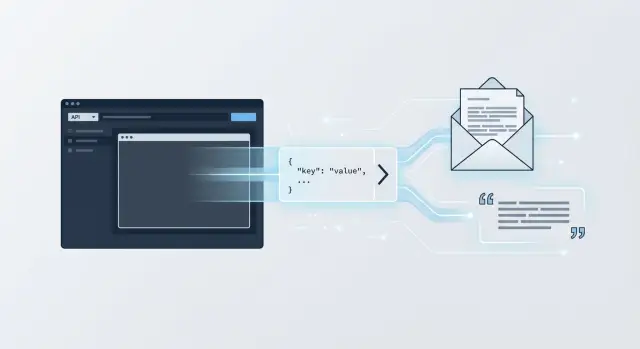
Stop sequences in production help cut off model output right after JSON, emails, or quotes without extra text or broken formatting.
Why the model keeps answering past the right place
The model does not see the answer boundary the way your code does. To it, JSON, an email, or a quote is just more text. Until generation hits a limit, a stop string, or an explicit stop signal, it often keeps writing.
One instruction in the prompt helps, but rarely solves everything. The phrase "return only JSON" increases the chance of a clean answer, but it does not cut off the output by itself. The model may close the object and then add "Done" or a short explanation. A person may ignore that. A parser will not.
What is worse is that the error stays hidden for a long time. On short answers, everything looks fine. Then a long request comes in, the temperature is a bit higher, and after the needed closing brace a tail appears. If you run several models through one API or through a gateway like AI Router, you can see it right away: one model stops after }, another adds another line under the same instructions. That means the prompt is not the only thing that matters. You need to define the end of the answer explicitly.
Where stop tokens are really needed
Stop strings are needed where the model output goes straight into code, a form, or another strict format. If a person reads the text, an extra sentence is usually not a big deal. If a parser, database, CRM, or email template reads the answer, one extra line can break the whole flow.
This usually happens in four cases:
- JSON without extra text
- emails and response templates
- quotes or short lines in an interface
- SQL, YAML, HTML, and code without explanations
For JSON, the problem is simple: the object is already closed, but the model adds "Done". For an email, it may append a service note or advice. For a quote, one line after the closing quote is enough for the interface to show garbage. In production, these tails hit the simplest scenarios: parsing fails, retries grow, and the queue starts slowing down.
How stop tokens work
The mechanism is simple. You send the API one or more strings in advance, and the answer must end on one of them. During generation, the service compares the text already produced against that list. As soon as it sees an exact match, it cuts off the output.
If you set a stop on \nEND_JSON, the model can reach that line, but the client will receive only the text before it. The stop string itself usually does not appear in the response. That is why this approach works well when nothing at all should follow the required block.
There is an important nuance. Characters and tokens do not match one to one. A short string may consist of several tokens, and one token may include several characters at once. In practice, it is better to think of a stop token not as a "special token," but as a rule for stopping on a string.
A good stop string gives you three things:
- it rarely appears in normal text
- it clearly marks the end of the block
- it is easy to test
Too short a variant, such as a single quote, a single bracket, or a common word like END, almost always causes false triggers.
How to choose a stop string for your format
A stop string should match not a pretty symbol, but the real boundary of the answer. For JSON, a single } is a bad choice. It appears inside nested objects and can cut off the answer too early.
It is safer to add a separate end marker that is not part of the object itself.
Верни только JSON.
После JSON выведи строку END_JSON
Then it makes sense to set the API stop to \nEND_JSON. You catch the end of the whole block, not a random brace in the middle.
The same logic applies to emails. Look for a boundary the model should not cross: a service block, an internal note, the start of a signature from the CRM. Common words like "Thanks" or "Best regards" are not suitable. They can easily appear in the middle of an email.
Quotes need even more care. One closing quote often triggers too early, especially if there is nested speech inside. Often a combination of a closing quote and a newline helps more. If your product uses different kinds of quotation marks, check them in advance: the meaning is the same, the symbols are different.
A rare marker is almost always more reliable than punctuation. Practical options do not look very pretty, but they work predictably: END_JSON_7X2, [[END_REPLY]], \u003cEND_QUOTE\u003e. And be sure to check spaces and line breaks. An error in one space breaks the stop just as easily as an error in code.
How to set everything up step by step
Start with the response format, not with the list of stop strings. If you need only JSON, say so clearly: one JSON object, no explanation, no greeting, no text after the closing brace. If you need an email template or one quote, define the boundaries directly in the prompt.
Then add stop in the API. Usually one string is enough, and it should clearly mean the end of the response. If you send requests through an OpenAI-compatible gateway, the setup does not change: the request has a prompt and a stop array. In the case of AI Router, the logic is the same, because the service uses an OpenAI-compatible endpoint.
Next, a short working order helps:
- Take 20-30 real requests, not one lucky example.
- For each request, mark where the answer should end.
- Use a low temperature if the model often keeps talking after the right place.
- Run the answers through the same parser that will work in production.
- Watch not only the successful answers, but also the rare failures.
One good test means almost nothing. Problems usually appear on long inputs, mixed languages, empty fields, and unexpected characters. If the model sometimes returns clean JSON and sometimes adds a line after it, the parser will break in production.
The final check is simple: your code should accept the answer without manual trimming, regular expressions, or random "fixes" after inference. If things are still bad without post-processing, the usual cause is a weak prompt, a poor stop string, or generation settings that are too loose.
A production example
A common scenario: a service checks a request and asks the model to return JSON with two fields - status and reason. Then code reads that answer right away. If the JSON is clean, the system moves on without human involvement.
The problem appears right after the closing brace. The model honestly returns the object, but then adds one more line for the operator. For a person, that is minor. For a parser, it is an error.
{"status":"reject","reason":"неверный формат документа"}
Пояснение для оператора: попросите клиента загрузить фото без бликов.
The backend expects only JSON. It tries to parse the response, gets an error, sends the request to retry, and later takes the next item from the queue. If there are many such responses, the queue slows down and the worker spends time on retries instead of normal processing.
Usually this is fixed in a practical way. The team adds a service end marker, for example by asking the model to start the line \u003cEND_JSON\u003e after the object, and the API sets stop on that marker. The model reaches the end of the object, tries to continue, hits the stop rule, and the client receives only JSON.
The scheme is simple:
- the prompt requires one JSON object
- after the object, the model must start the line
\u003cEND_JSON\u003e - the API stops output on
\u003cEND_JSON\u003e - the parser sees only the object
This is not a clever trick, just normal protection. Parsing errors become less frequent, and so do retries. If you switch models through one gateway, the difference is even more obvious: some models are more likely to add "their own explanation," and stop strings make that behavior consistent without rewriting the client logic.
What breaks the result most often
Most failures come from small formatting details.
The most common mistake is a stop string that is too short. If you set } as the stop signal, the model will close the first object it sees and will not finish the rest of the JSON. The same happens with one quote, an empty line, or a common word like END.
The second problem is that the stop marker appears inside valid data. If a JSON value can contain END or ###, the model will stop where it should not. This often shows up in emails, quotes, and product cards.
The third problem is spaces and line breaks. One model stops correctly on \n\n###, while another prints an extra space before ###, and the rule no longer matches. If your team uses several models, such differences show up quickly.
And finally, the usual thing: everything was tested in chat, but the production code forgot to pass the same stop parameter. That happens all the time.
Before release, it is worth checking five things quickly:
- is the stop string too short
- can it appear inside the data
- do spaces and line breaks behave the same across models
- does the API pass the same
stopas the test environment - does the prompt ask for an explanation after the final answer
If the format is strict, it is better to use a rare marker that cannot appear in the data and test it on a dozen real examples. That is more reliable than one pretty test.
When one stop string is not enough
One stop string rarely covers every case. The model may end JSON on }, or it may add a newline, a comment, or a second block of text after it. That is why stop rules are better chosen from real responses, not from one lucky example.
Often a set of two or three markers helps. For JSON, that may be a separate end of block and a fallback marker in case the model tries to continue with an explanation. For an email, a signature, a service separator, and the start of a postscript can be useful. For a quote, you sometimes need a stop on the closing quote and a newline.
Separate generation modes
Do not use the same stop-string set for all formats. If the service sometimes returns JSON, sometimes an email, and sometimes a short quote, keep a separate set of rules for each mode. Otherwise, a marker that works well for an email will cut JSON off in the middle of a field.
In practice, it is convenient to split the modes like this:
json- only stop for structured outputemail- stop for the signature and extra blocks after the emailquote- stop for quote closurefree_text- minimum restrictions
This is especially useful if you switch models based on price, latency, or data requirements. Through AI Router, it is easy to run the same set of prompts across several models and quickly see where the same prompt behaves differently.
If you use streaming, stop the output as soon as you find a match. Do not wait for the full answer to be assembled on the server or client. And keep a backup guard: validate JSON, trim the tail after the allowed end, check closing quotes and brackets. That is not a hack, just normal insurance.
Quick checks before release
Before release, it is usually not the idea that breaks, but the wiring: the stop marker appears in the input, the log does not record the reason for stopping, the parser fails on an empty response. Because of this, everything looks fine until the first failure.
What to check before launch
- Run short, empty, long, and noisy inputs.
- Make sure the stop marker cannot accidentally appear in user text.
- Watch not only the model response, but also the parser behavior.
- Log the reason for stopping: which marker ended the output and at what step it happened.
- Keep the stop-string set in the config and team documentation so staging and production do not live by different rules.
One practical test saves a lot of time. Take a template like {"status":"ok","message":"..."} and run it on real inputs: an empty request, a long email, a log excerpt, text with quotes, text with code. If in even one case the model writes a comment after the closing brace, it is too early to ship that setup.
A useful team rule is simple: whoever changes stop strings also changes the tests and logs. For LLM in production, this is normal protection against silent failures that are hard to catch later from user complaints.
What to do next
Start with a small set of real examples. Take 15-30 requests from your flow where the response format already matters: JSON for an integration, an email for CRM, a quote for the interface, a short template for an internal process. Do not stop at "ideal" examples. Add cases where the model already added a tail after a brace, signature, or quote.
Then run that set on at least two or three models. One will stop exactly, another will add a blank line or a short explanation. If you compare models through airouter.kz or AI Router, it is convenient to keep the same stop settings and one test set for all runs. That makes it easier to see where the format breaks and where a different stop string is needed.
Check four things:
- does the answer stop exactly where it should
- is useful text cut off too early
- do short and long answers behave the same
- does the result change when you switch models
After that, lock the check into CI. The build should fail if the model returned a tail after JSON, an email, or a quote. The test can be very simple: send a few reference prompts, wait for the response, and make sure there are no extra characters after the expected end. If a tail appears, the test should save the problematic output.
That is usually enough to remove most failures. One set of real examples, a comparison across several models, and a simple CI test give more value than endless manual prompt tweaking.