Step Limits for AI Agents and Spend Control in Production
Step limits for AI agents help keep spend under control: set a session budget, rule-based retries, and stop conditions.
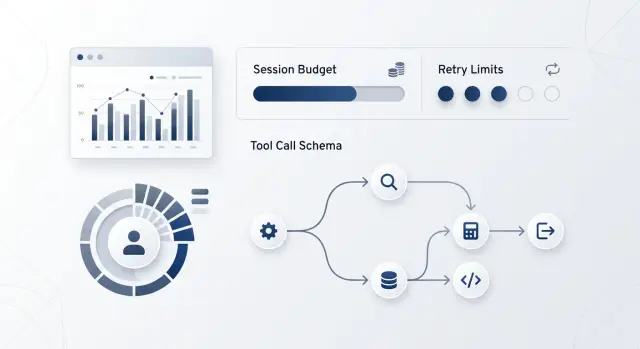
Why spend grows unnoticed
Spend rarely spikes because of one large request. More often, it is driven up by small repeats that come one after another. Without step limits, even a normal support flow or knowledge-base search can make several times more calls than you expected.
The most common trigger is a timeout. A tool responds too slowly, the agent treats the call as failed, and tries again. Then the control layer repeats the same thing. If retries are enabled at the client, the gateway, and the agent logic, one failure quickly turns into a chain of identical requests.
The problem grows even faster when the agent repeats the same call with the same arguments. For example, it asks for an order lookup three times using the same number because it did not understand the answer or got an empty result in an awkward format. Each round costs money, even though there is no benefit left.
Usually, spend is driven up by four things:
- a repeat call after a timeout
- the same tool call with the same parameters
- a growing context with message history and tool outputs
- a tool error that the agent treats as a reason to try again
A long context makes the situation worse. The first step may be cheap, but the fifth is already noticeably more expensive because the model receives the full conversation, the results of previous calls, and intermediate conclusions. The longer the agent goes in circles, the more expensive each next step becomes.
A tool error often starts exactly this kind of loop. Suppose the CRM returned 500, and the agent got technical text instead of a clear status. It reformulates the request, calls the same tool again, and gets another failure. For the user, it looks like one task, but the bill already shows a series of calls.
If the team works through a single gateway like AI Router, these loops are easier to spot through audit logs and key-level limits. One user question can produce far more internal requests than what is visible in the interface.
What to limit before launch
Spend usually grows not because of one expensive answer, but because of a long chain of small actions. The agent makes an unnecessary step, then another one, calls the tool again, gets an error, and starts a new attempt. In a couple of minutes, one session already costs as much as dozens of normal requests.
That is why limits should be set before the first release. This is especially important in scenarios where the agent works with internal systems: a knowledge base, CRM, billing, order statuses, or internal APIs.
At the start, it makes sense to limit five things:
- the total number of steps in one session
- the number of calls for each tool
- the session budget in tokens, money, or both
- the session lifetime and the timeout for a single step
- the number of retries for one error
These limits only work together. A single money limit will not save you from empty loops. A single step limit will not save you from a long and expensive generation. You need a simple rule set, not just one line of defense.
For support, a good starting point is often enough: up to 8 steps per dialog, no more than 2 knowledge-base searches, 1 CRM call per task, a 15-second step timeout, a 2-minute session timeout, and no more than 2 retries for a network error. If the agent does not fit inside that, it should stop and return a clear status: human help needed, missing data, or tool unavailable.
Also separate limits by environment. In testing, the team can tolerate long runs, but in production they quickly hit spend. In production, limits almost always need to be stricter.
Session budget and step limits
If the agent can think and call tools without a ceiling, the bill grows quietly. The user sees one conversation, but inside there have already been 12 steps, several retries, and a long message history. That is why step limits and the session budget should be set at the very beginning, not after the first overrun.
Even for complex tasks, a hard limit is still needed. For most working scenarios, 6–8 steps are enough: a short plan, several tool calls, checking the answer, and a final message. If the agent hits the limit, it should not guess and try again. Let it finish with a clear status: what has already been found, what is missing, and what should be clarified with the user.
Leave room for the final answer. A good rule is to keep 15–20% of the budget untouched until the end of the session. Otherwise, the agent will spend everything on search and intermediate actions, and the user will get a broken or empty answer.
In practice, it is convenient to split the budget into parts. A small share goes to planning, the main share goes to tool calls, and another part stays in reserve for the final answer and one safe retry. A simple split like 20% for planning, 60% for tools, and 20% in reserve already works well.
Spend should be tracked after every step, not at the end of the session. After each model response and each tool call, update the remaining budget. If there is less than the threshold left in money or tokens, change behavior immediately: block new calls, ask the model to answer more briefly, and disable extra checks.
When a session gets close to the limit, trim the context. Do not carry the full raw output from search, CRM, or the knowledge base into the next step. Keep a short summary, the latest messages, and only the data without which the answer would fall apart. Sometimes one long JSON block costs more than the model output itself.
Stop rules without guessing
The agent should not decide on its own when it should "try a little more." In a live system, this is an application rule, not a prompt rule. Stop checks are defined in advance and applied at every step.
If the same error appears twice in a row, it is better to stop the scenario. The third attempt rarely changes the result, but it almost always adds spend. The same goes for repeating the same action: if the agent calls the same tool again with the same data, it is probably stuck.
The working minimum looks like this:
- two identical errors in a row - stop
- a repeat call to the same tool with the same arguments - stop
- the remaining budget is not enough for one more typical step - stop
- the tool stays silent longer than the time limit - return a safe response
- the same empty result repeats several times - end the session
The budget rule is often forgotten. The team sets a step limit but does not check whether there is enough money left for one more call. If you have 5 cents left and the average step with this model and tool costs 7, there is no need to make another request. The session should end before that.
The logic is the same with timeouts. If a knowledge-base search or an external API does not respond in time, the agent should not wait forever. It is better to return a safe response: ask the user to try again later, return a partial result, or hand the task to a person.
An empty result is also a stop signal. If the agent looks up the same order number three times in a row and gets nothing each time, the loop should not continue. The user needs to be asked for better data.
It is best to store these thresholds in the scenario config, not in the prompt. Code checks the conditions precisely. The prompt only explains to the agent how to respond after a stop.
How to set retries without duplicate calls
Retries are useful only when the failure is truly temporary. If the error will not disappear on its own in a couple of seconds, a retry just burns tokens, time, and sometimes triggers the same action twice.
A simple rule is usually enough: retry only errors that look like a short infrastructure hiccup. That includes 429, 5xx responses, and short network problems such as a timeout or a dropped connection. In all other cases, it is better to stop immediately and send the error to logs or to an operator.
Do not retry a request if the problem is in the data itself. Bad JSON, an incorrect schema, a missing field, 401, 403, 404, or wrong tool arguments are not fixed by a second attempt. Here, retries only inflate the session budget.
A normal setup usually looks like this: no more than 2–3 attempts per request, with pauses that grow like 1, 2, and 4 seconds, plus a small random jitter. After the last failure, the agent ends the step instead of looping in circles.
The most common mistake is hidden not in one place, but in three at once. The SDK retries the request on its own, the queue retries the task again, and the agent above adds its own retry. In logs it looks like one failure, but in reality the system sent 6–9 identical calls. Check the whole request path and leave one retry layer that you control.
If the tool changes data, add an idempotency key. It protects you from duplicates when the response was lost but the action already went through. A simple example: the agent creates a support ticket. The first request reached the CRM, but the network dropped before the response came back. Without an idempotency key, the second request will create a second ticket. With the key, the system will understand that it is the same operation and return the previous result.
An example from support
A customer writes in chat: "Where is my order?" The bot needs to do three things: find the order, check the status in the CRM, and answer in plain language. On paper, that is 5–6 steps, and the scenario looks cheap.
The problem starts when the CRM times out. The agent does not understand that it is only temporary and sends the same request three times in a row. After that, it asks the model again about what to do next, even though the answer is already clear: either wait or hand the case to an operator.
Because of a small issue like this, the session can easily grow to 18 steps instead of 6. The money goes not to one big request, but to a chain of duplicates: repeat tool call, repeat check, new request to the model, another attempt to generate the answer.
Simple limits are enough here: no more than 6 steps per session and no more than 1 retry for the same CRM request. Two stop rules are useful as well. If the CRM returned a timeout twice for the same order, the agent stops retrying. If the agent already asked the model once after a tool error, it does not make new model requests.
Then the behavior changes. The bot checks the order, gets a timeout, makes one retry, and stops. Instead of a long chain of calls, it writes a short answer to the customer: the check is taking longer than expected, and the request has been sent to an operator. That answer is not perfect, but it is more honest and much cheaper than endless attempts.
What to check before launch
Before release, it helps to go through the scenario like a checklist, instead of looking only at the average cost of an answer.
First, break the task down into real steps: a model call, a knowledge-base search, a CRM request, creating a task in a queue, waiting for a webhook. For each step, write down what counts as an error and how much a retry costs. Then add three counters to the session state: number of steps, tokens, and money. The agent should read them before every new action.
Next, check four things:
- the step limit is enforced by the application or orchestrator, not only by the prompt
- the system tracks the session budget in real time, including tool calls and retries
- every tool has its own timeout and call limit
- when it stops, the agent returns a fallback response, not a blank screen
A good fallback response is simple: "I could not finish the check within the allowed number of steps. I can continue with a narrower request or hand the task to an operator." That kind of text reduces repeat attempts and does not trigger another expensive loop.
If you already use AI Router on airouter.kz, it is convenient to keep such limits alongside audit logs and key-level limits. One OpenAI-compatible endpoint does not solve the problem by itself, but it helps you see faster where exactly the agent got stuck.
In practice, one hard test before launch is enough: give the agent a difficult request, turn off one of the tools, and see whether it stops on its own within the allowed time, step count, and budget.
What to do next
Do not roll out the same limits across all scenarios at once. Take one flow with a clear cost of failure, such as a support bot that looks up an article in a knowledge base and, if needed, makes one CRM request. For it, set hard limits, a small session budget, and a short list of allowed tools.
A starter setup is usually simple: 4–6 steps per session, 1–2 retries only for network failures, a fixed budget in money or tokens, stop after a repeat call to the same tool, and stop if the agent has not moved closer to the answer in the last 2 steps.
These numbers rarely stay final. But they catch unnecessary loops well in the first few days, when the agent’s behavior is still uneven.
Then look not at the average temperature, but at the logs from real sessions. If 90% of requests fit into 3 steps, do not allow a limit of 10 without a reason. That kind of extra room almost always turns into expensive loops. Tighten the boundaries first, then expand them only where it is truly needed.
Frequently asked questions
Why does an agent’s spend grow almost invisibly?
Usually spend is driven not by one expensive response, but by a chain of small duplicates. The agent hits a timeout, repeats the same call, then asks the model again, while the context grows and each new step costs more.
What limits should be set before release?
Set a ceiling for steps, session budget, step timeout and overall session timeout, plus a retry limit per error right away. If the agent works with CRM, search, or internal APIs, also limit the number of calls for each tool.
How many steps does one scenario usually need?
For many working scenarios, 6–8 steps are enough. If it is support with simple search and one CRM check, you can even start with 4–6 and then review logs to see where the limit truly gets in the way and where it only prevents empty loops.
What is a session budget and why is it needed?
A session budget is the upper limit in tokens, money, or both. It is useful to reserve part of the budget for the final answer in advance so the agent does not spend everything on intermediate actions and return a fragment to the user.
When should the agent stop without trying again?
Stop the scenario if the same error appears twice in a row, if the agent calls the same tool again with the same arguments, or if the remaining budget is no longer enough for a normal next step. At that point, it is cheaper and more honest to end the session with a clear status.
Which errors can be retried and which ones cannot?
Retry only short failures such as 429, 5xx, timeouts, or connection drops. Errors in data, schema, permissions, or request arguments are better left alone, because a second attempt almost never fixes them.
How do you remove duplicate retries if retries exist in several places?
Review the whole request path and keep one retry layer that you control. If the SDK, the queue, and the agent all repeat the same call, one failure quickly turns into 6–9 identical requests and spend rises without any benefit.
What should be done with a long context so it does not inflate the cost?
Do not carry the full raw tool output into the next step. Keep a short summary, the latest messages, and only the data without which the answer would break, because a long JSON block or old history often costs more than the useful output itself.
What should be returned to the user if the agent hits a limit?
The fallback response should honestly say what did not work and suggest a simple next step. For example: the check took too many steps, you can narrow the request or hand the task to an operator.
How do you test a scenario before launching in production?
Give the agent a hard request, turn off one tool, and see whether it stops on its own within the allowed time, step count, and budget. This kind of test quickly shows where the scenario loops, where retries are too generous, and where a clear stop rule is missing.