Semantic caching in conversations: how to measure benefit and risk
Learn how to evaluate semantic caching in conversations: hit rate, false positives, token savings, cost, and time savings in long sessions.
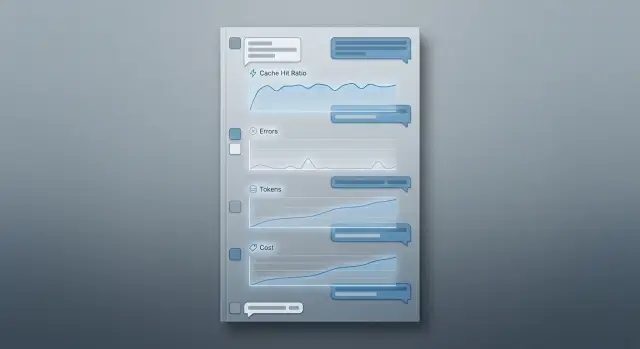
Why hit rate alone is not enough
A high hit rate looks good in a report, but for a conversation that is not enough. The same question can change meaning after just a few turns. The phrase “make it shorter” at the start of a session may refer to an email, but ten minutes later it may refer to an SQL query, a pricing description, or a reply to a customer.
That is why semantic caching in dialogues cannot be judged by a simple rule: “if it looks similar, it must be fine.” Similar text does not always mean the same meaning. The system may save tokens and still break the flow of the conversation.
On long sessions, that kind of mistake costs more than it first appears. The user gets a confident answer that is wrong for the context. Then they spend another 2–3 turns correcting it, the model receives extra context, and the team loses not only money but also trust in the whole caching idea.
This is easy to see in support or in an internal assistant. A customer first writes: “show the ticket status,” then уточняет the number, and later asks: “now explain the reason briefly.” If the cache reuses an old similar request and ignores the new state of the conversation, the answer may look correct on the surface but be wrong in substance.
You need to look at several metrics at once: hit rate across all requests, false positive rate, token and cost savings, and latency changes on long sessions. These numbers only matter together. Suppose the team got a 42% hit rate and saved 18% of tokens. That sounds good. But if false positives rose to 6%, the end result can be bad: operators check answers more often, and users ask follow-up questions more often.
If traffic goes through a single OpenAI-compatible gateway like AI Router, comparison is usually easier. Cost, latency, and message chains are visible in one place. But the logic is broader than any one tool. Hit rate shows cache activity, not usefulness. Benefit is visible only together with errors and cost.
What counts as a good result
A good semantic cache does not have to deliver the highest possible hit rate. Much more important is this: it must not serve an answer that looks right in form but is wrong in meaning. One such miss in a long chat often costs more than dozens of successful hits.
First, set a hard limit for false positives. For a low-risk chat, you can start at up to 1%. For a bank, telecom company, healthcare, or an internal assistant handling personal data, the bar is usually lower. In those cases, it is better to lose some hits than to send a wrong answer at a critical moment.
Then choose a target for savings per session, not per request. In a short conversation of 2–3 turns, even a noticeable hit rate may barely change costs. In a long session of 20–30 turns, the same cache can cut thousands of tokens and reduce latency.
It also helps to look not only at percentages but at cost per 1,000 sessions. That makes it easier to compare impact across models and understand where caching really pays off and where it only looks good in a report.
Starting thresholds
Before the experiment, it is better to fix simple targets. False positives should stay below a level that fits your scenario. Savings in a long session should be noticeable — at least 8–12% in tokens or cost. Latency reduction should be noticeable to the user without a stopwatch. And you almost always need separate goals for short and long conversations.
Short and long sessions behave differently. In short chats, any wrong answer stands out more because the system has little chance to recover. In long sessions, the cost of mistakes is also high, but there are more repeats, clarifications, summaries, and status checks, where the cache can help more.
Even before launch, decide what matters most for the product: cost, speed, or accuracy. For support, accuracy is usually more important than savings. For an internal work chat on an expensive model, a small drop in quality may be acceptable if it significantly lowers costs.
A normal result looks like this: few false positives, long sessions become cheaper, answers arrive faster, and the team does not get a flood of complaints about strange repeats. If only the hit rate goes up, that is not success yet.
How to build a fair conversation sample
For measurement, do not use a nice set of test prompts. Use real sessions from the last 2–4 weeks. Only then can you see how people actually write: with repeats, broken phrases, topic changes, and long clarifications. Test chats almost always overstate the value of the cache.
First clean the raw data. Remove empty conversations, spam, technical pings, mass duplicates, and sessions where the user left immediately. Otherwise cache hits will look better than they do in real traffic.
After cleanup, do not collapse each chat into one text string. Keep the signals you need to understand where the cache helps and where it hurts: session length in messages, topic or task type, model, number of input and output tokens, and the time between messages.
This is not just for prettier tables. A long support chat and a short internal question from an employee have a different chance of repeating the same meaning. If the team works through a single gateway, it also helps to record the model or provider at each step. The same request can produce different cache value on different models.
Next, split the sample by scenario. Usually four buckets are enough: support, sales, knowledge base search, and internal work chat. Do not mix them into one average number. The cache may work very well in support, where people often ask similar questions, and almost not work in research conversations, where context changes quickly.
It is important to keep the session length balanced. If 80% of the sample is short 2–3 message chats, you will learn almost nothing about long sessions, where token savings are usually more noticeable and the risk of false hits is higher. It is better to separate short, medium, and long chains in advance and make sure each group is large enough.
One more rule: do not spend the entire dataset on tuning. Keep a separate set for final verification and do not touch it until you choose similarity thresholds and cache rules. Otherwise you will tune the metrics to familiar dialogs and get an overly optimistic result.
How to label good and bad hits
Cache evaluation breaks the moment the team looks only at whether a hit happened. The same hit can produce an ideal answer, a tolerable answer, or a miss that quietly damages the conversation.
At each step, save two versions of the answer: from the cache and without the cache, as if the request had gone to the model again. Compare them at the same step, with the same history, the same parameters, and the same expected format. Otherwise you are measuring noise, not the cache.
It is useful to use three labels:
- Exact hit. The cached answer matches in meaning and action. The user will not notice a difference.
- Useful approximation. The wording is different, but the answer is still correct and helps the conversation continue safely.
- Dangerous error. The cache returned an answer that no longer fits: it missed a new fact, confused a condition, gave an old amount, old status, or old recommendation.
The most common problem in long sessions is simple: a new fact appeared in the latest messages, and the cache did not take it into account. A user first asks about delivery in Almaty, then уточняет that the order is urgent and needs pickup today. If the cache pulls an old answer about standard delivery, the similarity may look high, but the answer is wrong in practice.
So during labeling, check the newest details from the last 1–3 messages separately. If the cached answer lost even one fact that changes the meaning or the next action, mark it as a dangerous error, not a useful approximation.
It is better not to leave borderline cases to one person. Give them to two reviewers with a simple rule: can the user safely rely on this answer right now? If opinions differ, look at the real risk, not the wording.
It also helps to record the reason for the miss. Usually there are not many: stale context, when the cache reused an answer from an earlier stage of the conversation; wrong similarity, when similar wording hid a different meaning; and a threshold that is too low, when the system allowed requests that were too far apart into the cache.
This kind of labeling quickly shows where the cache really saves tokens and where it creates quiet errors. If the logs and labels sit next to each other, it is easier later to break down results by model, scenario, and session length.
How to calculate money, tokens, and latency
The meaning of the measurement is not visible in a daily average; it is visible in each turn of a long session. One successful hit at the start of a chat may save pennies, while the same hit on message 18 often removes a large chunk of context and creates a noticeable difference in price and response time.
For each answer, keep two numbers: how much a normal model call would cost and how much the answer through the cache actually cost. In the second number, include not only the almost free cached output, but also the cost of embedding search, writing new items, and storage. Otherwise semantic caching in dialogues looks cheaper than it really is.
It is convenient to collect one card for each turn:
- cost without cache: the model’s input tokens and output tokens;
- cost with cache: similar request search, embedding, cache read or write;
- net savings: cost without cache minus cost with cache;
- latency: time to first token and time to full response.
Then combine these cards into the cost of one long session. For example, in a 25-turn chat, the cache produced 9 hits. On paper that looks good, but the numbers tell a more honest story: 6 hits saved a lot of tokens on long requests, 3 barely helped, and 1 false positive added two more clarification messages.
Count errors with the same discipline as savings. If the cache returned an old or inaccurate answer, record the cost of the repeat, the extra tokens needed to fix it, a possible escalation to a human agent, and the risk of losing the user. In bank or telecom support, one bad answer can cost more than dozens of good hits save in a day.
Latency is often measured unfairly because of a bad test setup. Compare the cache path and the normal path under the same load, with the same model, the same context size, and a similar share of long sessions. If traffic goes through AI Router or another gateway, fix the provider and route so the difference is not mixed with differences between models.
A good final metric is simple: how much one long session costs without cache, how much it costs with cache, how many seconds the user waits, and how much money is lost because of false positives. After that, it becomes clear whether the cache helps or just looks good in a report.
How to run the measurement step by step
First, lock in a set of conversations and do not change it until the test is over. Otherwise you will be comparing different data rather than different settings. For the first pass, turn semantic caching off completely and record the baseline: tokens for each turn, response latency, history length, request type, and final cost.
Do not look only at the whole session. Useful differences usually appear turn by turn. On the 3rd message, the cache may do almost nothing, but on the 18th it can already reduce cost noticeably because the history is longer and there are more repeats.
Run sequence
- Run the same session set without cache and save logs for each turn.
- Repeat the run with several similarity thresholds, for example 0.82, 0.86, and 0.90.
- For each threshold, also change the history window: the last 4, 8, or 12 messages.
- On each turn, record hit or miss, similarity score, tokens saved, latency, and the answer-quality label.
- After that, break the results down by session length and request type.
A threshold by itself rarely gives a fair picture. If the history window is too wide, the cache starts catching old answers that are no longer relevant. If the window is too narrow, you lose repeats that happen often in long support and assistant scenarios.
It is useful to split sessions into at least three groups: short, medium, and long. For example, 1–5, 6–15, and 16+ turns. Requests should also be separated by type: factual question, clarification about a previous answer, text rewrite, or action based on instructions. Cache errors almost never grow evenly. In simple answers to common questions, the cache behaves calmly; in conversations with changing context, it breaks faster.
A good working point rarely matches maximum savings. More often, the better setting is the one where false positives rise slowly while savings are already noticeable. If moving from 0.86 to 0.82 saves another 6% of tokens but doubles the number of bad answers, that gain is usually not worth the risk.
If you test through a single gateway and collect metrics in the same format for all models, it is easier to see where the cache helps on its own and where the result depends on the model choice.
Example of a long customer session
Imagine a sales chat. The customer first writes: “How much does a plan for a team of 40 people in Kazakhstan cost?” The model gives a solid answer, and the system stores it in the semantic cache.
A few turns later, the customer уточняет the details: some employees will be in another country, they need a different request limit, and they want to pay in tenge by monthly invoice. The request is similar in meaning to the first one, so the cache may decide the answer is already there. At first glance, this looks like a successful hit: the answer comes back quickly, and almost no tokens are spent.
The problem shows up later. The early answer did not include the new country, the different limits, or the new payment terms. The customer notices the mismatch, asks two or three more follow-up questions, and sometimes simply loses trust in the chat.
Formally, the system saved on one turn, but in practice it created extra work.
Over a short stretch, such an error may seem minor. If the session lasts 4–5 turns, the savings from the cache are modest anyway. Often that is only hundreds of tokens and a fraction of a second, which the user will not even notice.
On a long session, the picture changes. If the conversation lasts 20–30 turns, topics start repeating: plan, limits, documents, regions, access conditions, and data retention rules. In those places, a good cache already brings clear value. It can remove some repeated model calls and save thousands of tokens in one session.
But one missed fact can easily wipe out that benefit. Suppose six correct hits saved 7,000 tokens and several seconds of total latency. Then one false hit produced a wrong answer, the customer asked again three times, and the model rebuilt the context from the long history. The savings disappear quickly, and sometimes the result goes negative.
That is why this scenario is useful for measurement. It shows not only the hit rate, but also the cost of an error: how many tokens, how much time, and how much trust are consumed by an answer that was “almost right” but missed one important clarification.
Where teams usually go wrong
The bias usually starts not in the formula but in the sample. The team picks convenient conversations, counts hits quickly, and gets a pretty number. A week later the cache goes live, and complaints arrive from long sessions where the meaning changes from step to step.
The most common mistake is simple: only the first messages are left in the test. At the start of a session, requests are shorter, the overall context has not built up yet, and there are more repeats. So the cache seems more accurate than it really is on the 12th or 20th turn, when the user refers to previous answers, changes conditions, or asks to clarify a fact.
Another trap is one table for all models. If some traffic goes through a stronger model and some through a cheaper one, the comparison breaks. The same cache hit can produce a different final result: one model handles the short cached answer well, while another model makes a mistake or sounds off in the same place.
Teams also often judge quality too softly. If the answer is similar in meaning, they count it as a plus. But for a live conversation, that is not enough. If the user asked about a limit, date, rate, order status, or a legal rule, even a close-looking answer can still be wrong. In a report it looks like a successful cache hit, but in the product it is already an error.
Separate safe guidance from factual answers. If the cache returned a polite greeting, a template instruction, or a neutral explanation, the risk is low. If it returned a number, name, deadline, price, or reference to previous context, the risk is much higher. These cases cannot be lumped into one metric. Otherwise the average accuracy will hide expensive misses.
In practice, the numbers are usually distorted by the same biases: the sample contains many first turns and almost no long conversation branches; answers from different models are counted together as if they were equal; semantic similarity is confused with answer correctness; safe templates are mixed with facts and personal data; and one similarity threshold is applied to every scenario.
One threshold almost always creates a false sense of control. FAQ, support, sales, and internal assistants need different levels of strictness. Where the answer relies on facts or customer history, the threshold should be higher and the request should more often go back to the model. Where the answer is standard, you can be bolder.
If you finish measurement with a very high hit rate and almost no errors, the reason is often not a great cache, but a test that was too kind.
Final checks before launch
Launching without a baseline almost always gives you a nice-looking but empty number. If you do not know how many tokens, dollars, and seconds are spent without cache, there is nothing to compare against later. For semantic caching in dialogues, this is a common mistake: the team sees 30% hits and celebrates, even though the answers got worse and the savings were modest.
Before the first measurement, check five things:
- First, run the same sample without cache and record tokens, price, latency, and answer quality on every turn.
- Keep manual review for ambiguous cases. Automation is good at counting hits, but bad at catching answers that “almost fit” yet still steer the conversation the wrong way.
- Split metrics by session length. Short chats and 20–30 turn conversations behave differently.
- Count the full cost, not just input tokens. Include embeddings, storage, repeat model calls after misses, and any service processing.
- Agree in advance when the cache should be disabled: when the topic changes, new facts appear, similarity score is low, the scenario is sensitive, or the step is one where an error costs more than an extra model call.
Manual review is especially important in long sessions. Imagine a support chat with 25 turns: the first 10 questions are similar, and the cache works well. Then the customer changes a condition, such as a date, plan, or country. If the system still pulls an old answer from the cache, you are apparently saving tokens but losing accuracy where it matters most.
If you run models through a single gateway, the checklist does not change. Routing, rate limits, and data residency solve other tasks. Cache benefit still needs to be measured separately, on live conversations and with manual review of ambiguous answers.
What to do after the first measurement
If you want to turn the cache on everywhere after the first report, it is better to slow down. One successful run does not show how semantic caching in dialogues will behave in nearby scenarios where the cost of an error is higher.
Start with one traffic stream where a miss will not break the process completely. That is usually the FAQ section, an internal assistant for employees, or standard support replies. Do not rush the cache into legal answers, healthcare, scoring, or other cases where even a rare false positive is expensive.
Keep the data while it is fresh
After the first cycle, teams often remember only the hit rate and the total savings. That is not enough. Each hit should have a reason stored next to the conversation log: why the system decided the answer could be reused, what the similarity score was, which model produced the original answer, and how many tokens and milliseconds were saved.
That record makes ambiguous cases easier to review. A week later it is hard to reconstruct why similar phrases like “reissue the invoice” and “send a copy of the invoice” produced a good result, while phrases with new context suddenly got an old answer.
If you compare several models, it is better not to split traffic across different integrations. When everything goes through one API gateway, the request format, logs, and metrics stay the same. For teams in Kazakhstan, this is convenient with AI Router and airouter.kz: one OpenAI-compatible endpoint makes model comparison on the same request stream easier, and audit logs help you review borderline cases without manually stitching data together.
Prepare the second cycle
After the first measurement, teams usually change a few things instead of everything at once: raise or lower the similarity threshold, add rules to disable the cache after a topic shift, block caching for messages with numbers, dates, amounts, and personal data, and separate safe scenarios from those where the model needs to answer again.
Look not only at average savings, but also at the tails of the distribution. Sometimes 80% of the benefit comes from long sessions, while short chats barely gain anything. Sometimes it is the opposite: the cache works well on the first question and starts making mistakes after the fifth, once the context has changed.
A good next step is simple: take the updated thresholds, run the same scenario again, and separately count the cases where the cache would have to be turned off manually. If there are fewer such cases and savings have not dropped too much, the setup is moving in the right direction.
Frequently asked questions
Why doesn’t a high hit rate automatically mean the cache is useful?
Because a similar query does not always mean the same meaning. In a long chat, users change conditions, add facts, and refer to the latest messages, while the cache can easily pull an old answer.
If the hit rate goes up but false positives create extra follow-up questions, you save on one turn and lose on the next ones. Look at the benefit for the whole session, not just cache activity.
What metrics should I look at besides hit rate?
Use four numbers together: hit rate, false positive rate, money or token savings per session, and latency.
It also helps to calculate the result per 1,000 sessions. That makes it easier to see where the cache really cuts costs and where it only adds risk.
What false positive rate counts as normal?
For an initial test in a low-risk chat, false positives around 1% or lower are a reasonable starting point. In banking, healthcare, telecom, and scenarios with personal data, the threshold should be even stricter.
If in doubt, reduce risk rather than chase extra hits. One wrong answer in a sensitive conversation often costs more than dozens of successful reuse events save.
What kind of conversations are best for measurement?
Use real conversations from the last 2–4 weeks, not a polished set of prompts. Real sessions show broken phrases, topic changes, repeats, and clarifications, which is where the cache is more likely to fail.
Clean out empty chats, spam, pings, and mass duplicates first. Then split the sample by session length and scenario type, otherwise the average number will hide the problems.
How do I tell whether a cache hit was good?
Compare two answers on the same step: the one returned from the cache and the one the model would have produced again with the same history. Then assign a simple label: exact hit, useful approximation, or dangerous error.
Check the last 1–3 messages separately. If the cache missed a new fact, date, amount, status, or constraint, that is no longer a tolerable difference — it is an error.
How do I calculate money and token savings fairly?
Do not just count the model call itself. Include embedding search, cache writes, storage, and the cost of fixes if the cache returned the wrong answer.
It is better to look at the final result at the session level. One successful reuse at the start of a chat changes very little, while several hits in a long thread can clearly cut tokens and response time.
Why should long sessions be measured separately?
Because the meaning of the request changes on a long thread and the cost of an error rises. Users add new conditions, while the cache still sees the old similarity and may return the wrong answer.
At the same time, long sessions give the biggest token savings. That is why they should not be mixed with short 2–3 message chats.
When is it better to disable the cache?
Turn off the cache when the user changes the topic, adds a new fact, or asks about a number, date, price, status, limit, or personal data. In those cases, the old answer quickly becomes dangerous.
Another common stop signal is a low similarity score margin. If the system is unsure, it is cheaper to send the request to the model again.
Do I need one similarity threshold for all scenarios?
No — one shared threshold usually hurts. In FAQs and template answers, you can be more permissive, while in support, sales, and customer-history scenarios, the threshold should be higher.
The idea is simple: the higher the cost of an error, the stricter the reuse rules. Otherwise the average setting will be too loose for risky conversations and too strict for safe ones.
What should I do after the first measurement?
Do not turn the cache on everywhere right away. Start with one safe stream, save logs for every hit, and review ambiguous cases manually while the context is still fresh.
Then adjust the threshold, the history window, and the disable rules, and run the same set again. If there are fewer errors and the savings stay meaningful, the setup is moving in the right direction.