Self-hosted GPU infrastructure: when it’s more cost-effective than an external API
Self-hosted GPU infrastructure is not always the answer. This guide breaks down traffic, latency, data, and cost thresholds to show when an API no longer makes sense.
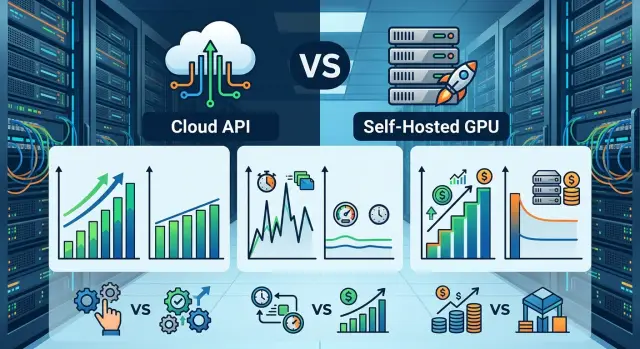
Why this choice does not appear right away
At the start, almost nobody wants to buy GPUs, set up servers, and think about redundancy. An external API solves the problem faster: the team gets access to models the same day and pays only for real requests. For a pilot, an internal bot, or the first version of a product, that is usually the most sensible path.
With low traffic, your own GPU infrastructure is usually unprofitable. If you have 200 requests in the morning and silence until evening, the cards will sit idle, while rent, electricity, administration, and monitoring still remain. In that situation, paying per request is easier than keeping capacity around “just in case”.
The problem appears later, when the LLM stops being just one experiment. First one team uses the model. Then support joins in, document search gets added, an internal assistant for employees appears, reports are generated, and nightly batch jobs kick off. The load grows not evenly, but in bursts. And that is exactly when limits show up that were barely visible in the first month.
An external API can run into provider limits or your own plan limits. During peak hours, the queue gets longer, responses slow down, and latency starts jumping from one request to the next. For a demo, that is tolerable. For production, where the same service is needed by several products at once, those jumps quickly start to annoy both the business and the engineers.
There is also a less visible part of the bill. When several teams use the LLM, you pay for more than tokens. Money is eaten by retries after timeouts, background jobs, test environments, long contexts, logging, retries again, and extra headroom for limits. On paper, the price per million tokens may look fine. In real work, the total often ends up noticeably higher.
That is why this choice rarely comes up in the first month. It usually appears once the external API has already proven useful, traffic has become regular, and the requirements for speed and predictability have grown. Until then, buying your own GPUs usually gets in the way more than it helps.
Where the external API starts losing on cost
An external API looks cheap as long as the team looks only at the price per million tokens. In practice, the bill grows because of things that rarely make it into the first estimate: retries, retries after timeouts, A/B tests, prompt debugging, eval runs, and internal tools that also call the model.
The turning point is usually visible not in one big number at the end of the month, but in the cost of an ordinary workday. If, over the course of a day, product, support, search, document classification, and nightly batch jobs together spend an amount comparable to the daily cost of your own GPUs, the external API starts losing its appeal.
What to include in the calculation
Split the costs into two buckets. In the first, put the external API: tokens, retries, test runs, traffic spikes, separate models for different scenarios. In the second, count your own infrastructure: GPU rental or purchase, electricity, networking, racks, monitoring, spare capacity, and the time of the people who keep all of it running.
Teams most often forget about nightly batch jobs, internal employee tools, duplicate requests after network errors, redundancy for failures, and engineer on-call shifts. The paper price per million tokens rarely matches the real bill.
A simple example: a team launches a customer chat, call summarization, and nightly document archive processing. Traffic is moderate during the day, but large batch runs happen at night. In an external API setup, that is often where the economics break. Users never see those costs, but the counter keeps running without pause.
Your own GPUs work differently. If you keep the cards busy consistently, the cost per request drops. If the cards sit idle for half the day, there may be no benefit at all. So do not compare an abstract monthly server price. Compare the cost of a loaded working day under your real workload profile.
For teams in Kazakhstan and Central Asia, there is another nuance. If the project already needs data storage inside the country, audit logs, PII masking, and clear monthly billing in tenge, you will pay for part of those requirements anyway. In that case, local infrastructure or a local gateway sometimes fits your actual economics better than it first appears in Excel.
An external API usually starts losing on cost when you have a lot of background traffic, little tolerance for unnecessary retries, and a steady enough load that GPUs would not sit idle.
Where the traffic threshold lies
The traffic threshold is rarely visible in the daily total number of requests. Two products may make the same number of calls per day, but one lives on short bursts while the other keeps a steady flow all day. For your own GPUs, the second case is much more attractive: hardware pays off when it is busy for hours in a row, not just in short episodes.
Look not only at total RPS, but also at RPS per task. A short dialogue, a knowledge base search, and long document generation load the model very differently. Five requests per second in support chat and five requests per second for report writing are not the same traffic.
Usually four metrics are enough:
- average RPS by hour for each task
- peak RPS during busy windows
- average input and output size in tokens
- share of hours when the GPU would be busy at least 50–60%
Then look for the base flow, not the loudest spike. If every workday from 10:00 to 19:00 you have a steady load that fills at least one GPU almost without breaks, the economics changes quickly. If that traffic pattern holds for weeks, your own cluster no longer looks like a backup option, but like a normal operating setup.
A practical guideline is simple. If even during busy hours the estimated utilization of one GPU does not reach 30–40%, an external API is usually easier and cheaper in effort. When you can consistently hold 50–60% for several hours a day, it is already worth comparing both paths honestly. When the base flow loads one or more GPUs at 70% and above almost every day, your own GPU infrastructure often pays off faster, especially if the peaks are predictable.
A good example is a SaaS team with three scenarios: a chat with short answers, internal knowledge search, and long client email generation. Chat brings high RPS but few tokens. Search comes in waves. Emails are slower, but they keep the model busy for longer. Often it is the long generation, not chat, that creates the first permanent load layer worth building your own cluster for.
Daily averages can easily fool you. If you have 8 hours of dense load during the day and almost silence at night, the average number hides the real queues during working hours. That is why you should look at load by hour and by task type.
In many cases, the best answer is a hybrid setup. The steady base flow runs on your own GPUs, while rare spikes, tests of new models, and unusual routes stay on the external API. That makes it easier to see where the external API is already too tight and where it is still convenient.
When latency becomes a problem
Users do not feel the average model speed. They feel the pause until the first response. So you need to measure not only how many tokens per second the model produces, but the entire path from the click to the first token on screen.
Latency usually consists of several parts:
- request handling in your application
- network between your setup and the provider
- queue on the provider side
- cold start of the model or container
- generation of the first token
If you look only at inference time, it is easy to miss the main cause of slowness. For example, the model itself thinks for 300 ms, but another 500–800 ms go to the network and the queue. For the user, that already feels “slow”, even though the internal report makes the model look fast.
For interactive scenarios, the threshold comes early. In chat, people still tolerate about 1 second to the first token. After 1.5 seconds, the interface starts to feel sluggish. In voice and operator workflows, the margin is even smaller: an extra 200–300 ms already breaks the rhythm of the conversation, and 500 ms often feels like an awkward pause.
With background tasks, things are different. Nightly document classification, batch processing of requests, or call summarization can live quite happily with a few seconds of delay if the price and stability work for you. So the same external API can be a good choice for back-office work and a bad one for live conversation.
For teams in Kazakhstan and Central Asia, the network to a distant region often adds a noticeable amount of latency. If your services, database, and users are inside the country, and the model responds from a far-away data center, you are paying time on every request. With low traffic, that is tolerable. With high traffic, it is no longer a minor issue, but a constant UX loss.
Do not look at one measurement. Look at the latency tail. If on a normal day it is 700 ms, but during peak hours it rises to 2–3 seconds because of queues, users will remember the spikes. At that point, the external API no longer makes sense for scenarios where the answer must arrive immediately.
If the product needs a fast first token, stable p95, and predictable networking, it is worth comparing the external API with local model hosting or infrastructure closer to your environment. Very often the problem is not the model itself, but the distance to it.
What data requirements change
Sometimes your own GPU infrastructure is needed not because of price, but because of data rules. If the company cannot send prompts, answers, or attachments outside the country, the debate over pricing quickly stops mattering. In that case, the external API is off the table anyway, even if it is cheaper at test scale.
First, break down what actually goes into the request. Teams often look only at the prompt text and forget the rest: logs, system instructions, files, extracted text from PDFs, conversation history, user IDs, and service tags. If that set includes personal data, trade secrets, or internal documents, you need to check the entire data path, not just the model.
What to check before choosing the architecture
Before choosing the architecture, answer a few simple questions. Can prompts and answers leave the country? Where are PII, logs, attachments, and request traces stored? Who gets access to the data — the provider, a contractor, or the internal team? Do you need masking, auditing, and AI content labels? How long are you required to keep logs, and where exactly?
In practice, the bottleneck is often not the model itself, but the logs and tracing. A team may mask the request text, but still store raw responses, files, or debug events in an external service. Formally, the model may run locally, yet the risk still remains in an external observability stack. That is why storage and access rules need to be checked across the whole chain, not just one node.
How to calculate the move step by step
Start with the raw log from the last 30 days. The average number of requests per day almost always lies: it hides morning queues, long dialogues, and rare spikes that break the calculation.
If the team wants to understand when your own GPU infrastructure already pays off, do not count “requests per month.” Count the shape of the load. The same token volume can cost differently if part of the requests go into short chat and part into a long context on a heavy model.
- Split traffic by model, input and output length, and by hour. Separate short requests, long documents, batch jobs, and interactive scenarios.
- For each group, calculate not only the average, but also p95 for requests and tokens per minute. This number better shows what load your own GPUs can handle without queues and without sharp latency spikes.
- Find the constant part of the load. If it repeats almost every day and takes up a large part of the bill, it is often worth keeping in-house.
- Leave rare spikes, experiments with new models, and unexpected campaigns on the external API. There is no need to buy hardware for a workload that appears twice a month.
- Put everything into one table: price, latency, idle risk, data requirements, support cost, failure reserve, and a separate line for the external API used for peaks.
A simple example: a bank has a support chat and internal call summarization. The chat creates a steady daytime load almost every weekday, while summarization runs in evening batches. In such a setup, the daytime layer can often be moved to your own GPUs, while evening spikes and tests of new models remain outside.
If part of the requests requires data storage in the country, audit logs, and PII masking, count those flows separately. Sometimes data rules change the decision before traffic thresholds or external API cost do.
A good calculation rarely leads to a full migration. Much more often, it leads to a mixed setup: steady load goes to your own capacity, while the tail, spikes, and quick experiments stay in the external environment. For teams in Kazakhstan, that is often the calmest path: less risk, a clearer budget, and no need to move everything at once.
A simple scenario for a team
Imagine a bank that launches two LLM scenarios at once. The first helps call center operators: it suggests replies, looks up the right policy, and briefly summarizes the customer’s history. The second checks requests in batches at night: it looks for risky wording, sorts complaints, and flags cases that need manual review.
At the start, an external API is almost always more convenient. The team builds a pilot quickly, does not buy GPUs, and does not worry about on-call shifts or model updates. When traffic is small, that path makes sense: a few hundred requests a day rarely break the budget.
The problems start later. During the day, the bank has a steady stream of short requests from operators. Every response needs to be fast, otherwise the employee waits and the conversation with the customer drags on longer. At night, a different workload arrives: batch checks of thousands of requests. In this setup, the external API often hurts in two places at once — the bill and latency during peak hours.
There is another layer too: data. If some requests, forms, or internal comments cannot be sent outside the country, the external API no longer covers the whole setup. Then the team has to split the tasks. Sensitive requests stay inside the country, nightly mass checks go to your own GPUs, and rare complex requests go to the external API where a stronger model is needed.
At that point, your own GPU infrastructure stops looking like an expensive whim and becomes a normal part of the overall setup. It handles predictable load: short operator prompts, request classification, and nightly batch work. The external API remains for rare scenarios where maximum quality is needed and there is no strict data restriction.
For teams in Kazakhstan, this hybrid option often gives the calmest balance. Sensitive and high-volume requests can stay on locally hosted open-weight models, while some traffic goes outside only where that is allowed by data policy.
Mistakes when moving to your own GPUs
The most expensive mistake is buying GPUs for a rare peak hour. If the load only jumps at the end of the day or during one campaign, the cards will sit idle for most of the week afterward. In the end, the team pays for hardware, electricity, and support, but the benefit never appears.
This often looks like this: support chat usually handles 15 requests per minute, but twice a day it spikes to 80. If you buy a cluster for that maximum, it will be underutilized almost all the time. In such cases, it is more reasonable to keep the reserve smaller and cover peaks with queues, caching, or part of the traffic through the external API.
The second mistake is counting only the GPU price. Your own infrastructure is almost never just the cost of the cards. Network, storage, backup drives, monitoring, replacement of broken nodes, and team on-call shifts get added to the bill very quickly. If one engineer spends nights dealing with driver failures and updates, that is part of the price too.
Another common problem is choosing a model that is too large. The team tests the flagship model, likes the quality, and immediately builds the whole calculation around it. But in production, it often turns out that most tasks are fine with a much smaller model: cheaper, faster, and easier to maintain. The large model is better kept for difficult requests instead of running it for the entire flow.
The move also breaks quickly without reserve capacity. One node can fail on an ordinary workday. Updates also consume capacity because some machines need to be taken out of service. If the cluster is sized too tightly, any failure creates delays and queues.
Before buying, it helps to check five things:
- how many hours per day the GPUs will actually be busy
- what goes into the full price besides the cards themselves
- which model is needed for the main task, not the rare one
- how much capacity will be used for reserve and updates
- what share of traffic the team is ready to move first
The last point often saves the budget. When a team moves all traffic at once, it loses weeks on debugging logs, batching, timeouts, and queues. It is much calmer to start with one scenario or 5–10% of requests and leave the rest on the external API as insurance.
Quick check before deciding
Your own GPU infrastructure rarely pays off for just one reason. Usually the decision comes down to several simple checks. If on three or more items you answer “yes” almost without hesitation, it is time to recalculate the external API.
- You have steady daily load, not just rare spikes.
- You often pay for repeats: similar questions, long contexts, retries, and weak cache impact.
- The product needs a fast response and stable p95, and an extra 300–700 ms already hurts the user.
- Data must be stored in-country, audited, and accessed through a clear controlled environment.
- The team is ready to maintain hardware and respond to incidents, not just calculate savings on paper.
One “yes” means little. Four in a row already show that it is time to calculate a pilot on your side instead of arguing in the abstract. And even then, the most reasonable next step is usually not a full отказ from external models, but a mixed setup.
What to do next
Do not move the whole stack to your own GPUs right away. Take one task where traffic, cost, and latency are easy to measure. Support chat, knowledge base search, or an internal employee assistant are good candidates.
Set the experiment boundaries right away: how many requests per day you expect, what latency is still acceptable, and what data cannot be sent to the external API. If those three numbers are not fixed in advance, the decision quickly turns into arguments instead of calculations.
A good pilot usually looks like this:
- Choose one scenario with predictable load for 2–4 weeks.
- Measure the current cost of the external API using real tokens, not estimates.
- Record p50 and p95 latency, error rate, and the cost of one successful response.
- Check whether you can keep frequent load on open-weight models in-house and leave rare spikes outside.
This kind of hybrid approach is usually more realistic than a sudden migration. Frequent requests with a clear pattern are often worth keeping local. Rare tasks, complex multimodal requests, or sudden spikes are easier to send outside so you do not overpay for idle GPUs.
If you have requirements for storing data in the country or internal rules for logs and personal data masking, check local hosting first. In that situation, your own GPU infrastructure may pay off not only in price, but also in the number of exceptions, approvals, and manual workarounds that disappear after launch.
If the team does not want to change the SDK, code, and prompts, you can test an intermediate option. For that, an OpenAI-compatible gateway like AI Router at api.airouter.kz is a good fit: it lets you keep the current integration and compare the external setup with locally hosted models on the same product. For teams in Kazakhstan, it is also a way to combine monthly billing in tenge with requirements for local data storage, audit logs, and PII masking, if those requirements already exist.
Before launch, save the baseline metrics in a table. After a month, recalculate the economics based on actuals: cost per thousand requests, average and tail latency, uptime, share of manual incidents, and team time spent on support. If the local setup only wins on paper, that will show up quickly. If the frequent load is consistently cheaper and faster, expand the model pool one by one instead of all at once.
Frequently asked questions
When does it make sense to start thinking about your own GPUs instead of relying on an external API?
Usually not at the very beginning. First it makes sense to test demand on an external API and collect real metrics on traffic, price, and latency.
You should start counting your own GPUs when the workload arrives almost every day, responses need to be fast, and data requirements no longer let you send everything outside.
How do you know when an external API is starting to lose on cost?
Look beyond the price per million tokens and focus on a normal workday. If chat, search, batch jobs, tests, and retries together cost about as much as your own daily infrastructure, the external API is no longer looking cheap.
A good sign is when the bill grows not because of one product, but because of many background scenarios running every day.
Is there a simple traffic threshold for moving to your own GPUs?
A practical rule of thumb is this: if the estimated utilization of one GPU during busy hours does not reach 30–40%, an external API is usually simpler. When you can hold 50–60% for several hours a day, it is already worth comparing both options honestly.
If the baseline load keeps one or more GPUs at 70% or more almost every day, your own infrastructure often starts paying off faster.
When does latency become a real problem?
For chat and operator scenarios, the problem starts quickly. If a user waits more than about one second for the first token, the interface already feels slow, and jumps to 2–3 seconds during peak hours are noticed right away.
Batch jobs have more room. Nightly document processing can easily live with a delay of a few seconds if the price and stability work for you.
What should you do if the load comes in spikes rather than a steady flow?
With uneven traffic, do not build a cluster for a rare peak hour. Otherwise the cards will sit idle, but you will still pay for rent, support, and reserves.
In that case, a mixed setup works better: keep the steady part of the load on your own GPUs, and leave spikes, experiments, and rare heavy requests on the external API.
Which costs do teams usually miss in their calculations?
Most often people forget about retries after timeouts, test environments, eval runs, long contexts, logging, nightly batch jobs, and engineers’ time spent on support.
Because of that, the token-based estimate almost always looks better than the real bill at the end of the month. Build in network, monitoring, reserve capacity, and team on-call time from the start.
When are data requirements more important than price and traffic?
If data cannot be sent outside the country, the price discussion quickly loses its meaning. Then you need to check the full data path: prompts, answers, attachments, logs, user IDs, and debug events.
In practice, the risk often sits not in the model itself, but in logs and external tracing. So look at the whole chain, not just one service.
Should you move all traffic to your own GPUs at once?
No, a full migration all at once usually only creates more problems. The team spends weeks on queues, batching, timeouts, and logs while the product waits.
It is much calmer to move one predictable scenario or a small share of requests first, and keep the external API as backup. That way you see the real economics much sooner.
Which setup usually turns out to be the most convenient?
In practice, the hybrid approach usually wins. Frequent, predictable requests run on your own infrastructure, while rare complex tasks and new models stay outside.
That way you do not pay for idle GPUs and you are not tied to a single option. For teams with local data storage requirements, this is often the smoothest path.
What should you measure before a pilot so the decision is fair?
Before the pilot, lock in three things: the real cost of the external API by tokens, p50 and p95 latency, and the cost of one successful response. Then compare that with a local run on the same scenario.
It is better to choose a task with clear workload for 2–4 weeks, like support chat or knowledge base search. If you want to keep your current SDK and code, you can test an OpenAI-compatible gateway and compare the external setup with local models without rewriting the integration.