Prompt mistakes: 5 reasons your LLM bill is bloated
Learn how extra instructions, repetitions, and long context increase token usage, and how to remove prompt mistakes without losing quality.
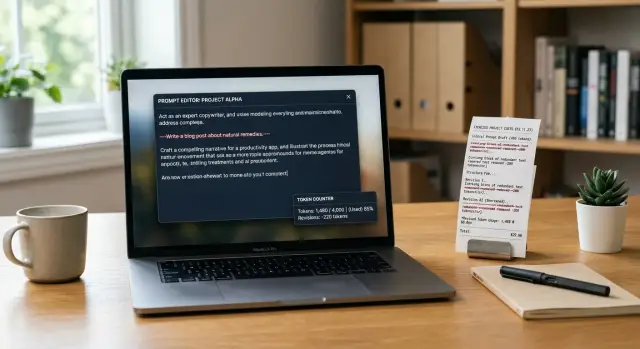
Why the bill rises even when the answers stay the same
The LLM bill can rise even when the number of requests does not change. Often the reason is not the model, but the prompt itself. You pay for every token on the way in and on the way out. If you send more text, the request will almost always cost more, even if the answer stays the same.
Tokens are not just words. The price includes instructions, examples, system phrases, repeated rules, chat history, and the response format. One extra paragraph seems minor, but at scale it quickly turns into a noticeable amount.
A longer request does not automatically make the answer better. If the model was fine with 300 context tokens, adding another 700 often changes nothing. It simply spends more time reading, and you spend more money processing.
A simple example makes this obvious. A support team asks the model to reply to a customer in a polite tone, check order status, and not promise anything that is not in the database. All of that can be said briefly. But prompts often include the same rules in several places, a long description of the model’s role, extra examples, and pieces of old context that are no longer needed. Each of those fragments costs money, and often adds very little value.
Repetitions are especially quiet budget killers. People duplicate instructions because they are afraid the model will forget something important. First they write "keep it brief," then repeat it in the response format, and then add it again in the system message. The price goes up, while the result often stays the same.
At scale, this is no small thing. If one request becomes only 400 tokens longer, it seems harmless. But if you have 50,000 such requests a day, you are paying for millions of extra tokens every month. That is how the budget disappears not because of a bad model, but because of a wordy prompt.
If the answers look the same, check the prompt length first. In many cases, the cheapest way to lower the bill is not to change the model, but to remove text it reads for no reason.
Where prompts waste money
Money is not only spent on choosing a model. It is often spent on text that the model reads or writes without adding value. If the answer stays the same, every extra token is just wasted cost.
The first leak is repetition. A team writes the model’s role in system, then repeats it in the user message, and then adds the same rules again in the template. The model does not get new meaning from phrases like "be precise," "do not make things up," and "keep it short" if that has already been said clearly once.
The second problem is a long introduction before a simple task. If you need to identify the topic of a request, extract an order number, or write a short reply to a customer, there is no need to send the company history, a half-page brand tone description, and the team’s general policy. For a simple task, that is dead weight.
Another expensive habit is pasting entire documents without selection. Teams often attach a full FAQ, return policy, internal policy, and pieces of chat "just in case." But if the customer’s question is only about delivery time, the model needs one relevant section, not twenty pages.
Extra formatting requirements also inflate the bill. Asking for JSON, a table, a short summary, and the full text at the same time almost always makes the model write more. Sometimes the system only needs one flag - "approve" or "reject." Everything else may look nice, but it is billed as ongoing excess.
Another quiet source of cost is an answer limit that is too high. If a task needs only 80-120 tokens, but the limit is set to 1000, the model is more likely to drift into explanations, repetitions, and polite endings. Even when it does not use the whole limit, the wide buffer encourages wordiness.
The worst part is that these costs rarely improve quality. The answer does not become more accurate just because the prompt is longer. Usually it becomes heavier, slower, and more expensive.
Five mistakes that cost the most
Budgets usually burn not on complex logic, but on extra tokens. The same production scenario can repeat thousands of times, and then even a small template mistake quickly becomes expensive.
-
The same request is repeated in different words.
A common example: "reply briefly," "do not write unnecessary things," "be concise," "keep it to 5 points." Usually one precise instruction is enough. The rest only makes the prompt longer, but rarely improves the result.
-
A long template is copied into every request.
Teams often paste the same 500-1000 token block: role, tone, safety rules, format, examples, and system notes. If the task is simple, that extra tail does not pay for itself. It is especially frustrating when most of the template does not affect the answer at all, but the bill keeps growing for no good reason.
-
The whole chat is added to the prompt, even though only the latest turns matter.
Long context has a price. If the user has already changed the topic, old messages do not help. But the model still reads them again. In support workflows, this is a common mistake: instead of the last 3-4 turns, people send the full history of 40 messages.
-
The entire help document is pasted instead of a few needed sections.
This happens when people fear the model will "not understand" without the full knowledge base. In practice, it often needs one section about returns, one paragraph about timing, and one short rule about exceptions. If you attach a ten-page policy to every question, you keep paying again and again for reading text that is not needed.
-
A high response limit is left on "just in case."
A large limit does not always cost money right away if the model answers briefly. But it removes the upper boundary. As soon as the task becomes slightly vague, the model may produce 700 tokens instead of 120. If you also ask for a table, an explanation, and examples, it will fill the available space.
A typical support scenario shows this well. A customer asks how to return a product, and the system sends the entire chat, the full operator template, the full internal instruction, and a 1000-token response limit. In the end, the model writes three paragraphs where four lines would have been enough.
A good rule is simple: every line in the prompt should help the answer right now. If it does not change the result, it is just burning budget.
How to reduce a prompt step by step
A short prompt is not always better. Better is the one that gives the model exactly what it needs for the task. If you keep only the working parts, costs usually drop right away, and the answers do not get worse.
Start with the task in one sentence. No background, no vague phrases, and no lines like "make it as useful as possible." For example: "Write a short reply to the customer according to the return policy." That is the base, and it makes it easy to spot everything extra later.
Next, keep only the rules where there is a real risk of error. If the model sometimes invents facts, add one clear condition: "Do not make up details that are not in the data." If you are worried about long answers, you do not need five similar restrictions. One precise rule is enough.
Then remove repetitions and general phrases. Prompts often repeat the same idea in different ways: "be accurate," "do not make mistakes," "stay on point," "do not write unnecessary things." The model gains little from these repeats, but you pay for the tokens every time.
After that, check the context. Keep only the data that is being used right now. If the model is answering about one order, do not include the customer’s full year of history. If the task is about one document, do not add neighboring documents "just in case."
Finally, set a limit on answer length. Even a good prompt can inflate the output bill. A simple restriction like "answer in up to 5 sentences" or "return 3 points" often saves more than a long cleanup of instructions.
When the draft is ready, run the same set of real requests through two versions: before and after editing. Look not only at price, but also at how useful the answer is. If quality stayed the same, the old text was dead weight.
A simple sign of a good edit is this: another person can read the prompt in half a minute and understand exactly what the model should do, what it must not do, and how much text to return. Everything else can usually be removed.
A simple support example
Support is a good place to see how small prompt mistakes inflate the bill. Imagine an agent replying to a customer about a product return: the purchase was 8 days ago, the packaging was opened, the receipt is available, and the product is not defective.
The first prompt version often looks solid, but it burns extra tokens in almost every line. It includes a long role description, repeated rules, and a lot of general phrasing that does not help produce a better answer.
You are an experienced high-level customer support specialist.
Your task is to provide very polite, clear, professional,
detailed, and empathetic responses in the company’s brand voice.
Always be polite and empathetic. Always be clear.
Always explain the decision step by step. Do not use a rude tone.
Consider the interests of the customer and the interests of the company. Check risks.
Follow the product return policy. Respond in a structured way.

Customer writes: I want to return a product. I bought it 8 days ago,
I opened the packaging, I kept the receipt, there is no defect. What should I do?
The model will read all of that, but there is little value in it. It does not need to be reminded three times to be polite. And the phrase "high-level specialist" does not add precision.
The second version is shorter. It keeps only the goal, tone, and facts.
Reply to the customer about a product return.
Tone: calm and polite.
Need: briefly explain whether the return is possible and name the next step.
Facts: purchase 8 days ago, packaging opened, receipt available, product not defective.
The answer is usually just as clear. The model will say that the return depends on the store’s policy, note the opened packaging, and suggest the next step: contact support or the point of sale with the receipt.
The difference in cost becomes obvious at scale. If the long prompt uses 180 tokens and the short one 55, then across 10,000 requests you are paying not for quality, but for repeated words. If the team also uses a large model for every message, the losses grow even faster.
In support, this matters especially because requests are often similar. Cut a template by 100-150 tokens once, and the savings repeat in every conversation.
The rule here is very simple: the prompt should contain only three things - what to do, what tone to use, and which facts must not be lost.
Where it is easy to go wrong after the first edit
After the first successful cleanup, many people go too far. The prompt becomes shorter and cheaper, but with the clutter, things that were holding the quality together also disappear.
The most common mistake is cutting context without care. Removing repetitions is helpful. Removing facts that the model needs to understand the task is not. In support, this shows up immediately: the operator asks for a reply about a return, but the prompt has already lost the return window, exceptions, and tone of voice. Fewer tokens, more revisions from the team.
A short prompt is not better by default. It is only better when fewer words remain, but the full meaning is still there.
A common mistake is also removing rules that hold the format together. For example, the model used to answer in JSON, a table, or a short CRM template. After editing, the rule was removed, and the answer became freer, but the system can no longer parse it without extra processing. Any token savings are quickly eaten up by developer time.
Another trap is mixing instructions and data in one paragraph. When rules, examples, customer history, and style limits sit next to each other, the model has a harder time understanding what is mandatory and what is just background. It is better to separate them: first the task, then the format, then the data. Even that order often helps more than another round of cuts.
There can also be an internal conflict. At the top of the prompt, you ask to "keep it short," but lower down you demand an explanation, risks, exceptions, and a step-by-step plan. The model tries to satisfy everything at once. The result is long, uneven, and expensive. If you need brevity, set the limit directly: for example, 5 points and no more than 80 words.
A more dangerous mistake is looking only at price. If the team picks the option that is 20 percent cheaper per request, that is not enough. You still need to check whether accuracy dropped, the format broke, or required rules disappeared.
A normal post-edit check is simple: keep 10-20 real examples, compare the old and new answers side by side, check format, length, and accuracy, and review edge cases separately. That is usually enough to tell where you removed noise and where you damaged the meaning.
Quick check before launch
Before opening access for the whole team or sending traffic to production, it is worth doing a short check. It takes 10-15 minutes and often cuts a noticeable part of the cost without hurting quality.
First, look at the request text itself. If the same thing is said twice, keep only the more precise wording. Long openings like "you are an expert assistant" or "analyze carefully" rarely change the answer, but they almost always add tokens.
Then check the context. A common mistake is sending the model the full document, the full chat, or the entire rule base when the answer only needs one section. If an operator is answering a question about a return, they do not need the full 12-page policy. Usually a few short excerpts are enough.
Also look at the response format. It is better to describe it in one line, without long instructions. For example: "Answer in 3 points and add one next step." That is enough more often than people think.
Check the response limit too. If the task only needs a short summary, do not leave the model 800 tokens of room. For order status, request classification, or a brief summary, that buffer is usually not needed.
And last, compare the long and short versions on a small set of examples. Not one good case, but at least 10 typical requests. If the short version gives the same meaning, the same accuracy, and does not break the format, the long prompt should be trimmed.
A simple rule of thumb: if the answer still reads the same after editing and the bill drops, you removed noise, not meaning.
What to do next
Do not start by cleaning every prompt at once. It is better to take a small set of repeating tasks: support replies, review analysis, short call summaries, and document checks. Even the 10 most frequent requests from the past week are usually enough to show where budget is being wasted.
For each request, make two versions: the current one and a shorter one. In the second version, remove repetitions, long explanations, obvious rules, and context that the model barely uses. Do not change everything at once. When you edit one block at a time, it becomes much easier to understand what actually saved money.
It is better to compare more than price. Look at four things at once: how many tokens went in and out, how much one run and a batch of 100 or 1000 runs cost, how usable the answer is without edits, and how much time it takes.
Quality review does not need to be complicated. Give the team a simple scale: 0 - the answer cannot be used, 1 - a small fix is needed, 2 - it can be sent as is. Within a couple of hours, it becomes clear where long context adds nothing but extra cost.
Good templates should be stored separately by task type: one for classification, another for summarization, a third for field extraction, and a fourth for customer replies. That way the team will not rebuild a prompt from old pieces every time, and extra instructions will not grow again.
If you are testing several models, it helps to run the same set of requests through one interface. AI Router on airouter.kz is suitable for this: you can send identical requests through one OpenAI-compatible endpoint and compare price, latency, and quality without changing the SDK or templates.
Usually the first good result looks almost boring: the prompt got shorter, the answers barely changed, and the bill dropped noticeably. Those are the edits worth keeping in the working set.
Frequently asked questions
Why does the bill grow if the answer is basically the same?
The bill grows when you send the model more tokens on the input side or get a longer answer on the output side. Even if the meaning of the answer stays the same, extra instructions, examples, repetitions, and old context are still billed.
What in a prompt usually creates extra costs?
The biggest costs usually come from repetitions, long introductions, the full chat instead of the last few turns, and entire documents "just in case." Teams also often overpay for a very detailed response format when a short output would be enough.
Do you need to repeat the same instruction several times?
No, usually one precise instruction is enough. If you write "keep it short" three times in different words, the model gains very little, but the bill grows with every request.
Do you always need to send the full chat history to the model?
Not if the task depends only on the latest messages. Old turns should stay only when the model would lose meaning or important constraints without them.
Why does a high output limit often make the price go up?
Because a wide limit gives the model room for extra explanations, repetitions, and polite closings. If the task only needs 80–120 tokens, it is better to set a close limit instead of leaving a large buffer.
How do you know when part of the context is no longer needed?
Ask yourself one simple question: does the answer change if you remove this part? If the model responds just as accurately and in the same format without a paragraph, example, or document, that context is only costing money.
Where is the best place to start when shortening a prompt?
Start with one short sentence about the task. Then keep only the needed facts, one or two rules where mistakes are likely, and a clear limit on response length.
Can you shorten a prompt too much?
Yes, if you remove the extra text together with the meaning. A short prompt is only good when it still contains the task, the needed data, the format, and the restrictions that keep the model from guessing.
How can you quickly check that quality did not drop after editing?
Take 10–20 real requests and run the old and new versions side by side. Check the price, response length, accuracy, and whether the result can be used without manual editing.
What should you do if the response format breaks after cleanup?
Bring back a short, explicit format rule directly in the prompt. For example, say separately that the model must return only JSON or only a CRM template, and do not mix that requirement with the task description and the data.