Prompt Caching: When It Actually Lowers Your LLM Bill
Prompt caching does not help in every case. We break down repeat-request thresholds, a savings formula, quality risks, and a quick way to check.
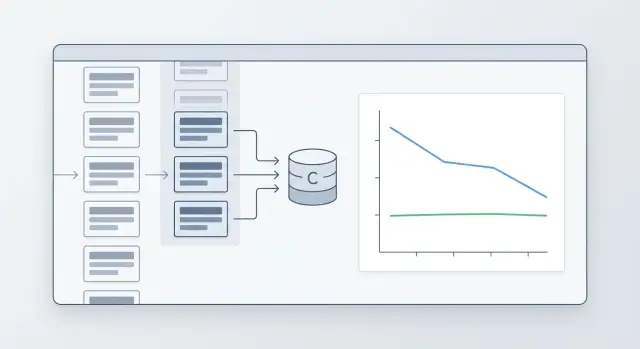
Why identical prompts still cost money
The bill grows not only because of long outputs. Often the money goes in on the input side, when the app sends the same large block of text over and over again: the model role, reply rules, JSON format, examples, safety policy, and chunks of the knowledge base.
For the API, each such request is new. If you sent the same 2,000-token system prompt 10,000 times, the model received and processed those 2,000 tokens 10,000 times. For billing, this is not the same text but 20 million input tokens.
This is especially noticeable where the user's question is short. A person writes: 'Order status?' or 'Make a summary.' From the outside, the request looks small. But inside, a long boilerplate preface is often added, and that is what eats most of the budget.
Where the costs hide
Usually four things inflate the bill: a long system prompt with role and constraints, few-shot examples in every call, repeated instructions for the answer format, and the same context sent again across sessions and tasks.
A one-off request rarely makes you think about caching. You send a large prompt once, get an answer, and move on. But if the same request frame repeats hundreds or thousands of times a day, the economics change fast.
Imagine a support bot. The customer's question takes 8-15 tokens. The model's answer is around 120 tokens. But the system prompt, tone rules, a list of forbidden actions, and the response schema add up to 2,500 tokens. In that setup, you are paying mostly not for the smart answer but for constantly resending the same instructions.
Prompt caching does not help always or in the same way. Sometimes it lowers cost if the provider gives a discount on the reused prefix. Sometimes it just speeds up processing, because the model does not have to parse the same long input again. These are different effects.
If the provider speeds things up but does not lower the price for cached input, you save time, not money. If there is a discount but the answers stay long, caching only reduces input costs. It will not fix output tokens, tool calls, or needless repetition in the answer by itself.
When caching kicks in
Caching does not kick in when two requests are similar in meaning, but when the system sees the same token sequence. If you sent the exact same text to the same model twice, the odds are high. If you change even one character early in the request, repeatability drops.
For caching, the route matters too, not just the content. The same instruction sent to a different model is usually treated as a new request. Providers also have different rules: one caches a long common chunk at the start, another waits for almost a full match.
Exact match and shared prefix
The simplest case is an exact match. You have a system prompt, safety rules, an answer template, and the user's question. If all of that comes through unchanged, the cache can return the already processed part and lower the bill.
But in practice, a shared prefix is more common than a full match. That means the first, say, 1,000-2,000 tokens are identical across requests, while only the tail changes. That happens in support, where the team keeps one long instruction for the bot and then plugs in a new customer question at the end.
In a simple setup, the first 1,500 tokens are role, rules, help text, and answer format, and the last 100 tokens are the new user question. Here, caching saves money on the shared opening part. The answer does not suffer, because the model still sees the new tail and builds the response again.
What usually breaks a cache hit
Tiny additions break repeatability more than you might think. Especially if they appear at the start of the request, not the end.
These details usually get in the way:
- the current date and time in the first line
- a random request id
- the user's name inside the system instruction
- rearranging blocks that mean the same thing
- an extra space, newline, or a different JSON format
If the team changes the model or provider, the cache is often reset too. The same instruction sent through OpenAI and through another model from another provider will not give the same result. In a gateway like AI Router, this also matters: one API makes routing easier, but the cache still depends on the specific model and how it processes the prefix.
The working rule is simple: keep the long, stable part of the request at the beginning, and move variable fields as close to the end as possible. That increases repeatability and makes savings more predictable.
How to calculate it on your own data
Use logs from 1-2 weeks, not just one good day. Otherwise it is easy to catch a random spike and decide caching is always worth it, even though the picture is very different on normal days.
Look not only at the full request, but also at its parts. Usually it is not the whole prompt that repeats, but the long static base: system prompt, rules, role description, answer template, format instructions, and pieces of RAG context.
It helps to split each request into a few elements:
- the static part that often repeats unchanged
- the variable part, where the user's question, parameters, and fresh documents change
- the call route: model, provider, and region, if they differ
- the normal input price, the cache write price, and the cache read price
Then count repeats not on average across the system, but by route. The same template may appear often on a cheap model and almost never on an expensive one. If you mix everything together, the number looks nice but is useless.
A practical rule: for each route, take a hash of the static part and count how many times it appears. Then find the share of requests where that hash appears at least a second time. That is the real base for savings.
A quick estimate looks like this: savings on input tokens is roughly equal to the share of the static part multiplied by the share of repeats and by the difference between the normal price and the cache read price. If the provider charges separately for writing to cache, subtract that too.
A small example helps avoid mistakes. Say an average request has 1,000 input tokens, and 700 of them are a stable template. If that template repeats in 35% of calls and cached reads are much cheaper than normal input, the savings are already visible. But the bill will not drop by 35%; it will be about 700 x 35% of the input portion, minus the cost of writing and reading.
How to test it without much risk
Do not turn caching on everywhere at once. Pick one scenario with lots of similar requests: support ticket classification, field extraction from documents, or a standard employee copilot.
Run an A/B test for a few days. Compare the average request cost, cache hit rate, and answer quality. If the bill drops and the answers do not change in accuracy or format, you can scale further. If the hit rate is low, the problem is usually not the cache itself, but that you are caching a prompt segment that changes too much.
At what thresholds savings become noticeable
Savings come not from repetition alone, but from two things together: how often requests repeat and how many tokens match at the beginning. If the common prefix is short, caching barely affects the bill. If each request starts with a long instruction, rules, an answer template, or the same block of context, the effect grows quickly.
Repeat rates of 5-10% are usually barely visible in money terms. That is typical for short chats where the shared prefix is only 30-80 tokens and everything else changes from request to request. Even if caching sometimes hits, it saves too few tokens for the monthly bill to move much.
Here is a rough guide you can use:
- 5-10% repeats - savings are usually weak, sometimes within noise
- 20-30% - the effect is already noticeable if the shared prefix is long, at least 300-500 tokens
- 40-60% - caching is usually worth turning on and measuring seriously
- above 70% - this is often one of the easiest ways to cut costs without losing quality
Now about prefix length. If you have a short chat like reply politely plus the customer's question, even 50% repeats may bring only a modest result. But if every request starts with a large system instruction, compliance requirements, an answer format, and several paragraphs of help text, the same repeat rate gives a very different number.
A practical rule is this: at 20-30% repeatability, caching is already worth testing if the matching part is longer than about one-third of the total input. At 40-60%, it almost always pays off on long templates. If repeats are above 70%, noticeable savings often come even from a medium-length prefix.
Short chats and long instructions behave differently. In a short chat, you may save 20-40 tokens per request and barely see a difference in the bill. In a long instruction, savings can easily reach hundreds or even thousands of tokens per call. That is why the same repeat percentage cannot be judged without prefix length.
There is one more caveat: providers count cache differently. Some offer a bigger discount on cached input, others have stricter match rules, cache lifetime limits, or supported model lists. So look not at an abstract threshold, but at the actual token price and the real hit rate in logs. In short: 5-10% rarely impresses, 20-30% is already interesting, 40% and above usually produces an effect you can see in the spend report.
A simple scenario
Imagine a customer support chat for an online store. The model answers questions about returns, delivery, and payment. It has a long instruction, and in this setup caching often gives solid savings.
Three blocks repeat in every request: a 700-token system instruction, 500 tokens of return and delivery rules, and 250 tokens for answer format and the JSON schema. In total, 1,450 tokens are almost always the same. Only the short part changes: the customer's message, order number, city, and a few CRM fields. That is usually another 100-150 tokens.
Suppose support sends 20,000 requests a month. The average request without cache is 1,570 input tokens. That is 31.4 million input tokens per month.
Now let's use a simple calculation. Say the provider bills the cached prefix at one-tenth the normal input price, and the prefix matches in 85% of requests. Then the picture changes.
| Scenario | What is billed | Monthly volume |
|---|---|---|
| Without cache | 1570 tokens per request | 31.4 million |
| With cache | 1450 tokens usually at a lower price + 120 unique tokens | about 9.2 million tokens at normal-price equivalent |
In this example, the bill drops by about 70%. The reason is simple: the expensive part of the request repeats, and the new part is short. The answers do not suffer, because what gets cached is not the customer's question, but the stable instruction before it.
The same approach helps much less in another scenario. If an operator keeps plugging in a long conversation history, a fresh customer card, a list of past orders, and manager notes each time, the repeated part may shrink to 200-300 tokens. The other 1,500-2,000 tokens are unique. Then there is still a discount, but it gets almost lost in the total bill.
In practice, the difference shows up fast. If you repeat a long prefix, caching is visible in the first month. If only a short header like You are a support assistant repeats, the effect is usually too small to justify changing request logic.
A simple test: take 1,000 real requests and see how many tokens at the start match exactly. If the repeated part is more than half of the input, caching is worth counting.
How not to damage answers
Prompt caching saves money only when you cache what changes very little. As soon as date, ticket number, customer name, or other live context gets into the cache, answers start to go stale. You save tokens, but lose accuracy.
It is better to split the request into two parts. The first part is stable: system instruction, general style, safety rules, long product or process description. The second part is live: the user's question, fresh data, IDs, amounts, deadlines, and personal details.
Usually you can cache system instructions, the common answer format, long reference blocks that rarely change, general moderation rules, and documentation chunks without customer data. A simple question helps you quickly check the text: will this piece still be true in a week? If not, do not put it in cache.
Also watch the instruction version. Even a small edit in the system prompt can change the answer noticeably. Add a version to the cache key: for example, v3 for old rules and v4 after the update. Then a new request will not accidentally pick up the old context.
You should clear the cache right after changing rules, the answer schema, or the model. That is a common trap: the team changes the model through the same API gateway, but the cache stays the same. If you switched models in AI Router or updated internal rules, old entries can start producing a different result than expected.
Another simple rule: do not put personal data in cache. Even if the task seems harmless, that cache quickly becomes an unnecessary risk. It is much safer to store only anonymized and general parts of the request.
A fresh-example check is always needed. Take 20-30 recent requests, run them with and without cache, and compare the answers. Do not look only at cost. Check whether fresh details disappeared, whether the answer became too generic, and whether the format broke.
A good sign is that the model answers just as accurately, but cheaper. A bad sign is that answers suddenly become the same in places where they used to account for customer context. In that case, you almost always cached too much.
Common mistakes
The most common mistake is simple: teams cache everything, even very short prompts. If the template is 30-80 tokens, the gain is often barely noticeable. You add cache logic, manage invalidation, chase odd misses, and save very little.
Another trap appears when different models are used in one product. You cannot lump them together and expect a fair picture. On an expensive model with a large context window, caching can noticeably cut the bill, while on a cheaper model the effect will be weak. If the team routes requests through one gateway, for example AI Router, this difference is easy to miss.
Another mistake is looking only at the overall cache hit rate and feeling good about a number like 35%. That is the average temperature of the system. What matters is which requests actually hit the cache: long and expensive ones, or small internal templates that hardly affect spend.
It helps to split the data at least by a few dimensions:
- by model
- by input prompt length
- by template type
- by repeat share within each template
- by money, not just hit percentage
Another common problem looks boring, but it can ruin the whole result. The template seems to be the same, but in reality it changes every hour. It includes the current date, the manager's name, session ID, experiment version, or a random debug string. For the cache, that is a different request. On the graph you see a weak effect and decide the idea does not work, while in fact one variable in the middle of the template is spoiling everything.
The most expensive mistake shows up after prompt edits. The team updates the instruction but does not check answers on repeated requests. Then the cache may hold the old logic longer than expected. The user should already be getting a new answer style or format, while the system still returns the old version.
After every prompt update, it is best to run a short check on the same set of requests. If accuracy, format, or tone drift, token savings will stop feeling useful very quickly.
A quick check before launch
Prompt caching only pays off where there is repeatability and a long shared part of the request. Before launch, it is useful to take logs for at least a week and quickly check the pattern, instead of looking at one good day.
First, find the common prefix. It can be a system instruction, answer rules, JSON format, safety policy, or a large template. If that part takes many tokens and barely changes, the chance of savings is high.
Then look at repeat frequency. Daily similar requests create an effect quickly. If the same template appears once a month, the setup often does not pay back the team's time.
Also measure the hit rate by scenario. You need simple numbers: how many requests repeat, what percentage really hits cache, and how many tokens that removes from the bill.
After that, check answer quality. Take a set of 50-100 real requests and compare the result before and after turning on cache. Look not only at price, but also at accuracy, freshness of data, and personalization.
And agree in advance when the cache should be cleared. If you change the system prompt, field extraction template, glossary, or moderation rules, old entries should be cleared immediately.
In practice, this mini-audit is usually enough. Say support handles 800 tickets a day, and every request contains the same 1,200-token instruction. Even with a moderate hit rate, savings become noticeable in the first month.
For rare analytical requests, the picture is different. If the context is new each time and the shared prefix is short, caching helps very little and only adds extra logic.
A good sign before launch looks a bit boring, and that is normal: the bill dropped, the hit rate stays stable, users did not notice any decline in quality, and the cache-clearing rule is already written down. If at least two of those are missing, it is better to gather more data first and only then turn caching on.
What to do next
Start with one flow where requests are often similar. Usually that is support ticket summarization, extraction from standard documents, or answers to repeated questions. On these tasks, caching shows up faster than in free-form chat, where almost every request is new.
First, capture a baseline without cache. You need not feelings, but simple numbers for the same period: how many tokens were used, how much the traffic cost, what the latency was, and how often users complained about strange answers. Even 5-7 days can give a solid picture if the flow is not too small.
Then turn cache on only for that scenario and compare the result with the same metrics. Do not look only at the bill. If the hit rate rises but quality drops, then you are caching too much and mixing the repeatable part of the request with what should stay fresh.
A practical order is simple:
- choose one scenario with noticeable repeatability
- measure cost, hit rate, latency, and quality before launch
- turn on cache for 1-2 weeks and collect the same numbers after
- run the same scenario on 2-3 models, not just one
Comparing multiple models is useful almost always. One model may deliver a high hit rate but eat the savings because its output is expensive. Another may answer a bit more simply, but keep the price lower and handle aggressive caching more calmly.
You do not need a big research project to check quality. Take 50-100 real requests, ask the team to rate accuracy and relevance before and after, and then look separately at misses. Often the problem is not the cache itself, but that personal parts of the request got cached when they should change every time.
If you are testing several providers at once, the pilot is easier where you do not need to rewrite the integration for every run. In an OpenAI-compatible gateway like AI Router, you can switch the base_url to api.airouter.kz and run the same scenario through different models and providers without changing the SDK, code, or prompts. That cuts test time and removes extra differences between comparisons.
A good pilot result looks pretty boring, and that is normal: the bill dropped, the hit rate stayed steady, and users did not notice any decline. If that is not the case, do not expand caching further. First figure out which parts of the prompt really repeat, and run a second short test.
Frequently asked questions
Does prompt caching lower the bill or only speed up answers?
Not always. Caching can lower the bill, speed up processing, or do both. Check the provider's pricing: if it gives a discount on cached input, you save money; if not, caching usually helps only with latency.
At what repeat rate does caching start to make sense?
Usually it is worth testing once repeatability is around 20-30%, if the matching part at the beginning is long and takes up at least a third of the input. At 40% and above, the effect is often already visible in spend.
If only a short header of a few dozen tokens matches, even a high repeat rate may do almost nothing.
What is best to cache in a request?
Put in cache what almost never changes: the system instruction, answer rules, JSON format, common help blocks, and stable parts of documentation. Keep that chunk at the start of the request.
The user's question, date, ID, amounts, customer name, and fresh data are better left at the end and kept separate from the stable part.
Why does caching not work even though the text is almost the same?
Small details at the start of the prompt are what usually break it. Date and time, request id, user name, a random debug string, a different order of blocks, or even an extra newline can stop the match.
Another common reason is switching the model or provider. The same text on a different route is usually treated as a new request.
Will caching help in a normal chat with short messages?
Usually not. If the user writes briefly and the shared prefix is also short, caching saves too few tokens for you to notice it in the bill.
It works best where you send a long instruction, compliance rules, an answer schema, or a large context block before each request.
How can I quickly estimate the savings on my own data?
Take logs for a week or two and split each request into stable and variable parts. Then count how often the same stable prefix repeats on the same route.
After that, multiply the length of that prefix by the repeat share and by the difference between the normal input price and the cache read price. If the provider charges for writing to cache, subtract that too.
Can caching hurt answer quality?
Yes, if you cached live context. When date, ticket number, personal data, or a fresh customer card gets into the stable block, the model starts answering too generally or keeps old details.
The check is simple: run 20-30 recent requests with and without cache, and compare accuracy, freshness, and answer format.
Do I need to clear the cache after changing the prompt or the model?
Yes, clear it right after such changes. A new instruction, a different answer format, or a new model changes how the system behaves, and old entries get in the way.
It is convenient to version the stable part of the prompt. Then a request with the new version will not accidentally pick up the old cache.
If I switch models through one gateway, will caching still work?
Routing through one API makes launch easier, but the cache still depends on the specific model and provider. Do not expect the same prefix to produce the same hit rate everywhere.
Count repeats and savings separately for each route. Otherwise you will see a nice average number that does not help you make a decision.
How can I launch caching safely without much risk?
Start with one flow that has lots of similar requests: support, field extraction from documents, or summarization. Capture a baseline without cache, then turn it on for a few days and compare cost, hit rate, latency, and quality.
If the bill drops and answers do not get worse, expand the pilot. If hits are low, first remove variable fields from the start of the prompt.