Peak load on LLM functions: how not to bring your product down
Peak load on LLM functions should not take your product down. Learn when to use queues, simplify responses, and route traffic to lighter models.
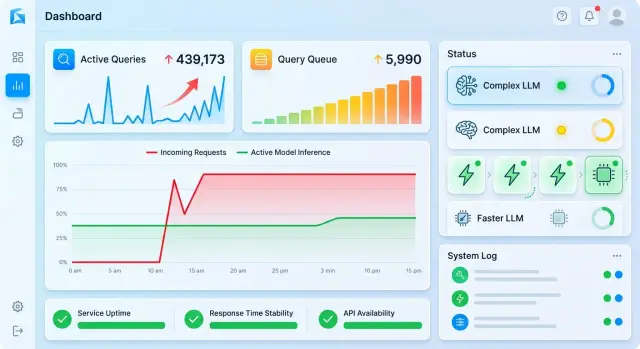
What happens to a product during peak traffic
During peak traffic, it is rarely the model alone that breaks in LLM features. More often, the first thing to slow down is the entry layer: the API gateway, authentication, rate limits, the queue, the database with chat history, or the personal data masking service. The model is still answering, but the user is already waiting too long.
The problem usually grows step by step. A few requests take slightly longer than usual, clients send retries, the frontend opens new connections, workers get clogged, and logs and metrics arrive late. A couple of minutes later, the charts show not one failure, but a traffic jam across the whole system.
The most common weak points during a spike are:
- the entry API and rate limits per key
- history storage, cache, and vector search
- moderation, PII masking, and audit services
- timeouts in the frontend, mobile app, and backend
Because of this, the failure often does not start in the model. If you have a single gateway to multiple providers, a request can be quickly moved to another route. But that will not help if it is already stuck in a queue, hits a limit, or carries too much context. For the user, it makes no difference. The product has just become slow and unreliable.
Then product metrics start to slide. If a response used to take 4 seconds and now takes 15, people more often close the screen, ask the same question again, or switch to an operator. Retry traffic creates a new spike and makes the overload even worse.
In a live product, it looks very simple. During an evening promotion, a retail chat gets 3x more questions about delivery and returns. Even if only 10–15% of requests start slowing down, conversion in the conversation drops, support load rises, and timeouts start showing up in almost the entire active flow.
The most unpleasant part is that this kind of degradation can look tolerable for a long time. The system is still answering, but it is already losing money and trust.
Which signals show overload early
A spike rarely begins with obvious errors. First, latency rises in the slowest requests, then retries and timeouts pile up, and only after that does the product start to feel like it is “falling apart” in the eyes of users. If you only watch 5xx errors, you will see the problem too late.
A queue can grow in several places at once. At the API entry point, requests wait for a free worker. In the routing layer, waiting builds up while choosing a provider or switching to a backup route. At the model itself, time to first token increases when the provider or GPU is already at its limit. After generation, the database can slow things down: audit logs, PII masking, or chat history writes. The total delay is the same, but the causes are different every time.
If requests go through a single OpenAI-compatible gateway such as AI Router, it is better to split the metrics by layer right away: incoming API, routing, external provider, and your own storage. Otherwise, the team looks at one latency chart and argues about the bottleneck instead of quickly taking the load down.
The warning signs usually appear before errors:
- p95 and p99 response times rise even though the average still looks fine
- queue wait time grows faster than generation itself
- the share of retries and failovers to another provider goes up
- time to first token keeps creeping up even if the full response still fits the norm
- users cancel requests or close the screen before the answer arrives
Thresholds are better based on your own normal load, not on a generic rule. A simple working setup is this: yellow level when p95 is 1.5x above baseline for five minutes straight; orange level when queue waiting consumes more than 10–15% of your SLA; red level when timeouts, 429s, or 5xx stay above 1–2% for several minutes.
If your chat normally has a p95 of 3 seconds, you should react at 4.5 seconds, not wait for 8–10. For interactive features, time to first token is often more important than the total response time. People tolerate a long answer better than a blank screen.
Another common mistake is using one threshold for every scenario. Knowledge base search, email generation, and batch document processing behave very differently. Each request type needs its own normal range. Otherwise, you either cut traffic too early or arrive a few minutes late, and during a spike that is already enough to cause an incident.
When to use a queue, and when to cut traffic immediately
A queue is not always useful. It only helps where the user is willing to wait a little and still get a normal result. If the answer is needed right away, the queue only hides the incident for a few seconds.
The rule is simple: queue tasks whose natural duration is already noticeable. If someone is already waiting 10–20 seconds, an extra 3–5 seconds is usually acceptable. If they expect an instant response, even a short pause breaks the flow.
A queue is usually fine for long document summaries, report and email generation, batch processing of cards or support tickets, internal AI tools for employees, and background tasks where the answer does not need to appear on screen immediately.
But you should cut traffic or simplify processing right away when delay hurts the user’s action. That includes live chat, form hints, voice flows, pre-payment checks, antifraud, and other short steps. In these cases, it is better to return a quick, honest refusal, simplify the answer, or move the request to a lighter model.
Queue length is better measured in waiting time, not in the number of requests. If the service really handles 40 requests per second and waiting longer than 8 seconds already hurts UX, the queue should not grow above about 320 tasks for that class. Otherwise, you are just building up debt the user will feel anyway.
It is even better to keep separate queues for different traffic types, so mass report generation does not block the interactive chat. And do not forget the waiting message. “Please wait” is annoying. “We are preparing your answer; this will take up to 7 seconds” works better because the user sees the boundary. If the delay grows, give them a choice: wait, get a shorter version, or come back later.
For teams with a single gateway, this is especially convenient. Heavy tasks can go into a queue, while short requests can be routed immediately to a backup path or a lighter model. Then peak traffic becomes a controlled mode instead of a chain of timeouts.
How to reduce quality carefully, not randomly
Under overload, users are almost always more willing to accept a slightly shorter answer than to wait 20 seconds and get an error. That is why degradation is best built in layers: remove the extra first, then disable the heavy parts, and only then move to hard measures.
What to simplify first
First remove what the answer can live without. Usually that means long intros, extra examples, repeated phrasing, large tables, and overly detailed formatting.
If the assistant normally writes 700–900 tokens, 300–500 is often enough during a spike. For chat, support, and internal assistants, that makes a noticeable difference: the queue moves faster, and the meaning of the answer barely suffers.
Do not shorten output based on team mood; do it based on a signal. If waiting time grows, the queue does not shrink for several minutes, and the share of long answers stays high, add a cap on response size. For interactive scenarios, even a 30–40% reduction in length often takes a lot of pressure off.
Heavy features are better turned off one by one. Remove external search when the network or retrieval layer adds noticeable delay. Disable file handling earlier than regular chat: PDFs, images, and long documents quickly eat both time and tokens. Long context should not be kept until the last minute either. If a request drags in tens of thousands of tokens of history, limit the window and keep only the most recent important messages.
A small example. If a user asks, “Compare these two contracts and highlight the risks,” the system can normally read both files in full and produce a detailed report. During a spike, you can first reduce output length, then temporarily block new file uploads, and after that keep only a short summary of the text the user pasted into chat.
How to define levels without surprises
The team needs a simple mode plan. Usually 3–4 levels are enough:
- level 0 - full response, search, files, long context
- level 1 - shorter answers, no extra formatting or long examples
- level 2 - no search or file handling, reduced context
- level 3 - only basic scenarios with a hard output limit
For each level, define three things in advance: which metric turns it on, who is allowed to enable it, and when the system returns to normal. Without that, degradation quickly turns into manual chaos: one team cuts context, another disables search, and a third does not understand why complaints went up.
During a spike, it is better to keep behavior predictable than to try to preserve every feature at any cost. A less detailed answer is usually forgiven. A service outage is not.
When to move requests to simplified models
You should switch to a lightweight model before everything is already broken, not after. If latency is rising, the queue is swelling, and some requests do not affect money, safety, or the final decision, they can be moved to a cheaper and faster route.
Tasks that need a rough result, not a perfect formulation, are the best fit for lightweight models. That includes short text summaries, ticket classification, topic extraction, simple data normalization, a draft reply for an operator, and field extraction from standard documents. If the model misses one word or produces slightly less polished text, the product will not fall apart.
Do not do this where the cost of a mistake is high. Contract review, medical guidance, antifraud, credit scenarios, customer replies without human review, and internal reports for leadership are better kept on a stronger model or at least given an extra check.
It is useful to split traffic not by customer type, but by request importance. The same user may send both an urgent task and a secondary one. In practice, three classes work well: critical traffic, where a mistake is expensive; working traffic, where a small drop in quality is acceptable; and background traffic, where summaries, tags, and drafts can go straight to a lightweight model during a spike.
If you have one OpenAI-compatible endpoint, like with AI Router, these rules are easier to keep in one place. The team can route requests by task class without rewriting code for each provider. This is especially convenient when the spike lasts 20–30 minutes and load needs to be reduced quickly.
The return to a heavy model should also follow rules, not the mood of the engineer on duty. Do not switch everything back the moment the chart starts moving down. Wait for a stable interval, for example 10–15 minutes without queue growth or error spikes. After that, return part of the traffic first, watch latency, and only then remove the limit completely.
Sharp swings do more harm than a temporary reduction in quality. A slightly simpler answer is still acceptable to users. Repeated timeouts and API drops are not.
Step-by-step plan for sudden traffic growth
When traffic grows suddenly, the product is usually broken not by the model itself, but by the lack of simple rules: what must be kept at any cost, what can be slowed down, and what can be simplified for a while. That is why the plan should not be “we’ll figure it out as we go,” but a set of concrete thresholds and actions.
Start with user scenarios. For customer support, a fast short answer is usually more important than perfect wording. For report generation, the opposite is true: the user can wait if the result still makes sense. Split the functions into at least three groups: critical, tolerable to wait, and background. That alone removes a lot of chaos.
-
Set thresholds for each group. Three metrics are usually enough: p95 latency, queue length, and spend per minute or hour. For example, if p95 goes above 6 seconds, the queue passes 200 requests, and this hour’s budget is burning too fast, the system should change mode.
-
Tie specific degradation steps to those thresholds. First disable the most expensive things: long context, repeated regenerations, and complex output formats. If that is not enough, lower the request rate for non-critical functions. Only after that move part of the load to simpler models.
-
Decide in advance where a queue is needed and where an honest refusal is better. If the user is waiting for a final document, a queue is fine. If they are having a real-time conversation, waiting 40 seconds is almost always worse than a short answer from a simpler model.
-
Run these rules through a load test. Do not just raise RPS; check real imbalances: a burst of long prompts, growth from a single customer, or a spike in errors from an external provider. A test quickly shows where thresholds are too soft and where you are cutting quality too early.
-
Set up automatic rollback. When latency and queue length return to normal, the system should turn off economy mode by itself after a clear stability window, for example after 10–15 minutes without new spikes. Otherwise, a temporary slowdown easily becomes permanent.
If you have a gateway like AI Router, it is convenient to keep these rules next to model routing, rate limits, and key auditing. But the principle does not depend on the tool: first you protect the working product, then you bring the quality back, not the other way around.
Example: one product, four load types
A single product rarely has only one type of LLM load. During peak traffic, live chat, product cards, internal tools, and background jobs start competing for the same limits. If you throw them all into one stream, what suffers most is what the customer notices first.
Imagine a large e-commerce service. During the day, people write to support, browse the catalog, and ask about delivery. At the same time, employees open an internal assistant, and at night the system prepares long reports on sales and support tickets.
For support chat, the logic is simple: VIP conversations stay on the full model and get priority. The cost of a mistake is higher than the cost of a few extra tokens. If a customer is waiting for an answer about a return on an expensive order, it is better to keep quality than save on every request.
The product catalog behaves differently. The user usually wants a short, accurate answer: is the size available, how is this model different, when will delivery arrive. During a spike, the catalog can cut context, remove secondary details, and shorten the answer to 2–3 sentences. That is almost invisible for this scenario, but the load drops very quickly.
The internal assistant for employees does not need to answer instantly. If an operator or manager can wait 10–20 seconds, it is better to send the system into a queue than to take resources away from customer traffic. The employee still gets the answer, and the external layer does not start throwing errors.
Nightly reports should not be kept in the same priority class at all. They are better moved straight to background processing with a separate limit and run window. If request traffic spikes during the day, the report can wait until a quieter period without noticeable harm to the business.
This approach works better when the team splits traffic by value, not by technical request type. Then the product does not “fail all at once” and instead behaves differently for different tasks. Through a single gateway, this is easy to set up at the routing, limit, and model-selection level, but the idea is broader than any tool: first save what the customer notices immediately, then deal with everything else.
Mistakes that turn a spike into an incident
Most often, a product does not fail because of traffic growth itself, but because of a couple of bad decisions made earlier. Overload rarely breaks a system instantly. First latency grows, then the queue builds up, and then users get answers too late or not at all.
The first common mistake is sending every request to the same large model. That is convenient while traffic is steady. But during a spike, both important user-facing answers and secondary tasks like rewriting text, tagging, or draft summaries become equally expensive and slow. One shared route quickly turns a local problem into a failure across the whole product.
If you have an OpenAI-compatible gateway such as AI Router, the point is not the single endpoint itself. The point is to separate request classes in advance: what goes to the strong model, what can be handled by a cheaper one, and what can be delayed.
The second mistake is a queue without a hard ceiling. On paper, it saves the system. In practice, it often only hides the incident: the service is technically alive, but people wait 40–60 seconds and leave. It is better to reject some load immediately than keep an endless queue and burn all your time budget.
The third mistake is turning on degradation too late. Teams often wait until timeouts begin, then rush to disable features. That is already too late. Degradation should trigger from early signals: rising p95 latency, a jump in queue length, insufficient token budget, or errors from one provider.
The fourth mistake is treating all requests as equally important. In a bank, online store, or SaaS product, there are actions that cannot be slowed down: support chat replies, application checks, and short summaries for an operator. And there are tasks that can wait a few minutes. If the system cannot see that difference, it spends resources in the wrong place.
There is also a quiet mistake after the spike: the team forgets to return to normal mode. Simplified models stay enabled longer than needed, quality drops, users complain, and the metrics become harder to read. You need not only a trigger for turning protection on, but also a clear rule for turning it back off: for example, 15 minutes of normal latency and an emptying queue.
Good incident protection looks boring. It has limits, priorities, early thresholds, and a clear way back to normal operation. That discipline is what keeps the product on its feet during peak traffic.
Short checklist before peak traffic
Before a spike, you do not need long procedures. You need a few simple checks the team can finish in 10 minutes. If even one of them is not ready, overload can quickly turn into an incident.
- Specific thresholds for latency and failures are set: p95, timeout rate, and 5xx percentage.
- The queue has a hard limit both for length and waiting time.
- A backup route to a lightweight model is already configured and tested on simple tasks.
- There are scenarios where the product answers without generation: order status, account balance, transaction history, pricing rules, or a template for a frequent question.
- The team knows who turns on incident mode, who backs up the decision, and who watches the metrics.
It is useful to run a short scenario in advance. For example, at 6:05 PM the queue grows, at 6:07 PM p95 crosses the threshold, at 6:08 PM the system disables long generations, moves simple requests to a lightweight model, and serves template responses on some screens. The user gets the result in 2–3 seconds instead of waiting 25 seconds and seeing an error.
If this checklist lives only in a document, it is not very useful. It should be tied to alerts, config flags, and one clear action for the on-call shift.
What to do next
If you have already had an overload of LLM features, do not wait for the next failure. A normal plan takes a few hours or a couple of working days, and it saves the product at the worst possible moment.
First, build a map of scenarios by importance. Not all requests are equal. Knowledge base search, long report generation, a short chat reply, and internal service classification should live under different rules. When the team sees that map, it becomes easier to decide what must be protected at any cost, what should go into a queue, and what can be simplified for a while.
After that, write out three levels of quality degradation in advance. The first is usually almost invisible to the user: shorter answers, shorter context, fewer retries. The second is more noticeable: some expensive functions move into a queue, and complex tasks shift to cheaper models. The third is the emergency level: the product keeps only the most important scenarios, and cuts or delays everything else.
It helps to capture this in a short working plan:
- which scenarios are critical, important, and secondary
- what changes at each degradation level
- which metrics move the system to the next level
- who on the team can switch to manual mode if automation does not cope
Then run a load test on real prompts, not on empty placeholders. A synthetic test often paints a nice picture that falls apart in production. Use real request chains: long messages, unclear phrasing, repeated clicks, heavy documents, and spikes at the start of the hour. That shows you not the average temperature, but the real bottlenecks.
It is also useful to prepare a single routing layer for different providers and models. Then you will not need to rewrite the app in a hurry when one provider starts slowing down or becomes more expensive. You simply change the rules: critical requests go to the more stable route, mass traffic goes to simplified models, and background processing goes to the queue.
If the team needs one OpenAI-compatible access point, this layer can be built on top of your own gateway or use a ready-made option like AI Router on airouter.kz. It lets you keep routing, rate limits, and auditing in one place, and for teams in Kazakhstan and Central Asia it also makes local data storage and B2B invoicing in tenge easier.
A good result looks simple: during peak traffic, the product does not try to heroically do everything at once. It already knows what to trim, what to delay, and what to protect at any cost.
Frequently asked questions
How do I know peak traffic has become dangerous?
The dangerous point starts before obvious errors appear. If p95 stays about 1.5x above your normal level for several minutes and the queue and retries keep growing, turn on protection right away instead of waiting for 5xx errors.
What metrics should I look at besides 5xx?
Watch p95 and p99, queue wait time, time to first token, retry rate, and user cancellations. These signals usually rise before timeouts and 5xx errors start piling up.
When does a queue help, and when does it only get in the way?
Use a queue where people are willing to wait and still get value from the answer. For chat, form hints, voice steps, and payment checks, it is usually better to simplify the response quickly or fail honestly than keep the user hanging.
What queue limit should I choose?
Measure the limit in waiting time, not in the number of jobs. If the service processes 40 requests per second and UX breaks after 8 seconds, the queue for that class should not grow much beyond 320 tasks.
What should I remove first under load?
Cut what is still useful without: long intros, extra examples, heavy formatting, and overly large output. Often reducing answer length by 30–40% already lowers load a lot without hurting meaning too much.
When should I switch requests to a simpler model?
Move to a lightweight model in advance when latency and queue length are growing and the task does not affect money, safety, or the final decision. For summaries, classification, field extraction, and drafts, that is usually the right move.
Which tasks should I avoid touching even at peak?
Do not simplify scenarios where mistakes are expensive. That often includes contract checks, medical guidance, antifraud, credit decisions, and replies to customers without human review.
How do I split traffic so everything does not fail at once?
The easiest way is to split traffic into three classes: critical, operational, and background. That way the chat and other customer-facing functions get priority, while reports, batch processing, and internal tools do not clog the main flow.
When can I return to normal operation?
Do not roll everything back at the first sign of improvement. Wait 10–15 minutes without queue growth or error spikes, then remove the limits step by step and watch whether latency rises again.
What should I check before an expected surge in requests?
Before a campaign or mailing, check latency and failure thresholds, the queue ceiling, the backup route to a lightweight model, and the on-call roles. If the team does not know who turns degradation mode on and when, you will lose minutes to arguments during the real spike.