PDF Review by Page or Whole: What to Choose
Page-by-page PDF checking works well for long files with mixed templates, while full parsing is better for stable documents and summary fields.
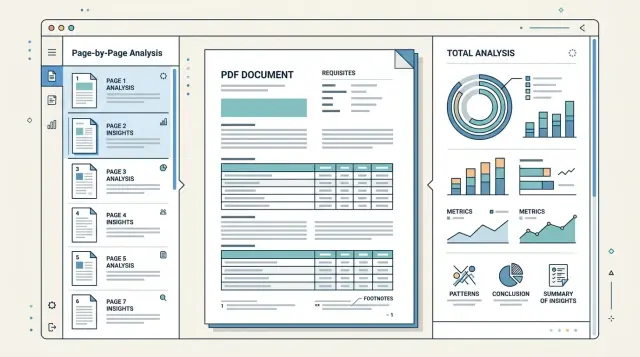
Why long PDFs often cause errors
A long PDF rarely follows one logic from the first page to the last. At the beginning, there may be a neat contract template, then an appendix, then a scan, an inserted table, or a letter in a different format. The parser first gets used to one structure and then receives something completely different.
Because of this, the same fields are searched for in different places. Company details sometimes sit in the header of the first page, sometimes in small text at the bottom, and sometimes move into an appendix with signatures. If the system expects the IIN, BIN, address, or contract number only in one block, it will quietly miss them elsewhere.
The problem becomes more visible when the document is assembled from several files. The first part may be digital and clean, while the last 20 pages are scans with a gray background, stamps, and skew. OCR on such pages confuses characters, eats spaces, and breaks lines. In the end, the BIN turns into a set of similar-looking symbols, and the date is read differently from the original.
With tables, the errors are usually even greater. One page has column headers, and the next one does not. A row starts near the bottom of the page and ends after a line break, while headers, page numbers, and service notes are added at the top and bottom. The parser can easily treat them as part of the table, and amounts or item names shift into neighboring columns.
Footnotes make things even harder. A number in the table looks clear, but the important clarification is in tiny text at the bottom of the page or at the end of the appendix. If you read only the main block of text, you may take the number without the condition. For financial documents, this is a common reason for wrong conclusions.
There is also a less obvious problem: a long document gives too much context at once. When the system reads the whole file at once, fields that are close in meaning start interfering with each other. An account number from an appendix, a date from an addendum, and requisites from an old version of the form can get mixed together.
A typical example is a 60-page contract. The first 8 pages contain the main text, then comes a tariff table, then an appendix with bank details, and at the end a scan of the signed page. If you extract everything in one pass, the system often takes the requisites from the wrong section, loses the continuation of the table, and misses the footnote under the amount. That is why structure matters, not just text, when working with multi-page documents.
When page-by-page parsing works better
Page-by-page parsing is convenient when each page depends very little on the others. This is common for invoices, acts, applications, and forms, where the date, amount, and number are already on one sheet. In that situation, page-by-page PDF checking usually gives a cleaner result and requires fewer rules.
If a document has 80 pages but only 12 are useful, there is no reason to read the whole file as one long text. It is easier to go through the pages first, understand their type, and remove blank sheets, separators, covers, and service inserts. This kind of filter often saves both time and money.
When one file mixes normal text and scans, the page-by-page approach is also more convenient. For text pages, you can use the existing text layer. For scans, you only turn on OCR where it is needed. If you run OCR on the whole document without separating it, it is more likely to confuse digits, break columns, and pick up signatures, stamps, and random notes.
This works especially well in four cases: when a single PDF contains a batch of similar invoices, when an archive of contracts is mixed with blank sheets and covers, when you need to find local fields on each page, and when the file is stitched together from different sources, with some pages in text form and others scanned.
This approach is useful if you are extracting local requisites from a PDF rather than trying to understand the whole document at once. An account number, date, amount, IIN, or BIN are usually close to each other. It is easier for the parser not to confuse fields when it sees one complete page instead of forty pages in a row with similar blocks.
There is another advantage: errors are easier to catch. If one page is read poorly, you can see it right away. You can send it for reprocessing separately without running the whole file again.
Imagine a PDF that contains 25 acts and 5 scanned letters. If you read the document as a whole, the model may mix amounts and dates from neighboring acts. If you read page by page, it extracts the requisites separately from each form, and you filter out letters and blank pages at the very beginning.
When it makes sense to read the document as a whole
Page-by-page parsing works well as long as each page lives on its own. But long PDFs are often built differently: the meaning is not stored on a single sheet, but in the links between parts of the document. If the model sees only one fragment, it often gives a plausible but incomplete answer.
This becomes especially noticeable when requisites are spread throughout the file. The company name may be at the beginning, the BIN or IIN near the end, bank details in an appendix, and the parties' signatures on yet another page. If you need to gather requisites into one neat object, it is better to read the document as a whole. Then the model more often understands which fields belong together and less often mixes data from different parties.
The table problem is even more visible. A table may start on one page, continue on the next, and end with a footnote later. When parsed page by page, the first part looks like an incomplete table, and the next one looks like a new one. As a result, column headers, units, total amounts, and row connections across pages get lost. For long tables, full context usually works better.
Notes also rarely live separately. A footnote on page 18 may clarify a rate, amount, or term stated on page 12. If you read only one page, the note hangs in the air. If you read the whole file, the model finds the original point and connects it to the clarification instead of inventing the meaning on its own.
Whole-document parsing is also useful when the output needs to be one final object for the entire document. This is common for contracts, forms, tender packages, and reports. The same fields are repeated, updated in appendices, or clarified at the end, and a simple merge of page-by-page answers creates too many small errors.
You usually want to switch to full-document reading if one field is built from several sections, a table crosses a page break, a note changes the meaning of text several pages above, or the document needs to be assembled into one final structure without manual merging.
This approach has a cost: processing becomes more expensive, and the model has a harder time keeping attention on the whole file at once. So sending the entire PDF is not always the right move. But if page-by-page parsing is already losing the links between parts of the document, full reading usually gives fewer silent misses.
How to choose the approach in five steps
The same PDF can be parsed in different ways, and choosing the wrong one quickly hurts quality. On short files this is less visible, but on contracts, acts, and appendices the difference becomes large: requisites are lost, tables shift, and notes change the meaning of a line.
It is better to choose based on a short test, not habit.
-
First, fix exactly what you are looking for in the file. Not just data from the document, but specific fields: contract number, date, BIN, amount, currency, table items, footnotes under rows. If a field almost always lives on one page, page-by-page parsing often gives a cleaner result.
-
Then check the layout. Take several documents and see whether the structure repeats from page to page. If the header, requisites block, and tables sit in roughly the same places, the page-by-page scheme is usually simpler and cheaper. If the document is built from different templates, it is better to test full reading right away.
-
Count the problem pages separately. It helps not to guess, but to note on how many pages a table breaks across a line break, a footnote drops to the bottom, and the continuation of a thought appears only on the next page. If there are many such places, the model will start confusing lines, duplicating cells, or losing notes without shared context.
-
Next, run a small test on real data. Take 20–30 documents and process them in two ways: page by page and as a whole. If you are comparing several models, it is easier to do this through one compatible layer. For example, in AI Router you can change the route and the base_url to api.airouter.kz without rewriting the SDK, code, or prompts for each provider.
-
Finally, compare more than accuracy. Look at three things at once: how many fields the system missed, how much it costs to process one document, and how long the response takes. Sometimes full reading gives 2–3% better extraction, but the delay doubles. For a live workflow, that is a bad trade-off.
In practice, the solution is often mixed. Requisites and short blocks are taken page by page, while long tables and notes are checked across a pair of neighboring pages or in the whole document. For contracts with appendices, this is usually the calmest option.
How to extract requisites without unnecessary misses
Most misses happen not in the middle of the document, but in quiet places: the header, the signature block, and the appendices. In a contract, the number and date are often on the first page, the BIN and bank details are at the end, and the full legal entity name or the amount by stage is in an appendix. If you look for requisites in only one place, some fields will almost certainly be lost.
The working rule is simple: define several search zones for each field. For the date, it can be the header and the signature block. For the amount, it can be the subject of the contract, the appendix table, and the act. For company requisites, it can be the "Parties" section, signatures, and a separate appendix with bank details.
After extraction, normalize values right away. Otherwise, the system will think it is looking at different data, even though the meaning is the same. A date in the format 12.03.2025 and 2025-03-12 is better reduced to one template. BIN and IIN should be stored as 12-digit strings without spaces or extra characters. Amounts are better cleaned of thousand separators, and currency should be brought to one notation, such as KZT or USD.
Normalization is especially important if the document is parsed page by page. One page may return 12 500 000 тг, another 12500000 KZT. Without normalization, you will not know that this is the same amount.
It is useful to verify the same field in several places and store not only the value but also the page where you found it. Then it is immediately clear which match is reliable and which is disputed. For long contracts, four checks are usually enough: search for the field in at least two parts of the document, save the page number and nearby text, compare the found values after normalization, and send differences for manual review.
Manual review is needed more often than it seems. The body of the contract may show one amount, while the appendix after revisions shows another. Or the BIN in the signature block is correct, but the header still contains an old template version. In such cases, do not guess the right answer. It is better to mark the value as disputed and show both options to the operator.
If a team runs multi-page documents through an LLM pipeline, it is useful to store the confidence score and page reference for each requisite. This makes error analysis much easier: you can see not only the final result, but also the source of each field.
What to do with tables and notes
Tables and footnotes break PDF parsing more often than normal text. This is especially visible in contracts, acts, and appendices on 30–50 pages, where one table runs across several sheets and the explanation of an amount or term is hidden at the bottom of the page in small print.
If a table continues onto a new page, do not automatically treat the first row on the next page as a new entry. First check whether the row was cut off on the previous page. You can usually tell by an empty first column, repeated borders, the same item number, or by text in the cell that starts in the middle of a sentence. In such cases, it is better to merge rows before searching for requisites.
Headers and footers interfere almost all the time. Phrases like "Page 12 of 48", the document title, print date, and notes such as "Table continues" can easily be mistaken for a separate column or part of a cell. That is why they should be removed before structural analysis. Otherwise, the parser starts seeing extra columns, and amounts and dates shift.
A practical order is this: first clean the page of headers, page numbers, and service stamps, then find the table grid or at least stable column boundaries, then check whether rows broke at the page boundary, and only then attach footnotes to the right cells rather than to the entire page.
Footnotes are better handled separately from the main table text. If a cell has *, 1, or a small superscript, save that marker and find its explanation at the bottom of the page or after the table. Then link the explanation to the specific cell. Otherwise, a note like "price without VAT" may accidentally attach to the whole table, even though it applies only to one row.
Service notes should not be mixed with the data. "Signature", "Seal", "end of table", approval marks, and internal codes often sit nearby, but they are not part of the table content. It is better to store them separately or filter them out immediately by pattern.
If the document is parsed page by page, it is better to make one exception for tables: include the neighboring page in the analysis window. That makes it easier to catch a line continuation and not lose a note that appears after the break. For long documents, this is usually more reliable than strict page-by-page parsing.
Example: a contract with appendices
A standard 40–60 page contract shows well why the same PDF sometimes needs different parsing methods. On the first 3–5 pages, the most important requisites are usually there: who signs the document, the contract number, the date, and the term. Further on, there are often appendices with tables of services, volumes, and amounts. Footnotes with exceptions are hidden at the bottom of pages or in small print.
If you run such a file through a single full check, the model sometimes mixes up the parties' roles or pulls the date from an appendix instead of the contract itself. On long documents, this happens regularly. Pages with the header and signatures are better parsed separately, because they need a precise answer for a short set of fields.
A practical workflow usually looks like this. First, you take the opening pages and ask the model to extract only the parties, number, date, and subject of the contract. Then you send the services appendix separately. There, a different prompt is needed: keep the rows, units, price, amount, and total. After that, you go through the footnotes and notes. They often change the meaning of the table: some services may not be included in the base price, and a discount may apply only for one volume.
It is convenient to combine the result into one document card: contract number and date, customer and contractor, list of services from the appendix, line amounts and the total, as well as limits and special conditions.
Imagine a service contract with a 12-page appendix. On the second page, LLP "Alpha" and LLP "Beta" are listed, along with number 17/24 and date March 15. The appendix contains a table of 18 services. At the bottom of three pages there are notes: night visits are billed separately, consumables are not included in the price, and the discount applies only when paying quarterly. If you extract only the table, the result will look neat but be wrong. If you read only the beginning of the contract, you will get requisites without the money.
That is why the best result often comes from assembling the document in parts with a final summary. In the end, one check should answer a simple question: do the requisites, amounts, and restrictions match between the main text, the appendix, and the footnotes?
Common mistakes
The most common mistake is simple: a long PDF is sent to the model as one continuous block of text. On a short invoice, that sometimes works. On an 80-page contract, this breaks the document logic: requisites mix with appendices, amounts with penalties, and footnotes with the main text.
Even if you choose page-by-page PDF checking, the errors do not disappear on their own. They just change shape. The model may see one page well but lose the connection between neighboring pages where a table row began at the top and ended only after the page break.
Most often, parsing breaks before the model even starts, at the input stage. A rotated page, a pale scan, bad OCR, or shifted text blocks damage the result before requisites are even extracted from the PDF.
Usually it looks like this: the system takes the first amount it finds and treats it as the total, even though nearby there is an advance payment, a limit, or a penalty; the table breaks at the page boundary, and the continuation of the row becomes a new record; notes get mixed with editor comments, approval stamps, or margin marks; a 90-degree page rotation changes the reading order and fields switch places.
One of the most expensive mistakes is extracting a number without context. If a document contains "Contract amount", "VAT amount", and "Total amount due", the first number found almost never gives a reliable answer. You need the neighboring text, the field label, and sometimes even the document section.
The same story applies to tables. If a row starts on one page and its tail continues on the next, plain page-by-page parsing often creates two rows instead of one. Then the table total does not add up, and the document has to be checked manually.
Footnotes deserve separate attention. In scans, it is easy to confuse the document's own note with an internal comment like "clarify with legal". For business, these are different things. The first may affect the terms, while the second should not end up in the final data at all.
One good rule is enough: do not trust the first match. Check the field against the section heading, neighboring rows, and the page type. It takes a little more time, but it noticeably reduces false hits.
A quick check before launch
Before you put PDF parsing into a live workflow, build a small but tough test set. Do not use only clean files. You need contracts, invoices, acts, and appendices with different layouts, scans, headers and footers, and pages where the text is split into two columns.
A good minimum is 20–30 documents. If they all look alike, the test is almost useless. One template with a perfect table says nothing about how the system will behave on a file where the requisites sit in the footer and the note is moved to the last page.
Before launching, mark where the needed data is located. A simple check table is enough: on which page the requisites are, where the table starts and ends, whether there are footnotes and continuations on another page, which fields are mandatory, and which can be skipped.
This kind of markup quickly reveals weak spots. For example, the model almost always finds the contract number, but confuses the IIN or BIN with the appendix number. Or it takes the amount from the table but misses the note in small print underneath.
Next, define a metric for each field separately. Do not reduce everything to one number. For the date, amount, BIN, company name, and account number, it is better to calculate accuracy separately because the cost of an error is different for each one. If a field is critical for the business, set a stricter threshold for it.
For tables, do not look only at whether extraction happened at all; check the structure too. If the system found 9 out of 10 rows, that is not the same as a perfect match. For notes, it is useful to record separately whether the text itself was found and whether it stayed linked to the correct row or item.
Do not automate disputed cases at any cost. Leave manual review where the file is poor quality, the table breaks across pages, or a footnote changes the meaning of the amount. At the start, that is cheaper than fixing accounting errors later. If you run such tests through a single gateway like AI Router, comparing models is easier: the file set stays the same, and the result is visible by specific fields, not just by a general impression.
What to do next
Do not choose the approach by eye. Take the same set of 20–30 long PDFs and run it in two modes: page by page and as a whole. Compare not only the overall success rate, but also requisites, tables, and notes separately. Often the scheme that works better on the first page handles the links between the appendix, the footnote, and the main table worse.
For a start, a simple rule is enough. Page-by-page parsing is usually better for forms, invoices, acts, and other documents with a repeating structure. Full parsing more often wins on contracts with appendices, reports, tender packages, and documents where the meaning carries from one page to another.
To avoid stretching out the pilot, fix a short plan: build a small but realistic sample with real OCR errors and different templates, set the same metrics for missing requisites, broken tables, and lost notes, do not change the prompt after every run, and manually check at least 10 documents from each group.
If the team compares several LLMs, it is better not to rewrite integrations for each model. It is simpler to keep one compatible API layer and switch routes quickly. In that setup, AI Router looks practical: you can replace the base_url with api.airouter.kz and test different models through one OpenAI-compatible endpoint without changing the existing code.
Before production, save everything that worked best: prompts, split rules, field post-processing, error examples, and the expected response format. It is the boring part of the job, but it is what saves time when a new PDF type enters the flow a month later.
If the difference between modes is small after the test, choose the option that is easier to support. That solution usually lasts longer and breaks less often.
Frequently asked questions
When is it better to parse a PDF page by page?
Use page-by-page parsing if the fields you need usually live on one sheet. It is often easier for invoices, acts, applications, and forms where the date, number, and amount sit close together.
This approach also helps when the file contains many blank pages, covers, or a mix of text pages and scans. You can filter out noise faster and avoid running OCR on the whole document.
When is it better to read the document as a whole?
Read the file as a whole if the meaning is spread across different parts of the document. That is common in contracts with appendices, long tables, and files where a footnote on one page changes a figure or condition on another.
If you need one final object for the entire document, full context usually gives fewer misses and less confusion between parties, dates, and requisites.
Is there any point in mixing both approaches?
Yes, a mixed approach often gives the most stable result. Short requisites are easier to extract page by page, while tables, appendices, and footnotes are better checked across neighboring pages or across the entire document.
That way you do not overload the model with the whole PDF at once, but you also do not lose connections where they really matter.
Why does OCR often make mistakes in long PDFs?
The biggest problems are poor scans, gray backgrounds, skew, stamps, and pages assembled from different files. OCR in those places confuses similar symbols, breaks lines, and swallows spaces.
After that, the BIN, date, or contract number already reaches the model with an error. If the input is dirty, a good prompt will not save it.
How do you avoid missing requisites in a contract?
Look for each field in more than one place, not just one point in the document. For the date, check the header and the signature block; for the parties' requisites, check the main text, the signature block, and appendices.
Normalize values right away. If one page gives 12 500 000 тг and another gives 12500000 KZT, you will not know they are the same amount unless you normalize them.
What should you do if a table breaks across pages?
Do not treat the first line on the new page as a new row by default. First check whether the row broke on the previous page, and only then rebuild the table.
Before parsing, remove headers, page numbers, and service notes. Otherwise they will shift the columns and the amounts will end up in the wrong cells.
How should footnotes and notes be handled correctly?
It is better to store a footnote separately from the main table text and link it to a specific cell, row, or item. If there is an asterisk or a number in the table, find the explanation and connect them.
Otherwise a note like without VAT can easily attach to the whole table, even though it applies only to one line.
How do you compare two parsing modes without fooling yourself?
Do not look only at overall accuracy. Check the date, amount, BIN or IIN, company name, table rows, and note links separately.
Also compare processing cost and response time. Sometimes one mode gives slightly better extraction, but it slows the flow down by half, which is a poor trade-off for production.
What should you do if the document contains different amounts or requisites?
Do not guess if the document gives you two different answers. Mark the field as disputed, keep both versions, and show the operator the page and the nearby text.
That way the team can resolve errors faster and avoid carrying the wrong amounts or requisites further through the process.
How many documents do you need for a proper test?
For a start, 20–30 documents are enough, but do not use only clean examples. Add scans, files with different layouts, long tables, appendices, and pages with headers and footers.
If all the documents look alike, the test will show very little. The set should catch the places where the system confuses fields, breaks lines, and loses notes.