OCR Before an LLM: How to Measure Loss on Document Scans
OCR before an LLM helps read scans of contracts and medical forms, but errors pile up. Let’s break down metrics, human review thresholds, and a simple process.
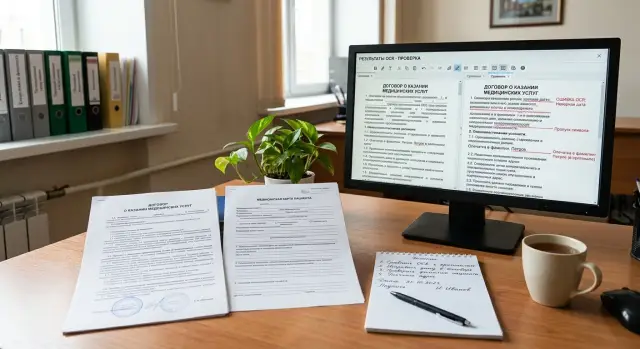
Why a scan breaks an LLM answer
One OCR failure can easily change the meaning of a document. In a contract, the line “no penalty applies” can become “penalty applies” if the system misses a single “not”. In a medical form, the same small error is even more dangerous: “0.5 mg” and “5 mg” look almost the same on a faded scan, but the decision based on them will be very different.
The problem is that damaged text often looks perfectly normal to the model. OCR before an LLM can produce a smooth, readable paragraph with no obvious gaps, even though it dropped a field number, mixed up rows in a table, or merged two nearby blocks. The text looks neat, but the data is already unreliable.
The difference is simple. Beautiful text is pleasant to read. Reliable data preserves symbols, field boundaries, row order, and places where the system is unsure. If OCR guesses a word instead of marking uncertainty, the LLM gets false confidence before analysis even starts.
This happens all the time in scans. A document may have been photographed at an angle, printed several times, compressed in a messenger app, or signed by hand over printed text. Stamps, shadows, folds, gray backgrounds, and weak contrast hit short words, numbers, and negations the hardest.
The model almost never knows what exactly was lost during recognition. It only sees the input text and tries to build a plausible answer from it. If OCR turns the phrase “no allergies” into “allergies present,” the model will calmly build a summary, risk flags, and recommendations around a false fact. Often that answer sounds confident because the model is good at filling in gaps from context.
The error hurts most in documents where one symbol changes the decision:
- contracts with amounts, deadlines, penalties, and termination terms
- medical forms with dosages, allergies, diagnoses, and dates
- forms and applications with IIN, policy numbers, and passport details
- lab reports where the exact value in the field matters more than the description
If the document is only needed to find a general topic, small flaws are still tolerable. If you need to make a decision, issue an invoice, check risk, or pass a patient further along the process, even one OCR miss can break the whole answer.
Where OCR most often loses meaning
OCR does not only fail when text is hard to see. Worse, it can recognize characters in a way that makes the phrase look believable, even though the meaning has already drifted. For an LLM, that is the most dangerous case. The model sees ordinary text and confidently builds an answer on top of damaged input.
Problems often start with scans that have been printed and copied several times. Small fonts blur, thin letter strokes disappear, and digits run together. In a contract, that can easily turn “3,000,000” into “300,000” or change the end date. In a medical form, one lost comma in a dosage also changes the meaning completely.
What breaks most often
- Stamps and signatures cover words, dates, and amounts. OCR tries to fill in the text and often gets it wrong.
- Handwritten notes on the margins mix with the main text. It gets especially hard when a doctor or manager writes over a printed line.
- Two-column tables and forms break reading order. The system may take the right column first, then the left, and stitch together phrases from different rows.
- Checkboxes and small fields disrupt layout. A “yes” mark may disappear, and an empty field may be read as a symbol or a number.
- A mix of Russian, Kazakh, Latin letters, and digits causes quiet mistakes: “O” instead of “0”, “I” instead of “1”, and “А” and “A” look almost identical.
Meaning is lost especially often in short but important pieces of text. These are contract numbers, IINs, document series, drug names, units of measure, validity periods, and checkbox marks. One wrong character in a long paragraph is not always critical. One wrong character in a policy number can break the whole extraction.
In medical forms, OCR also gets confused because of a mix of a printed template and handwritten input. In contracts, footnotes, small fields, stamps, uneven scans, and pages photographed at an angle cause more trouble.
If a document looks “almost readable” to a person, that does not mean OCR before an LLM will work well. A person fills in meaning from context. OCR does not understand the document — it only guesses characters. So the most dangerous areas are not the dirtiest pages, but the ones where the error looks true.
How to measure recognition loss
Measuring only the overall text match rate is not enough. For contract scans and medical forms, it is better to split the error into two stages: what OCR damaged and what the LLM then misunderstood. Otherwise you will see a bad final result, but you will not know where to fix the process.
The check should run on the same document set. First compare the OCR result with a manually corrected text. Then give the LLM two inputs: the clean reference text and the OCR text, using the same prompt. The difference between the answers shows the loss caused by recognition, while the errors on the reference text show the model’s own limit.
What to measure in text and fields
Not every part of a document needs the same metric. Where one symbol changes the meaning, use character-level matching. This works for a contract number, date, amount, full name, policy number, and dosage. For longer phrases, word-level metrics are more useful. They show better how many words OCR lost, added, or mixed up.
It is useful to measure separately:
- character-level accuracy for numbers, dates, amounts, and full names
- word-level accuracy for contract clauses and doctor notes
- the share of found fields by type
- the share of fields whose values matched exactly
For fields, text accuracy alone is not enough either. Track field completeness by type: number, date, amount, diagnosis, full name. It helps to keep two metrics side by side: whether the field was found at all, and whether it was recognized without error. This quickly shows the difference between a case where OCR missed the date entirely and a case where it read it but changed 03.04.2024 to 08.04.2024.
Where the error already changes the decision
The most expensive errors are semantic ones. They should be labeled separately, even if the overall text still looks close to the original. This usually includes a wrong date, a missing negation, an incorrect unit of measure, an extra digit in an amount, a swapped patient name, or the wrong contract party.
Do not look only at the number of errors. Look at the share of documents where the error changes the decision. If OCR drops a comma in a long paragraph, that is unpleasant but not always critical. If it turns “no allergies” into “allergies” or reduces a contract amount by a factor of ten, the process is already going the wrong way. For OCR before an LLM, that is the main metric: how many documents lead to a wrong conclusion, route, or human action after recognition.
How to build a review set
If you use only neat and clean scans, the test will look too good. For OCR before an LLM, it is better to collect 50–100 real documents of different quality. That set quickly shows where recognition confuses letters, cuts lines, and loses meaning before the model even sees the text.
Take documents from the real flow, not from a folder of ideal examples. Add phone photos, faded copies, skewed pages, stamps, signatures, folds, and poor lighting. For contracts and medical forms, these are the cases that most often break the final answer.
Label each file with simple attributes right away:
- document type
- language or language mix
- scan quality on a simple scale, for example 1–3
- source: scanner, phone, archive, external system
- whether there are handwritten notes, stamps, or strong skew
That labeling saves a lot of time later. You do not just see the overall OCR error — you understand where it lives: in old archives, mobile uploads, or bilingual forms.
The team does not need to manually rewrite all the text on every page. It is better to create a reference for the most important fields. In a contract, these are usually the number, date, amount, parties, IIN, or BIN. In a medical form, it is the full name, appointment date, service code, diagnosis, and dosage. If the labeler cannot read a field confidently, they should say so. Guessing is not allowed.
Separate the documents into two sets right away. The first is for OCR tuning, text cleanup, and extraction rules. Keep the second set aside for the final check. Do not move documents back and forth after the first tests, otherwise the team will adapt to familiar scans and get a false sense of accuracy.
In practice, it is convenient to keep about 70 documents for tuning and 30 for the final check. If you have little data, do not sacrifice hard examples. One hard-to-read contract and one difficult medical form are usually more useful than five perfect pages.
How to set up human review step by step
A human should not reread the whole document. They need to see only the places where OCR errors can change the meaning: the amount, date, contract number, IIN, diagnosis, or dosage. That makes review cheaper and keeps the flow moving.
For OCR before an LLM, it is better to work with fields rather than the whole document. Each field should have its own source: a text snippet, page coordinates, and, if possible, a crop of the scan fragment. Then the reviewer sees not an abstract error, but a specific line that can be confirmed or corrected quickly.
Workflow
- First run OCR and save not only the recognized text, but also block coordinates, page number, and the confidence score. Without coordinates, it is hard to know where the amount or surname came from.
- Then extract the needed fields. For a date, contract number, IIN, or amount, a simple pattern is often enough. Leave the LLM for free-form wording that changes a lot from document to document.
- On the labeled sample, compare the result with the reference for each field. For numbers and dates, use exact character-by-character checking. For names and addresses, count errors by words so you can see where the meaning is lost and where only punctuation breaks.
- After that, add rules for when a document goes to a human. Usually that is low OCR confidence, a conflict between two extraction methods, a missing required field, or a fragment that affects the decision.
- Show the reviewer not the whole file, but the disputed spot: the image crop, the recognized text, the found value, and the neighboring context. They fix the field before the final decision and note why it failed.
What to keep after review
The reason for an error is needed not for the report, but for the next run. It helps to keep short labels: bad scan, stamp covered the text, OCR mixed up digits and letters, the template picked the wrong block, the LLM chose a neighboring field.
For example, in a contract, the amount “1,500,000” and the term should go to manual review if OCR is uncertain or the format does not match the template. In a medical form, a person should check the patient name, diagnosis, and dosage if even one field was read with a gap. One such filter often saves hours of error handling after the upload.
One flow for contracts and medical forms
A practical OCR-before-LLM flow looks like this: the scan goes into OCR, then the system extracts a few fields, calculates the risk of error, and only after that sends the text to the LLM. If the risk is high, an operator checks the document first. If the risk is low, the model works right away, and a human reviews only some cases by sample.
With a lease contract, the error often looks minor but hits the meaning hard. On the scan, the monthly payment is 38,000, but OCR reads it as 33,000 or 88,000 because the digits merged, the stamp touched the line, or the scan is too dark. The LLM then calmly builds an answer from the damaged text: it fills out the contract card, calculates payments, and creates a summary for the lawyer. It does not see the original unless you give it the image separately.
With a medical form, the risk is even higher. In the line “no allergies found,” OCR sometimes eats the word “no.” For the model, that is already a different fact: it may mark an allergy as confirmed, pass the wrong flag further down the process, or send the case to an unnecessary manual escalation.
To avoid checking the whole document, the operator looks only at the fields where mistakes are especially expensive:
- in a contract: the amount, start date, and term
- in a medical form: allergy flags, contraindications, and urgent notes
- in both cases: places where OCR has low confidence
This saves the team time. Instead of fully proofreading every scan, the operator often needs only 20–30 seconds for a narrow check. This matters a lot when the flow includes hundreds of documents per day.
Later, manual review can be removed where risk is low. For example, contracts with one template and fresh printed scans often pass without problems. Medical forms with a clean form layout can also go through without mandatory review if the system finds nothing suspicious and sample checks do not show a drop in quality.
The point of this flow is not to make OCR perfect. The goal is simpler: decide in advance which errors are acceptable and which ones a human must catch before the model answers.
Common process mistakes
In an OCR-before-LLM chain, the most expensive errors are the ones that break the decision, not the ones that spoil a nice average number. The team sees 97% accuracy and thinks everything is fine. Then one missing “not,” one digit in an amount or dosage, and the document goes the wrong way.
That is why the overall recognition rate by itself says almost nothing. For contracts and medical forms, it is better to track separately the fields where the cost of an error is high: amounts, dates, and terms; contract numbers, IINs, policy numbers, and account numbers; negations like “not approved”; dosages, units of measure, and diagnoses from printed forms.
Another common mistake is tuning thresholds on clean PDFs and expecting the same result on scans. A clean PDF is nothing like a photo taken from a desk, a copy with a stamp, or a gray scan after a fax. If the confidence threshold was invented on neat files, it will either let trash through or send too many documents to manual review.
Confusing OCR errors with labeling errors breaks the whole quality assessment. Suppose the reviewer marked a wrong date, but they were looking at a cropped fragment from the wrong page. In the report, that looks like an OCR failure, although the engine read the date correctly. Keep three causes separate: recognition failure, labeling failure, and LLM failure on already clean text. Otherwise you fix the wrong layer.
People also waste time. If you send the whole document to review, the reviewer reads five pages for one disputed field. That is slow and tiring. It is better to show only the disputed spot: the image fragment, the OCR text next to it, and a simple question like “1,500,000 or 1,800,000?” That way the person answers faster and makes fewer mistakes.
The last trap appears after replacing OCR or the model. The team updates one component, checks a few fresh files, and decides things improved. A week later, a regression shows up on old templates, stamps, or handwritten notes. Run the same control set every time, or you will have nothing to compare.
If you compare several LLMs after one OCR flow, it is convenient to keep them behind one OpenAI-compatible gateway. For example, in AI Router you can change the base_url to api.airouter.kz and run the same set of documents through different models without rewriting the SDK, code, or prompts. That helps compare models fairly without changing the rest of the pipeline.
Short checklist before launch
Before launch, check not only model quality, but also process discipline. OCR before an LLM usually breaks not on ordinary documents, but on those with a faded stamp, skew, a phone photo, or a handwritten note.
If you skip the basic checks, the system will look “almost accurate,” but the errors will land in the most sensitive fields. For a contract, that may be the amount or term. For a medical form, it may be the date, dosage, or test code.
- Build a reference for the important fields. Not for the whole document, but for what affects the decision: full name, date, contract number, amount, diagnosis, dosage, IIN.
- Set a clear threshold for when the document goes to a human. It is better to use separate thresholds for risky fields and for the overall recognition score, not one threshold for the whole file.
- Watch statistics by document type. Contracts, forms, discharge notes, and medical forms fail in different ways, and the average number across the whole flow hides that.
- Keep the reason for every manual edit in the log. Then the team will quickly see what broke: OCR mixed up symbols, the template failed to find the field, or the LLM misunderstood a text fragment.
- Add new bad scans to the review set. Include documents with shadows, stamps over text, low contrast, old fax quality, and bad cropping.
This list looks simple, but it saves a lot of time in the first month alone. When edit logs are kept carefully, it quickly becomes clear which errors repeat and which documents should go straight to manual review.
If your team works in banking, healthcare, or government services, do not skip this minimum. In those settings, the cost of one quiet error is higher than the cost of an extra human check.
What to do next
Do not try to cover the whole archive at once. It is better to start with one scenario where an error hits money or risk: a contract number, an amount, an end date, or a diagnosis in a medical form.
A good first step is to keep only 3–4 fields without which the process makes no sense. That helps the team see faster where OCR before an LLM breaks most often: on a faded stamp, a handwritten date, small print, or a crooked scan after fax.
If you start with twenty fields, the discussion will quickly drift into details. If you start with four, within a week you can already tell what share of documents needs manual review and where the thresholds are too low or too high.
Next, you need to agree not only on the model, but also on the people. Who checks disputed documents? What counts as a disputed case? How many minutes does the reviewer have to respond? If this is not defined, manual review quickly turns into a queue without rules.
Usually a simple process is enough:
- OCR and the LLM extract the fields and assign a confidence score
- documents below the threshold go to a human
- the reviewer corrects only the marked fields, not the whole file
- the corrections go into a sample set for the next review
This cycle works better than rare, large cleanup sessions. The team sees not an abstract quality score, but real errors: where OCR mixed up “8” and “3”, where the model missed the word “not”, where a field slipped into the next line.
Once a month, it is worth reviewing both the thresholds and the sample set itself. Over a month, new scan types usually appear: a different contract template, a new medical form, worse print quality, more phone photos. If you do not update the sample set, the metric will only look good on old documents.
The plan for the first month is simple: choose one flow, agree on manual review, collect corrections, and recalculate the thresholds once on real documents. That is already enough to remove the most expensive errors before scaling.
Frequently asked questions
Why does clean OCR text still not mean the data is correct?
Because OCR can produce a neat-looking paragraph and still lose the meaning. It often confuses negations, numbers, field boundaries, and line order, and then the LLM confidently reasons over the wrong text.
Which OCR errors most often change the meaning of a document?
The most damaging errors are short fragments where one symbol changes the decision. These include amounts, dates, dosages, IINs, contract numbers, checkbox marks, and words like “no” or “not”.
How do you separate an OCR error from an LLM error?
Compare two runs on the same document set. First give the model the reference text, then the same text after OCR, using the same prompt. If the answers differ, the loss came from recognition, not from the LLM itself.
Which metrics are best for contracts and medical forms?
For numbers, dates, amounts, and dosages, use character-level accuracy. For longer fragments like contract clauses or doctor notes, look at word-level accuracy and separately track whether the system found the right field in full.
How many documents do you need for the first check?
Usually 50–100 real documents with different quality levels are enough. Include not only clean scans, but also phone photos, faded copies, pages with skew, stamps, and handwritten notes.
What should go to human review first?
First send the fields where mistakes are expensive. In a contract, that is the amount, start date, term, and number; in a medical form, it is allergies, diagnosis, dosage, appointment date, and urgent flags.
What should the reviewer see so they do not waste time?
Show the reviewer only the disputed fragment, not the whole file. Give them the scan crop, the OCR text next to it, the found value, and a bit of surrounding context so they can quickly confirm or fix the field.
Is one confidence threshold enough for the whole document?
No, a single threshold often hides risk. It is better to keep separate rules for risky fields and an overall score for the document, otherwise the system will miss a quiet error in an amount or dosage.
Where should you start if the team cannot label the whole document?
Do not try to label everything at once. Start with 3–4 fields without which the process cannot move forward, such as the contract number, amount, end date, or diagnosis, and tune review only for them.
How do you fairly compare different LLMs in one OCR pipeline?
Keep the OCR, the prompt, and the test set unchanged, and change only the model. If you use one OpenAI-compatible gateway, such as AI Router, you can quickly run the same documents through different LLMs and compare the answers without changing the SDK, code, or prompts.