LLM Stream Cancellation: How to Stop Paying for Extra Tokens
LLM stream cancellation helps stop extra tokens when a user leaves the page. We look at signals, timeouts, logs, and checks.
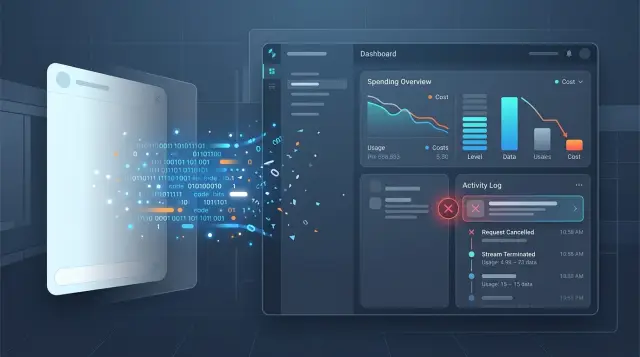
What breaks after the screen is closed
A closed tab does not mean the work stopped at that exact second. The browser, mobile network, proxy, and server do not cut the chain at the same time. The user is already gone, but the request may still live for a few seconds, sometimes longer.
This is especially easy to see with streaming responses. The screen is gone, no one is reading the text, but the model is still generating tokens because the server did not receive a clear cancellation signal or did not pass it along.
From a billing point of view, there is no difference: while the model keeps counting, the tokens keep hitting the bill.
The problem rarely looks like an outage. From the outside, everything may seem fine: the process finished, the provider returned a full response, and the upstream metrics are green. The only issue is that the response is no longer useful because the client connection died earlier.
That breaks several things at once:
- costs rise for no reason;
- the queue holds extra tasks;
- latency for other requests gets worse;
- logs show success where the user received nothing.
The worst part is that these cases are easy to miss. If you only look at successful HTTP responses from the model provider, the system appears healthy. But if you compare them with client events, a gap often appears: the frontend has already closed the stream, while the backend is still waiting for generation to end.
In a normal chat, this looks minor. The user opens a long answer, reads the first lines, closes the screen, and moves on. The model still writes another 900 tokens, the server accepts them all, and the bill grows as if someone had read the whole thing.
The failure happens in one place: between the moment the user leaves and the actual stop of generation. If cancellation does not travel from the client to the server and then to the provider, the system keeps spending money and time on text no one needs.
For the team, it is also an observability problem. Reports show a "success," but the product shows an empty space or a cut-off answer. When these requests pile up, cost tracking quickly loses accuracy.
Where the money and time go
Losses do not start the moment someone closes the tab, but a bit later. For the model, the session is often still alive: the client has left, while the server and provider are still producing tokens. If cancellation does not reach the end of the chain, you pay for every output token until the request truly stops.
On short answers, this is barely noticeable. On long summaries, support chats, or SQL generation, the bill climbs fast. The user does not read those 500–800 tokens, but the provider already counted them, and the server already received the stream, processed it, and held the connection longer than needed.
Time is lost not only on the response itself. While an unfinished stream sits in the queue, it occupies a worker, a socket, memory, and sometimes a connection pool slot. One request rarely causes trouble. Dozens of "dead" streams already add extra latency for people who are still waiting. During peak hours, this is especially obvious: traffic did not grow, but the system responds more slowly.
The picture gets worse when the client sends the same request again. The user sees a hang, hits refresh or opens the chat again, and now you have two costs instead of one. In reports, this is easy to mistake for normal load growth, even though part of the extra tokens came after a missed cancellation.
Without a precise cancellation marker, the team is almost guessing in the dark. Developers think the provider generated too much. Finance sees more tokens on the bill. Product assumes users are asking longer questions. Until the logs show a cancellation event with the time, request ID, and token count at the moment of stop, everyone has their own version.
If a request passes through several layers, such as the client, your backend, an API gateway, and the model provider, it helps to keep an audit trail at each step. In systems like AI Router, this is easier with one OpenAI-compatible call and shared audit logs: then it is faster to see where the cancellation signal was lost and where the extra tokens started to appear.
How to notice that the client is already gone
Waiting for complaints is too late. If the screen is closed, the tab refreshed, or the app went into the background, the server may still be receiving tokens and paying for them. So cancellation must be caught at the moment the client drops the connection, not when the task finishes on its own.
In the browser, this usually shows up through close and abort. The user switches pages, closes the tab, or presses the "Stop" button — the frontend should send the cancellation signal right away. On mobile, the picture is similar: the app is minimized, the network drops, or the chat screen is destroyed. If the client stays silent, that does not mean the user is still waiting for the answer.
One request_id should live from the first request to the last byte. Pass it through the frontend, API gateway, queue, worker, and provider call. Otherwise you will only see pieces of the story: one log has the connection break, another shows generation still running, and there is no way to connect them.
It is better to separate stop reasons into a few clear events:
client_abort— the client canceled the request;network_close— the connection dropped;upstream_timeout— the provider did not answer in time;server_timeout— the server stopped waiting on its own.
This may seem like a small detail, but this is exactly where extra tokens often hide. If you log everything as a "network error," the team will not know who ended the conversation first.
After that, compare the local cancellation with what happened at the provider. The server may have received abort, closed the SSE stream for the client, and still failed to stop generation upstream. Then the user is already gone, but the model keeps writing for another 10–20 seconds. For cost tracking, it is useful to keep two facts side by side: the time of cancellation on the client and the time the provider actually stopped.
If there is a noticeable gap between them, cancellation only works halfway. When you have a single gateway with shared logs, like AI Router, it is easier to carry the same ID through the entire OpenAI-compatible request and then quickly compare the events along the chain.
How to stop generation step by step
If cancellation only exists in the interface, the money still goes out. The user closes the screen, and the server keeps reading the stream from the model and paying for extra tokens.
The working setup is simple: every request should have one shared cancellation signal. Not one for the browser and another for the backend, but one source of truth that follows the whole path to the LLM API.
Usually it looks like this:
- The client creates a cancellation signal at request start. If the user closes the tab, presses "stop," or the app loses connection, the signal fires right away.
- The backend receives the same signal and attaches it to its handler. If the client leaves, the server does not wait for the model to finish on its own.
- The server passes the cancellation further into the outbound request to the model or into the gateway.
- As soon as the signal arrives, the server closes the stream to the client and immediately cuts off the outbound request to the model. Do not leave a long pause between steps.
- The system waits for a short stop confirmation, usually 1–3 seconds. If no confirmation arrives, the server ends the request forcibly and writes the reason to the log.
It is better to store the reason clearly: "screen closed," "network dropped," "limit reached," "user pressed stop." Later, these logs make it easy to see where money is leaking: on mobile networks, in long answers, or in interface errors.
A common mistake is to close only the SSE or WebSocket to the client, but leave the connection to the model untouched. The user no longer sees anything, but the bill keeps growing. The rule is simple: no client, no generation.
The check is simple too. Open a long stream, close the screen halfway through the answer, and see whether the token counter stops growing almost immediately. If not, your cancellation is still only working at the interface level.
What to do on the server side
When the client drops the connection, the server should not wait for the model to finish. As soon as the app receives abort, remove the task from the worker, close the stream to the provider, and free memory. Otherwise the user has already left, while the API or GPU is still spending tokens and time.
In practice, this only works when the server can stop the request itself. Frontend cancellation alone is not enough. The browser may close the tab, the mobile app may go to the background, or a proxy may lose the socket. In all of these cases, the server must end generation on its own, without waiting for the answer to finish.
Timeouts and statuses
Do not mix all limits into one. The client timeout handles the connection to the frontend. The model timeout limits how long you wait for the LLM. The overall deadline makes sure the request does not live past its allowed time in any scenario. When these boundaries are separate, the team can see the cause of the stop faster and does not confuse a network drop with a slow generation.
For long answers, set a hard max_tokens, even if prompts are usually short. One vague request can easily push the model into a long reply that no one will finish reading. A small buffer is almost always cheaper than an open limit.
Keep cancelled separate from failed and timeout. These are different events. Failed means a code, network, or provider error. Timeout means the server reached the limit and stopped the request itself. Cancelled means the user or an upstream service changed its mind earlier. If you merge them into one status, the metrics will start lying.
Send one cancellation reason per request into your internal metrics. Not a set of flags, but one final field: client_abort, model_timeout, gateway_deadline, or manual_cancel. Then the reports show where the extra tokens are going and where the problem is in the service logic.
If you have several models and providers, it is easier to keep this logic at the gateway level. Then the same cancellation rules, limits, and statuses work across all routes, and the system behavior depends less on a specific SDK.
Mistakes that still make the bill grow
Most of the time, the money does not disappear because of one big failure, but because of a small gap between the client, the server, and the model provider. The user has already closed the screen, but generation lives for another 10–30 seconds. During that time, extra tokens pile up, and the team only notices the issue on the bill.
The most common mistake is simple: you only close the SSE stream to the browser or mobile client, but you do not stop the outbound request to the model. For the interface, everything looks neat: no more text arrives. For the provider, nothing changed, and it keeps counting tokens until generation ends.
The second mistake is more expensive: the team hopes the provider will understand that the client left and will cut off the response on its own. Sometimes that works, sometimes it does not. If there is a gateway, proxy, or OpenAI-compatible layer between the app and the model, the cancellation signal can get lost on the way if you do not pass it explicitly.
Another trap is a too-high max_tokens "just in case." If the model usually answers within 300–500 tokens, and you allow 4000 every time, any missed cancellation quickly turns into extra cost. That buffer feels safe only until the first traffic spike.
Request tracing also often breaks. The app knows an internal chat_id, the gateway creates its own request_id, and the provider returns yet another identifier. If you do not link them together, it becomes hard for the server to know which request should be stopped.
Usually it looks like this:
- the frontend closed the connection, but the backend did not send
cancelfurther; - the server sent
cancel, but did not save the providerrequest_id; - cancellation reached the gateway but not the final model;
- the team does not check in the logs where generation actually stopped;
- a high
max_tokensleaves too expensive a buffer.
There is also an organizational mistake: many teams only check the client error, not whether each provider actually stopped. And those are not the same thing. One provider stops generation right away, another finishes the current buffer, and a third does not even expose a clear cancellation status.
If you have a single gateway between the app and the models, keep the full chain of IDs: the client request, the gateway ID, and the provider ID. Then compare cancellation not by the interface, but by token logs and request lifetime. Otherwise everything will look neat on screen, while the bill keeps growing.
Example from a typical scenario
A user opened a support chat, asked about pricing terms, and almost immediately minimized the app. This happens all the time: the person gets distracted, gets a call, or simply decides to come back later. The stream of text is no longer visible on the screen, but the server request is still alive.
The frontend closed the screen and removed the event subscription, but the backend did not pass anything further down the chain. The stop signal never reached the model, and it calmly kept streaming. Over the next 20–30 seconds, it wrote several more paragraphs, even though nobody was there to read them.
From the outside, it looked harmless. The user did not complain, there were no interface errors, and the chat simply "disappeared." But extra tokens were piling up in billing, while the team saw higher request processing time and more load on workers.
This is usually how it breaks: the client leaves, while the backend is still waiting for generation to end, reading chunks and paying for them as if it were a normal successful response. If this happens in hundreds of sessions a day, the losses become visible. Even 300–500 extra tokens per abandoned conversation quickly turn into a noticeable amount.
After the fix, the team did not change the model. It changed the behavior of the request chain:
- the frontend sends a cancellation event as soon as the screen closes;
- the API gateway passes
abortthrough the same request instead of just breaking the client connection; - the backend finishes reading the stream and closes the task without retries;
- metrics count canceled responses and tokens after the client leaves separately.
The difference is usually visible on the first day. Before, a request could live until its natural end, even if the user disappeared after a second. After the change, the stream stops almost immediately, and the model does not get to "finish speaking" hundreds of useless tokens.
For the product team, this is one of the cheapest changes for the impact it brings. You do not change the UX, rewrite prompts, or look for a new model. You simply stop paying for text no one saw.
Quick check before release
Before release, you need a test that breaks the normal flow. Start a long answer, wait until the middle, and close the tab or screen. If everything is set up correctly, token spend will stop rising almost immediately, not after 20–30 seconds.
Do not look only at the interface. The app may show "canceled," while the server is still holding the connection, the gateway is still receiving chunks of the response, and billing is still counting tokens.
Before shipping, check five things:
- after the tab is closed, the server receives a cancellation signal within seconds;
- the token counter and request cost stop almost immediately, without a long tail;
- one request has the same status in the app, the gateway, and the accounting system;
- the log stores
request_id, the cancellation reason, and the exact stop time; - the test passes both on a slow network and with retries.
Also check repeated requests separately. A common failure looks like this: the client cuts off the stream, the library assumes it was a temporary error, and sends the same request again. The user is already gone, but the system paid twice.
It helps to compare one request_id across the whole chain. In the app, you will see the moment the user closed the screen. In the gateway, you will see cancellation. In billing, you will see how many tokens the system actually spent. If there is a difference between these three points, the release is not ready yet.
If you work through a shared gateway, check the audit log too. It quickly shows where the request lived longer than it should have: on the client, on your server, or already at the provider.
Run one more simple test. Start a long generation from a phone on a bad network, minimize the app, and come back after a minute. That will show whether the system can tell the difference between a real cancellation and a short connection drop.
A good result is simple: the user leaves, generation stops, tokens stop flowing, and the logs keep a clear trace of what happened and when.
What to roll out next
After the fix, the work is not over. If you do not add simple checks, the extra tokens will return in a week: someone will change a timeout, someone will enable a more expensive model, and someone will forget to cut off a background request after the screen closes.
Start by adding alerts for responses that live longer than the client session. If the user closed the chat 15 seconds ago and generation is still running, that is already a reason to investigate. These alerts are better built on the share of requests per hour or day, not on a single event, otherwise the team will drown in noise.
What to put on one dashboard
Separate graphs do not help much. When cancellations live in one place, timeouts in another, and model spend in a third, the reason for the bill increase gets lost.
Keep at least four metrics together:
- how many streams the client canceled on its own;
- how many requests the server stopped due to timeout;
- how many tokens were spent after the client session broke;
- which models leave the most expensive tail after cancellation.
That kind of dashboard shows not only the overspend itself, but also its source. For example, short answers barely leak, while long prompts on an expensive model keep generating for another 20–30 seconds after the user leaves.
Next, review the limits. For expensive models, it makes sense to cap max_tokens more tightly, and for long prompts, set a stricter server timeout. That narrows the buffer a bit, but it protects the bill very well. In practice, two rules are often enough: do not send a long context to the most expensive model without a reason, and do not keep a stream alive forever if the client is already gone.
If you have several teams and several routes to models, it is useful to move control to the gateway level. In AI Router, you can centrally manage routing, audit logs, and limits by API key instead of rebuilding the logic in each service. This is especially handy when one chat goes to hosted models, another goes through an external provider, and the cancellation and cost rules still need to stay shared.
How to start without a big rewrite
Do not change every product at once. Take one chat or one assistant where streaming already works in production, and measure two things: how many tokens are currently spent after the client disappears, and how many will be spent after the new cancellation logic.
A before-and-after comparison usually shows the effect quickly. If extra tokens drop by at least 30–40%, you already have a clear argument for the rest of the team. If almost nothing changes, the problem is probably not the cancellation signal itself, but the server chain, retries, or routing.
The point of all this is very practical. The user closes the screen, and generation should stop. If that does not happen, the system wastes money, distorts metrics, and slows down the people who are still waiting for an answer. The sooner you catch this gap, the fewer extra tokens will end up on the bill.
Frequently asked questions
Why do tokens keep being billed after the screen is closed?
Because closing the screen does not always break the whole chain right away. The browser or app may already be gone, while your server and model provider still keep the request open and continue streaming tokens. If you do not pass abort all the way to the LLM API, billing will keep counting output tokens.
Is it enough to just close SSE or WebSocket?
No. If you only close the stream to the client, the model may keep generating text on the server or provider side. Stop both the client stream and the outgoing request to the model with one shared cancellation signal.
How can I tell that the client is gone but generation is still running?
Pass one request_id through the frontend, backend, gateway, and model call. Then log the time the client connection broke, the cancellation reason, and the time the provider actually stopped. If there is a gap between those moments, cancellation is not fully working yet.
What cancellation reasons should I log?
Keep reasons separate. Usually client_abort, network_close, server_timeout, upstream_timeout, and manual_cancel are enough. That way you can quickly see who stopped the request first and where the extra cost came from.
How should I set timeouts so cancellation is not confused with failure?
Split the limits by role. The client timeout watches the connection to the interface, the model timeout limits how long you wait for the provider, and the overall deadline cuts off any request that lives too long. When you mix them into one limit, the team later spends a long time arguing about what actually failed.
Do I still need to limit max_tokens if cancellation already works?
Yes, almost always. If a normal answer fits into 300–500 tokens, do not set 4000 just in case. When cancellation is missed, a high max_tokens quickly turns one abandoned stream into a visible bill.
Why does a second identical request sometimes appear after a connection drops?
Most often, the library treats the disconnect as a temporary error and sends the same request again. Check retries on the client, gateway, and server, especially for streaming. If the user is already gone, do not repeat the request.
How can I quickly test cancellation before release?
Open a long stream and close the screen halfway through. Then check whether tokens, price, and request lifetime stop increasing almost immediately. If the interface says canceled but billing still runs for 10–30 seconds, it is too early to ship.
Why do reports look fine even though users do not see the answer?
Because success from the provider does not mean the user actually received the answer. The client may have left earlier, while the server still finished the stream. Compare upstream success with client events, or your metrics will show a healthy system where the product is losing money.
What does a gateway like AI Router do in these scenarios?
It helps to put cancellation, limits, and audit into one layer. With AI Router, you can send OpenAI-compatible requests, keep shared logs, and carry one request_id through the whole chain. That makes it much easier to find where cancellation was lost and where extra tokens started adding up.