How to avoid overpaying for long context: what to cut and what to keep in memory
How to avoid overpaying for long context: we break down chat history trimming, compression, and dialog memory choices to preserve meaning and reduce tokens.
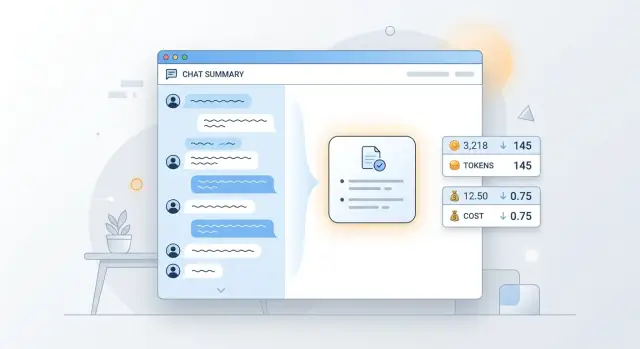
Why long context quickly eats the budget
Every new request to the model includes more than just the user’s last question. Usually the application sends a whole set of data: the system prompt, part of the chat history, fragments from search or a knowledge base, tool results, and service fields. The model reads all of this again on every call, and you pay for the full amount each time.
A typical request has several layers: rules for the model, past messages, inserts from documents, tool responses, logs, or JSON. The problem is that the API has no memory of its own between calls. If a conversation lasts 15 turns, the first question is not stored on the model side. The application sends it again and again. The same paragraph can end up in the context 10–20 times in one session.
Because of that, even a small tail quickly turns into a noticeable expense. Suppose the system prompt takes 700 tokens, the chat history another 1,500, and you add a 2,000-token document to the new question. One turn is already expensive. On the next turn, almost the same amount goes again, plus the model’s fresh answer.
Not all history is equally useful. If the user once said, “I need the answer in Kazakh” or “we use SAP and 1C,” those facts are worth keeping. They affect future answers. But greetings, thank-yous, repeated clarifications, and old versions of the same summary usually add nothing but extra tokens.
This is easy to see in a simple support conversation. It helps to remember the product number, the error text, and that the user already tried restarting. It is pointless to send five polite replies again and the full text of every failed attempt if the meaning is already clear.
Tokens often grow quietly in places added not by a person, but by the system. Overspending is usually caused by full tool output instead of a short result, raw logs and stack traces, long document inserts in full, and duplicates from search, when the same fragment appears in context several times.
That is why the bill can grow even with short questions. The question itself takes 20 words, while everything around it adds several thousand tokens.
What to keep in chat history
Chat history does not need the entire conversation, only the parts without which the model will lose its thread on the next answer. Many teams keep too much: greetings, repeats, long “okay, got it” messages, and text that no longer affects the task.
If you want to understand how not to overpay for long context, start with a simple rule: every saved fragment must change the next answer. If it does not, it is better to remove it.
Usually it is worth keeping the user’s goal, the current step of the task, constraints on time, format, language, and budget, exact data such as names, versions, IDs, and dates, as well as decisions already made along the way. Sometimes it also helps to keep the last 1–2 replies if they show why the next step exists at all.
In practice, that is enough more often than you might think. If the user has already chosen a short table report, a Friday deadline, and a 50,000 tenge limit, those three facts should stay near the request. Phrases like “good day,” “thanks,” and “let’s go over it again” only bloat the history.
Repeats are better removed immediately. If the user said the same thing three times in different words, keep the most exact version. If the assistant already confirmed an action, do not carry that confirmation further down the chain.
What to store separately
Permanent user data should not be dragged into every conversation as a long tail. It is better to move it into a separate memory or profile. That usually includes language, role, preferred answer format, company name, internal approval rules, and other facts that last a long time.
Temporary context is only what belongs to the current session: ticket number, current error, chosen model, experiment limit, the team’s latest decision. Today it matters, tomorrow it may not.
There is a simple test. Ask about each line of history: is it needed only now, needed almost always, or no longer needed? Keep the first type in chat. Move the second into memory. Delete the third.
If a team sends LLM requests through a gateway like AI Router, extra paragraphs in every call quickly turn into a noticeable expense. Clean chat history usually gives not only lower token use, but also more accurate answers: when there is less noise in the context, the model can stay on track more easily.
How to trim context without losing meaning
First, measure how many tokens your average request uses before any changes. Otherwise you will not know what actually made the difference. Take 50–100 real conversations and measure input length, output length, and the cost of one turn.
After that, set a hard ceiling for history. Not “roughly the last 20 messages,” but a concrete budget: for example, up to 6–8 thousand tokens for the entire input, or up to N recent turns plus the system instructions. A hard limit is more useful than vague rules because it keeps the chat from growing unnoticed.
Then work in order. First remove old replies that do not add new facts. Most often these are thank-yous, repeats, rephrasings, and intermediate clarifications. Then keep only what the next answer is built on: the goal, constraints, recent decisions, user data, and open questions.
If you need to cut a large section, do not delete it silently. Replace it with a short 2–4 line summary. But in that summary, write only facts, not a retelling of the conversation. For example: “The user chose plan B, needs the report in CSV, dates are fixed, format cannot be changed.”
After that, check whether there are any fragments left in the context that the model has already used and no longer needs. This is a common small issue, but it is exactly what bloats requests in long scenarios.
A good summary is usually several times cheaper than raw history. But a summary that is too short can also break quality. If you remove reasons, exceptions, or format agreements, the model will start answering “almost correctly,” and that is an expensive kind of error: it seems close, but then you need one more request, clarification, or manual fix.
It helps to separate memory into two layers. Short-term memory keeps the latest turns for continuity. Long-term memory keeps only stable facts: client name, answer language, chosen scenario, restrictions, and important task parameters. That way you do not carry the whole chat into every new call.
It is better to test the result not on one lucky example, but on live conversations with pauses, mistakes, and topic changes. Compare the full history with the trimmed one. Look not only at price, but also at whether the model loses facts, response style, and the logic of the next step.
If you already use a shared gateway, it is convenient to run that test across several models at once. In AI Router, you can keep the same OpenAI-compatible interface and compare where trimming really reduces tokens without losing meaning, and where a specific model needs a little more memory.
When to compress text and when to keep the source separately
If the task is simple, the rule should be simple too: split data into what has already stabilized and what the model must see verbatim. Usually this saves more tokens than a small prompt tweak.
Compression makes sense where meaning matters more than wording. If the user’s role, task status, decisions already made, or a brief meeting summary are already established in the history, all of that can be collapsed into 2–3 lines without losing quality. The model does not need the entire path of the conversation if the conclusion is already clear.
A short project history, decisions already made, repeated explanations from the user, and long discussions that ended in one conclusion all compress well. If the new task does not depend on the wording of old messages, it is better to replace them with a summary.
For example, instead of 40 messages about approving a report format, it is enough to keep a note: “The report is needed in Russian, in a table, with weekly totals and no extra comments.” For the next request, that is usually enough.
But some things should not be paraphrased freely. Prices, limits, product codes, contract numbers, rule text, legal terms, and exact instructions are better passed through as they are. If the model mixes up one word in a plan or one number in a code, the error is no longer stylistic, but operational.
For the same reason, do not insert a whole document into every request. It is much smarter to keep the document separately and inject only the needed fragment at answer time. That is how almost any careful production setup works: first it finds the relevant piece, then it adds it to the context.
User preferences also do not need to live in a long paragraph. It is better to move them into separate fields: answer language, tone, format, units, and restrictions. Then the application builds a short system block instead of carrying the entire old chat along.
The check here is simple. If the text can be replaced by an exact record in memory or a short summary without distorting the meaning, compress it. If every word matters, store the source separately and send only the needed piece.
How to choose memory for different tasks
One of the most common mistakes is keeping everything in context. The model does not tell “might be useful later” from “needed right now,” and you pay for both kinds of text.
For a one-off request, memory is hardly needed at all. If someone asks you to summarize an email, edit text, or pull facts from one document, the model only needs the text itself and a short instruction. Old chat history only makes the input bigger.
Working memory should stay narrow. It is needed when a task spans several messages: the team is editing a SQL query, building a support prompt, or refining an answer for one case. That memory should contain the current goal, the latest decisions, constraints, and a few facts without which the next answer gets worse.
Long-term memory is better kept separately, in the user or team profile. It usually includes answer language, role, output format, restrictions, common preferences, and permanent business rules. This is not part of a specific case, so it does not need to be inserted into every message in full.
Imagine an internal assistant in a bank. One analyst always asks for answers in Russian, as a short table, with amounts in tenge. Those settings can be saved in a profile. The details of the current client request, a disputed limit, and the latest report correction are working memory, and they matter only while that case is active.
When the topic changes, working memory should be cleared. If the conversation moves from contract review to customer complaints, the old thread will only get in the way and confuse the model. Keep the final result if it might be useful later, and remove the details of the discussion.
A short rule looks like this: for a one-off question, keep only the current request; for one case, keep a short working history; move permanent preferences into the profile; after a topic change, clear working memory.
Example from one conversation
A bank customer often describes one issue at length and in circles. For a live chat, that is normal: the person is stressed, does not remember details right away, repeats attempts, and answers the operator’s questions. For the model, such a history is expensive, even though there are not many useful facts in it.
Suppose that during the first eight messages, the customer explained one problem several times: on the morning of May 14, they tried to make a transfer from a credit card through chat in the mobile app, but kept seeing the same error. They added that they restarted the app, changed networks, and tried again, but nothing changed. The rest were repeats, emotions, apologies, and phrases like “I already wrote about this above.”
For the next step, there is no need to keep the whole conversation word for word. It is enough to keep the product type, the date of the issue, the contact channel, and the core problem: the transfer does not go through, the system shows an error, and repeated attempts did not help.
Instead of eight messages, you can send the model a short summary:
The customer contacted support in the mobile app.
Product: credit card.
On the morning of May 14, the customer tried to make a transfer but got an error. Restarting the app and repeated attempts did not help.
The meaning barely changes. The model still clearly understands what happened, where it happened, and what has already been tried. What disappears are mostly repeats and extra words, not the facts needed for the answer or for routing the request.
The cost difference is usually noticeable. A full history can take 1,200–1,800 tokens if there are many repeats and service messages. A short summary often fits into 120–200 tokens. The answer comes faster simply because the model reads less text on each new turn.
If such a conversation continues for another 10–15 messages, the savings accumulate on every request. That is why dialog memory is better kept as a set of facts and short summaries, not as an endless chat feed.
Where tokens are wasted
Most of the budget usually goes not to the “smart” parts of the system, but to repetition. The team adds the same handbook, policy, tariff list, or long product description to every request, even though only the user’s question changes. If a document hardly changes, sending it in full with every message usually makes no sense.
There is also a quieter mistake: the same fact lives in three places at once — in the system prompt, in dialog memory, and in a tool response. The model reads duplicates, and you pay for them again and again. Over time, different copies also drift apart, and then not only tokens grow, but also the number of strange answers.
Fast signs of overspending are easy to spot. The same reference block of 2–3 thousand tokens appears repeatedly in requests. A tool returns full JSON when the model only needs one status and one amount. Chat history is compressed after every message, even when the conversation is still focused on one detail. The user changes the condition, but the old summary keeps living in memory and gets carried forward.
Early compression has a separate problem. The team is happy that the history got shorter, and then the model loses an important detail: a limit, exception, date, or action restriction. After that, it asks for clarification, makes an unnecessary tool call, or simply makes a mistake. Formally, one request uses fewer tokens, but the whole scenario uses more.
Another common budget eater is long tool responses and service tails. Logs, raw tables, fields like internal_notes, debug, trace, full chunks of HTML, or JSON are rarely needed by the model in full. Pass only what the next step is built on.
Dialog summaries also need to be updated, not stacked like an archive. If the user first asked for a quarterly report and later switched to a monthly report, the old summary must be rewritten. Otherwise, two versions of the task remain in memory, and the model starts to get confused.
A good working rule is simple: each fact should live in one primary place. The reference material lives separately and is pulled in when needed. Memory holds stable preferences and decisions. The tool response contains only the needed result.
Quick check before launch
Before release, it helps to review context as strictly as code logic. If a text block does not change the model’s answer, remove it. An extra 500–1,000 tokens in one request may seem minor, but in long conversations it quickly turns into real money.
For a task like “how to avoid overpaying for long context,” that is often enough: do not try to preserve the entire history until you have proven it is needed. The model does not get a bonus for volume. It usually works better with short, precise input.
The most useful test is to disable one block at a time and see whether the result changes. If the answer stayed the same in meaning, that piece was noise. It is worth checking system prompts, old chat messages, long knowledge-base inserts, and service fields that are dragged into every request by habit.
Also separate two things: what the model must see verbatim and what can be paraphrased. Contract text, a law excerpt, an error from a log, and the exact wording from the user sometimes require a direct quote. But old discussion, a customer bio, or a long meeting summary can almost always be compressed into a few facts.
Before launch, it is enough to check four things:
- remove everything without which the answer does not get worse;
- test each block separately, not only the full context;
- separate verbatim quotes from what can be stored as short memory;
- look at token usage not only for the average request, but also for long, rare scenarios.
The last point is often missed. The average bill may look fine until one scenario blows the history up by 8 times: a long support chat, a multi-step analytics request, or an agent that drags old tools and responses into every new turn.
If you already track traffic through a single gateway, it is useful to look at tokens by route and task type separately. In AI Router, this is especially convenient because you can compare several providers and models through one OpenAI-compatible endpoint and more quickly see where the cost is being bloated by unnecessary dialog memory rather than by model choice.
Where to go next
Do not try to fix the whole product at once. Pick one expensive scenario where the model often reads a long thread, and measure it before any changes. Watch three numbers: how many tokens go into one request, how much a typical conversation costs, and what answer latency you get.
It is better to choose a scenario people run every day. For example, a support chat, an internal employee assistant, or a long customer record review. One such case quickly shows where context is being spent without benefit.
Then give memory a simple shape. In practice, three blocks are often enough: user facts, the current task, and a short communication profile. Facts change rarely, the task is updated as the conversation goes on, and the profile matters only if it really affects the answer. Everything else should not be dragged into every request.
The first run can be very simple:
- run the same conversation with full history;
- then run it again with a short summary instead of old messages;
- compare price, latency, and answer quality;
- separately check which details the model lost after compression.
If the quality difference is barely noticeable, you have found easy savings. If the answer got worse, do not bring the whole history back. Most often it is enough to add 2–3 facts to memory or keep the last block of messages uncompressed.
It helps to settle on a simple memory template: user name and role, permanent constraints, the goal of the current session, recent decisions, and open questions. Such a template is easier to maintain than an endless chat history where the needed detail disappeared twenty messages ago.
A good start usually looks boring, and that is normal: one table, one scenario, two versions of context, and a clear difference in money. After that, it becomes clear where to use summaries, where to store memory separately, and where long context is truly needed.
Frequently asked questions
Where should I start if long-context costs are already rising?
Start with measurement. Take 50–100 real conversations and see how many tokens go into the input, the answer, and the full turn. Then remove one block at a time: old messages, long document inserts, full tool output. That way you quickly see what adds cost without adding value.
What can I safely cut from chat history?
Usually you can remove greetings, thank-yous, repeats, rephrasings, and old confirmations like “okay, got it” without harm. If a fragment does not change the next answer, do not carry it forward. In chat, it is better to keep the meaning, not the entire message stream.
What data should stay in context?
Keep anything without which the model is likely to make a mistake on the next step. That includes the user’s goal, the current task status, the answer language, format, deadlines, limits, exact names, versions, dates, IDs, and decisions already made. Sometimes 1–2 recent replies are enough if they explain why the new question appeared.
When is it better to replace old messages with a short summary?
Compress history when the meaning is already stable and the exact wording no longer affects the result. For example, a long discussion about report format can become a short note with the conclusion. If the new task does not depend on the old wording, a summary is usually cheaper and easier to use.
What should not be compressed in your own words?
Do not freely paraphrase prices, limits, codes, contract numbers, policy text, or legal terms. Every wording and every number matters there. Keep such things separately and pass only the needed piece in the request.
Where should permanent user settings be stored?
It is better to move permanent preferences into a profile or separate memory. That usually includes language, role, answer format, units of measure, and internal rules. Then the application inserts short fields instead of dragging along a long tail of old chats.
What chat history limit is best to set?
Set a budget in tokens for the whole input instead of a message count. For many scenarios, a hard cap such as 6–8 thousand tokens for the system prompt and working history is enough. This is easier to control, and the chat does not grow unnoticed.
Why can even a short question be expensive?
Because the user’s question itself often takes up very little space, while the system adds a lot around it. The expensive parts are the system prompt, chunks of history, document fragments, JSON, logs, and tool responses. In the end, the user writes one sentence, but the model reads several thousand tokens.
How can I tell that I trimmed the context too much?
Look at the quality of the next step, not just the price of one request. If the model loses the date, limit, exception, restriction, or starts asking for extra clarification, you have cut too much. In that case, bring back 2–3 facts or leave the last block of messages uncompressed.
Do I need to send the model the full tool response?
No, a full output is rarely needed. If the tool returned a large JSON, table, log, or HTML, extract only the fields that the next answer depends on. That way the model reads less noise, responds faster, and gets confused less often.