Fine-tune a model on internal correspondence without losing style
We’ll show how to fine-tune a model on internal correspondence: choose emails and chats, remove noise, check style, and avoid carrying mistakes into answers.
Why correspondence can easily break a model’s style
Internal correspondence seems like a good material for fine-tuning. It feels alive, close to real tasks, and reflects the team’s language. The problem is that along with useful examples, it almost always contains a lot of noise.
The main difficulty is that correspondence is rarely complete. In chats, people answer in fragments: “ok,” “see above,” “yes, like last time.” A human understands the meaning because they remember the conversation and know the context. The model does not. If there are many such examples, it starts writing vaguely too and leaves out important details.
Tone breaks quickly as well. Even in one team, employees answer the same question in different ways. One writes dryly and briefly, another jokes, a third uses heavy wording. For the model, these are not “style options” but conflicting rules. As a result, the voice starts jumping around: one answer is calm and clear, the next is sharp or too familiar.
There’s also a simpler problem: typos, slang, and random filler words. If correspondence often contains “asap,” “send it,” “basically,” or just clumsy phrases, the model takes them as the norm. Later this shows up in emails to customers, prompts for operators, and support replies.
Old advice and canceled rules are no less harmful. Internal emails preserve rushed decisions, questionable instructions from managers, and “just in case” replies when nobody was sure. A person usually senses that such phrases are outdated. The model does not. If old templates get into the set, it will carry them into new answers.
The worst part is that noise rarely looks like an error. It looks like normal work. So raw correspondence teaches not the company’s style, but the habits of specific people, along with their rush, imprecision, and old slips.
What to include in the dataset and what to leave out
The set should include only chains where the request, the answer, and the outcome are easy to understand. If the correspondence shows that an employee solved the task, resolved the question, or moved the customer to the next step, that example is usually useful.
A common mistake at the start is simple: export the whole archive and hope the model will separate good from bad on its own. Usually the opposite happens. There is too much junk in work chats, and the model quickly picks up exactly that.
Which examples work best
Dialogues with a clear role and a predictable task work best. For example, support emails where a customer asks about a refund and an employee answers according to a clear scenario. Or an account manager’s correspondence where they agree on deadlines and handle an objection without extra chatter.
Look not only at the topic, but also at the author. Keep the replies of employees whose style the team really wants to preserve. If one person writes calmly and to the point, while another mixes up details and slips into templates, they should not be put in the same row just because they worked in the same department.
It also helps to split the correspondence by request type: complaints, billing questions, internal approvals, replies to new customers. That way the model learns stable patterns instead of a random mix of unrelated dialogues.
What is better to exclude
A work chat that solves a task and private messages live by different rules. In one place, jokes, abbreviations, and understatement are fine; in the other, a clear and safe answer is needed. If you mix these in one dataset, the model will carry conversational noise into places where it only gets in the way.
Off-topic content is better removed right away too. Congratulations, memes, vacation talk, arguments about meetings, and short replies like “ok,” “now,” or “I’ll check” add almost nothing to style training. They take up space and blur the tone.
A simple example: you have 5,000 messages from a general sales chat and 600 emails where strong managers resolved common customer questions. For the first version of the dataset, those 600 emails are almost certainly more useful. A small but clean set teaches better than a large archive without sorting.
What to remove before the first version of the dataset
Before training, remove everything that does not teach the model a useful answer. It happily memorizes junk and then repeats other people’s signatures, old phone numbers, and phrases like “sent from iPhone” where they should not appear.
First delete signatures, disclaimers, and auto-replies. They often take up half the email but add no meaning. If you leave them in, the model will think an official answer should end with a long legal tail.
Then cut forwarded chains and repeats. In a long email thread, the same thought may appear several times in a row, just with different dates and names. That’s harmful for training: the model understands less well which answer was normal and which one just copied the chunk above.
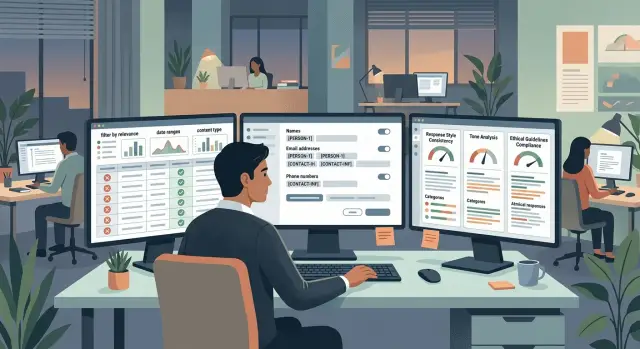
Another risk is personal data. Names, phone numbers, email addresses, physical addresses, contract numbers, and any customer data should be hidden or replaced with tags before training. If the team works under strict storage and masking requirements, this step cannot be delayed. In infrastructure like AI Router, such checks can be built into the process, but the dataset still should be cleaned in advance.
Another common mistake is leaving in side comments that are not on topic. Jokes between colleagues, irritated replies, arguments for the sake of arguing, or vacation talk in the middle of a work thread may sound lively, but they do not help the style. The model does not understand office context the way a human does. It simply copies the tone.
For the first version, a simple filter is usually enough. Remove signatures and auto-replies, cut forwarded pieces and duplicates, hide personal data and service identifiers, delete off-topic chatter and random humor, and either mark old prices, rules, and terms separately or remove them completely.
That last point is often missed. Old rates, canceled approval rules, and outdated deadlines look like normal work text. After training, the model starts confidently recommending things that no longer apply.
A good quick test: if you cannot show a fragment to a new employee as an example of a normal answer, it has no place in the dataset.
How to preserve style instead of other people’s mistakes
Do not take the whole archive as is. Style lives not in the volume of emails, but in repeating good examples. One sharp message written in a rush teaches worse than ten even answers with a clear idea.
First find samples with a calm tone. Answers where the person quickly understands the question, gives the next step, and does not drift into extra detail are a good fit. Good style usually sounds simple: a short greeting, the point without noise, and a clear ending.
It helps to put together a short one-page style guide. Not a huge policy, just a few stable decisions: how to greet, when to use “you” politely, how to close an email, whether to say thanks at the end, how to write about deadlines, and who owns the next step. Then the model sees not a random set of phrases, but a clear behavior pattern.
Also normalize abbreviations, team names, and terms. If one email says “DBO,” another says “remote banking service,” and a third just says “online banking,” the model will start mixing forms. The same goes for dates, currencies, product names, and internal labels.
Before training, feel free to remove irritated tone, sarcasm, teasing, correspondence where the author did not understand the question, messages with obvious mistakes, and empty answers without a solution. Formally they may look like work examples, but they only hurt the style.
Teams often confuse style with a set of words. In practice, style is visible in how the answer solves the task. If an employee wrote politely but did not answer the question, that is a bad example. After training on that, the model sounds neat, but it is not very useful.
This is easy to check in a simple scenario. An employee asks when system access will be opened. A good sample answers directly: who opens access, what the deadline is, and what to do now. A bad sample says to “wait” and gives no next step. The second version may feel familiar, but it is not worth training on.
Keep answers in the dataset that leave the person truly knowing what to do next. That way the model picks up the team’s style, not its weak habits.
How to build the set step by step
You should start not with training, but with a rough cleanup. Raw emails and chats almost always contain signatures, auto-replies, forwarded chunks, empty replies, and service noise. If you leave that in the set, the model will quickly pick up the text’s junk rhythm.
First collect a large raw archive and cut out everything that does not carry meaning. Remove system notifications, “thanks” chains, forwarded duplicates, mobile signatures, template disclaimers, and messages without a reply. If an employee sent three identical emails through different channels, keep one.
Then break the correspondence into “question - answer” pairs. For the first version, short and clear fragments work better than long threads in full. If the answer depends on five previous messages, it is better to add short context manually or not use that example at all.
After that, filter out weak records. Questionable answers, rude tone, outdated instructions, factual mistakes, and phrases like “well, it should work” are better removed. The same goes for duplicates. If twenty operators answered almost the same question in the same way, keep two or three clean examples.
Next, standardize the records. The same roles, the same labeling, and one format for dates, names, and attachments make training and review much easier. For example, if you chose the user, assistant, optional_context scheme, use it everywhere. If one part of the dataset says “Client:” and another says “User:”, you are adding unnecessary noise yourself.
Before a full run, assemble a small pilot set. Often 100–300 good pairs is enough to see style problems early and avoid extra cost. At that size, it is easy to notice whether the model has become too formal, too sharp, or, on the contrary, too vague.
A good pilot often saves you from an expensive mistake. The team may be sure it is training a polite style, but in fact half of the “best” answers turn out to be rigid corporate jargon. On a small set, that becomes obvious quickly.
If you already route several models through a single gateway, comparing the pilot gets easier. For example, in AI Router you can run the same set of requests through one OpenAI-compatible endpoint and see whether the problem is in the dataset or in the model itself.
Example with one simple scenario
Suppose you are preparing a model for an online store support team, where people often ask about returns. This is a good test scenario: the topic is narrow, the answers have similar goals, and mistakes are obvious right away.
For the first version of the set, you do not need to take the whole communication history. Keep only the dialogues where the employee brought the conversation to a clear resolution: explained the return conditions, named the deadline, asked for the needed details, or gave the next step. If the answer ends with a clear action, it works for training.
Noise is better cut hard. Arguments with a customer, dry replies like “ok” or “please wait,” long quotes from old emails, forwarded chains, and answers where the employee gets confused only make the result worse. It is often better to lose a third of the archive than keep junk in the dataset.
In practice the picture often looks like this: you have 2,000 return-related dialogues over six months. After a quick filter, 700 remain. After manual review, 280 are truly good examples. That is normal. Volume alone does not save you. Example quality matters more.
Before training, it is worth bringing the answers into a single format. If strong employees write calmly, briefly, and without corporate jargon, keep exactly that style. If some emails contain phrases like “it’s your own fault” or “read the rules,” remove them, even if the issue is formally resolved. The model copies not only meaning, but also manner.
Then give the model 20 fresh requests that were not in the set. Check not only whether it answers, but how it behaves: does it solve the issue, does it keep a calm tone even in an irritated customer message, does it avoid dragging in long chunks from old emails, and does it give clear steps without unnecessary excuses.
If on those 20 requests the model sounds drier, rougher, or starts repeating other people’s phrasing, do not put it into production. First fix the set: remove questionable examples, add several strong answers in the right tone, and run the check again.
How to check the result before launch
It is better to test the model on new emails and chats, not on the ones it was trained on. Otherwise it may look smart only because it memorized the wording. For a fair check, you need a separate test set made of fresh examples.
A good test is always mixed. Add common questions, rare phrasing, rude short messages, and long threads with context. That way you can see whether the model keeps its style in live traffic, not just in neat dataset examples.
Do not look at one sign only. An answer may sound “like yours,” but get the facts wrong or be twice as long as the team usually writes. Usually it is enough to assess three things: tone, accuracy, and length. If even one of them slips, the model is not ready yet.
Short requests and long chains are better tested separately. On short messages, the model often falls into clichés like “Thank you for reaching out” or answers too generally. In long dialogues, it loses the thread, repeats itself, and starts inventing details that were not in the correspondence.
In tests, try to catch rare typos, odd phrases from one department, heavy corporate jargon, unnecessary sharpness, unnatural politeness, and answers that became longer without adding value.
Pay special attention to copying noise. Teams often remove obvious junk but leave small defects: wrong abbreviations, random greetings, corporate phrases. Those are the things the model latches onto fastest.
One automatic check is not enough. Show questionable answers to people on the team who write to customers or colleagues every day. One person will notice a factual inaccuracy, another an чужой tone, a third a strange length. This kind of manual review after fine-tuning almost always finds what metrics miss.
If after testing the model writes a bit drier but more accurately, that can still be acceptable. If it sounds similar but copies the mistakes of live correspondence, the dataset needs to be fixed before launch.
Where teams make mistakes most often
The first mistake is simple: they put almost the whole archive into the set. It feels like more emails and chats should mean better results. In reality, a raw archive drags along repeats, off-topic chatter, old processes, random replies, and answers nobody would want in production.
If an employee wrote “ok, I’ll check later” five times in the correspondence and gave a clear answer to a customer once, the model will remember not only the good tone. It will remember all the noise. So a large archive alone does not help. More often, it gets in the way.
Another common mistake is mixing strong and weak answers in one set. The team takes dialogues from its best managers and then adds drafts, questionable answers, tired late-day messages, and emails with obvious mistakes. After that, the model learns to average the style. And the average style is almost always worse than a real good example.
When the set distorts style
Another distortion appears when the model is trained on one person’s correspondence. Even if that employee is strong, their speech pattern is not the same as the company’s style. One likes short phrases, another is too dry, a third jokes where it is not appropriate. If you rely on one author, the model starts copying personal habits instead of the shared standard.
Old rules also slip into the dataset unnoticed. The archive may still contain templates with outdated discounts, an old response structure, unnecessary formality, or phrases the team has long banned. If those pieces are not cleaned out, the model will pull them back in.
Another mistake is looking only at the average score. A single number is easy to trust, but one rude error in a customer reply matters more than twenty merely normal answers in a test. So look not only at the overall score, but also at the bad cases: wrong tone, overly long emails, repeated old templates, confident answers with the wrong fact, and phrases that sound like an internal chat rather than a message to a customer.
Good review is always a bit manual. Take 30–50 real scenarios and see where the model slips. That way the mistakes are visible right away, not after the whole team has already launched it.
Short checklist before launch
Before release, it helps to go through a few simple points. This step may look boring, but it is often what saves you from leaks, strange tone, and weak answers.
Check personal data: names, phone numbers, email addresses, contract numbers, physical addresses, and any fragments that could identify a person or customer. If in doubt, it is better to mask the field than leave it as is.
Make sure each example teaches only one thing. One dialogue should show one type of task: answering a complaint, clarifying conditions, or politely refusing. If an example has three topics at once, the model learns a mess.
Match the tone to the team’s live work. Take 20–30 fresh answers from strong employees and compare them with the dataset. If the set contains more dry, sharp, or bureaucratic wording, the model will pick up exactly that.
Separate training and testing. Do not check the result on the same emails and chats used to train the model, or you will get a nice number and a weak answer on new data.
Prepare a rollback. Save the previous version of the model, lock in the metrics, and decide in advance what counts as a failure: more complaints, longer answers, lower accuracy. Then the team can roll back in an hour instead of two days.
One simple example: if old emails with a rude tone, unmasked personal data, and long forwarded chains get into a banking support set, the new version can easily start sounding worse than a regular operator. Even a good checkpoint will not fix that.
If the infrastructure already supports a quick return to the previous model or an old route through the API gateway, the launch becomes calmer. But the gateway itself will not fix a bad dataset. That still needs to be checked by hand.
What to do after the first version
After the first clean version, do not try to cover all correspondence at once. Pick one scenario where style is easy to see and the benefit is easy to verify. For example, support answers to a common question or short emails from a manager to a customer after a call.
A small set usually gives a more honest picture than a big pile of different chats, emails, and comments. At the start, a narrow corpus is enough if it has little noise and a clear goal: to write as calmly, briefly, and directly as the team’s strong employees.
Before release, fix the starting point. Otherwise, in a week nobody will know whether the model really got better or just sounds more confident. Usually it is enough to watch a few simple metrics: how similar the answers are to the team’s tone, how many factual errors and unnecessary assumptions they contain, how often a person rewrites the answer manually, how many comments come from the test group, and how much time a typical answer takes.
Then compare the baseline and fine-tuned models on the same tests. Do not change the prompt, the example set, or the evaluation criteria in the middle of the check. If one model writes more vividly but makes more detail errors, that is not a win. For internal correspondence, slightly drier but more accurate is usually better.
A blind review works well. Give reviewers the answers without saying which is the baseline and which is the fine-tuned version. Let them rate style, clarity, and appropriateness. That way the team is less likely to choose an option just because time was already spent on it.
If you are running several models through one OpenAI-compatible API, this stage is easy to organize in AI Router at airouter.kz. The same test set can be run on the baseline model, the fine-tuned version, and other candidates through one endpoint, without changing the SDK, code, or prompts. That makes fair comparison easier before release.
If the result is good, do not expand the set too quickly. First lock in the gain on one scenario. Then add the next type of correspondence and check again that tone, accuracy, and the number of complaints have not drifted.
Frequently asked questions
Can I just dump the whole correspondence archive into the dataset?
No. A raw archive almost always brings along broken phrases, off-topic chatter, old rules, and other people’s habits. For the first version, it’s better to use less data and keep only the dialogues where the question, the proper answer, and the next step are clear.
Which messages are worth keeping for training?
Take the chains where the employee actually solved the task: answered clearly, didn’t confuse the person, and brought the conversation to a clear outcome. If you can’t give the fragment to a new hire as an example of a normal answer, leave it out.
What should be removed from the correspondence before training?
Remove signatures, disclaimers, auto-replies, forwarded chunks, duplicates, and empty replies like “ok” or “I’ll check.” It’s also worth cutting jokes, off-topic arguments, and anything that pushes the model toward conversational noise.
Do I need to mask personal data in the dataset?
Hide names, phone numbers, email addresses, physical addresses, contract numbers, and any internal identifiers before assembling the final dataset. If you’re unsure about a field, it’s better to replace it with a tag than leave it as is.
How many examples do I need for the first version?
A small clean set often works better than a big messy one. For a pilot, 100–300 good question-and-answer pairs is often enough if they cover one clear scenario and keep a steady tone.
Can I train the model on one strong employee’s correspondence?
No, if you want the team’s style rather than one person’s habits. Even a strong employee brings their own traits: sentence length, jokes, sharpness, or extra dryness.
How can I tell whether an example is really good for the dataset?
Look at behavior, not pretty wording. A good example answers the question directly, keeps a calm tone, and gives the person a clear next step without fluff or irritation.
How should I test the model before launch?
Test the model on new requests that were not in training. Evaluate three things: accuracy, tone, and response length. If it sounds like your team but gets facts wrong or writes longer without adding value, it’s too early to ship.
What signs show that the style has already broken?
Usually the model starts writing vaguely, pulls in old phrasing, copies corporate jargon, or suddenly sounds rude where your team wouldn’t. Another warning sign is an answer that sounds polite but doesn’t solve the problem.
What should I do after the first successful version of the dataset?
Don’t expand the dataset too quickly. Lock in the result on one scenario, compare the baseline and the fine-tuned version on the same tests, and only then add a new type of correspondence. That way you’ll notice faster if tone, accuracy, or extra assumptions start slipping.