Migrating to a New Embedding Model: What to Check
Migrating to a new embedding model requires checking dimensionality, search quality, speed, memory, and compatibility with old vectors.
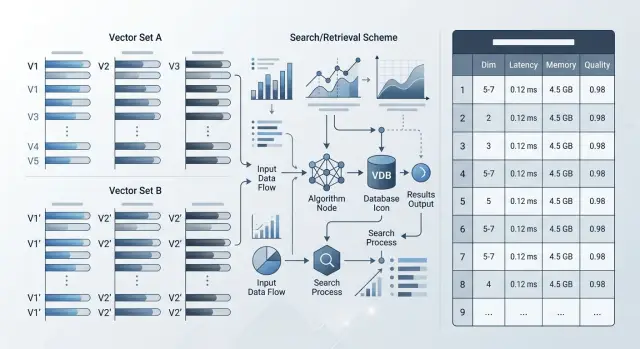
Why a blind reindex breaks results
Even if the queries, database, and code stay the same, a new embedding model almost always changes the geometry of the vector space. For search, that is not a small detail. Documents that used to be at the top can move down, while less accurate answers rise.
A user searches for "return policy for a product." Before, the first lines showed return rules and timelines. After reindexing, generic FAQs suddenly appear first because the new model judges phrase similarity differently. Formally, search still works. For the user, it got worse.
The same story applies to similarity thresholds. If a score above 0.82 used to mean a good match, after switching models that threshold no longer guarantees anything. A new model may produce a tighter or, on the contrary, a more spread-out distance distribution. As a result, the system either lets in extra documents or filters out useful ones.
There is also a simpler problem: embedding dimensionality. If the new model returns longer vectors, the index quickly grows in both memory and disk usage. On large collections, that shows up immediately. One million documents at 768 dimensions and at 3072 dimensions is already a different storage bill and a different latency profile.
The nastiest case is a mixed set of old and new vectors. Many teams update the index in parts so they do not have to stop the service. But vectors from different models live in different spaces, and you cannot compare them directly. In the end, the same query finds one thing today, another tomorrow, and after more data is loaded it changes again.
Usually a blind reindex breaks results for four reasons:
- the ranking order changes;
- old similarity thresholds start producing noise;
- the index needs more memory and disk space;
- a mix of old and new vectors creates jumpy answers.
That is why moving to a new embedding model is not just "recompute the vectors and keep going." First check how the new model changes ranking, thresholds, and index size on your own data. Otherwise the problem will surface in production, when users start seeing strange answers.
What changes together with the model
A new model changes more than the vectors themselves. Often it changes the whole search logic: how much memory the index needs, which comparison metric works best, how the model behaves on long texts, and whether old and new vectors can live in one collection at all.
Start by checking dimensionality. If the old model produced 768 numbers and the new one produces 1024 or 3072, the index, cache, and network traffic will grow. Even with the same number of documents, the memory difference can be noticeable. Format matters too: float32, float16, or sometimes a quantized version. That affects both storage cost and speed.
Metric and normalization
Next, look at normalization. Some models return vectors that are already length-normalized, others do not. Because of that, cosine and dot product can produce a different result order on the same document set. If your database is tuned for cosine, but the new model works better with dot product, search quality may drop without a single code error.
L2 is not something to check only for form's sake either. For some models, this metric gives a noisy top set, especially when the vectors are not normalized. In practice it looks simple: the right document was in second place, and now it is ninth.
Another shift is tied to the input text limit. A new model may accept more tokens, but that is not always a plus. Sometimes it compresses a long paragraph worse than the old one, and short precise queries start pulling overly general documents. The reverse also happens: the limit is smaller, and your chunks are suddenly cut more aggressively.
Russian, Kazakh, and mixed data
If your knowledge base is in Russian, check Russian separately, not only the overall average score. The same applies to mixed fragments like "order delivery," "refund," "SKU," and product names in Latin script. Some models handle English well but struggle with everyday code-switching.
Old vectors should almost never be assumed compatible by default. Even if the dimensionality matches, the space may be different. Then a query encoded by the new model will start finding documents encoded by the old one less reliably.
Do not look at one parameter in isolation. Check the whole bundle: dimensionality, normalization, metric, text limit, and behavior on your languages. That is usually where most surprises hide.
What data to use for testing
The test set solves almost everything. If you use only clean training-like examples, the new model will show a nice average score and fail on live traffic on day one.
For testing, it is better to collect queries from real search logs, support chat, RAG logs, and internal assistants. Often 100–300 queries are enough if they are real cases and not slide-deck phrases. Before you start, remove personal data or mask it.
A good set is always a little inconvenient. It should include not only tidy queries like "return policy," but also short, noisy, and rare phrasing: "return," "didn't find the act," "b2b archived plan," typos, abbreviations, and mixed languages.
If the knowledge base serves multiple teams or markets, split the examples into slices. An average metric often hides a failure in one segment. It helps to look at least by language, product, scenario, and query length. For example, separate Russian, Kazakh, and mixed queries, as well as FAQs, policies, support, and legal texts.
That kind of breakdown is especially useful where everyday questions live alongside strict wording from policies or contracts. For banks, telecom, and public-sector systems, that is a normal situation.
Before the first test, define a baseline. For each query, mark which documents, chunks, or answers you consider correct. You do not have to pick one perfect text block. It is often more honest to allow 2–3 valid results if they solve the task equally well.
If the current index already runs in production, save its answers on the same query set. Then you will compare not impressions, but concrete differences: where the new model is better, where it is worse, and where compatibility with old vectors breaks.
One more rule: do not change the test set while you work. Otherwise you will be comparing models, not different samples.
How to check quality before reindexing
Before reindexing, compare the old and new models on the same frozen set of queries and documents. If you change the corpus, chunks, or filters at the same time, the test stops making sense.
First look at top-k hits and MRR. If the relevant document lands in the top 3 or top 10 more often, that is a good sign. MRR shows how high the answer rises in the results, not just whether it appears at all.
But averages are easy to fool. A new model may look better by the overall number while still breaking short queries, product codes, mixed Russian and Kazakh, typos, or narrow terms. So make a separate list of the worst queries and see where the new model dropped the most.
It helps to manually review 20–30 failures. Usually the reason becomes clear quickly: the model handles synonyms and abbreviations worse, the new vector pulls overly general text, the field filter cuts the correct result, the problem is not in the model but in chunking or metadata, or the old similarity threshold logic no longer fits.
That kind of review is often more useful than yet another average metric. If 8 of 20 failures come from one document type, you already know where to fix the pipeline.
Also check search with filters and hybrid ranking. In pure vector search the new model may win, but after filtering by product, region, or date it may lose the right documents. The same applies if you mix BM25, vectors, and reranking. Compare not only in lab conditions, but in a setup close to production.
Tasks with a similarity threshold need their own tests. Deduplication, card matching, and alerts for similar incidents depend not on top-k position, but on the specific threshold. If duplicates were reliably filtered at 0.82 before, the new model may shift the working range to 0.74 or 0.89. Then search looks fine, but the business rules start making mistakes.
A good pre-reindex test is simple: the same data, two models, the same filters, the same ranking layer, and manual review of failures. After that comparison, the decision usually becomes obvious.
How to calculate index size and memory
Start with the simplest estimate: number of vectors x embedding dimensionality x size of one number. For float32 that is 4 bytes, for float16 it is 2 bytes, for int8 it is 1 byte, if your engine can store vectors in that format at all.
Example: 10 million vectors at 1024 dimensions in float32 give 10,000,000 x 1024 x 4 = 40.96 GB of raw vector storage. If the new model increases dimensionality from 768 to 1536, that layer almost doubles even before overhead.
That is not the end of the calculation. The index stores more than the vectors themselves. The search graph, service fields, document IDs, filters, and internal structures often add another 20–60% on top. With aggressive HNSW settings, it can be even more.
It is useful to calculate four layers separately:
- raw vectors;
- index structure memory;
- metadata and service fields;
- replicas and rebuild headroom.
Replicas change the picture more than it seems. If one index takes 55 GB, then with one replica that is already about 110 GB, not counting background processes, caches, and the service's own memory. During rebuild, you often need another temporary index, so peak usage can nearly double.
Then compare not only RAM, but also SSD. Some engines read the index heavily from disk, while others keep almost everything in memory, but in both cases a larger dimensionality usually means a longer build and more traffic between nodes. If the index used to build in 3 hours, after switching models it may take 6–8 hours just because of data volume.
The final check is very simple: will the new index fit in the current nodes without swapping? If the memory only works on paper, the system will slow down at the worst possible moment. It is better to leave at least 20–30% headroom for traffic spikes, background jobs, and rollback to old vectors during migration.
How to measure speed on your own workload
A new model almost always looks better on a short test than in real life. Check it on the same documents, batch sizes, and level of parallelism you already use in production.
First capture p50 and p95 for two cases: one text per request and batch processing. A single request shows baseline latency. Batches show what happens during the nightly loading of a catalog, knowledge base, or ticket archive. Sometimes a model is fast for one document but drops sharply on batches of 64 or 128 records.
Usually it is enough to record four numbers:
- p50 and p95 for a single embedding;
- p50 and p95 for batch embeddings;
- time for a full reindex across the whole dataset;
- search latency on cold and warm cache.
It is better to measure the full reindex not on a sample of 10,000 rows, but on the full set or at least on a large slice where queueing, disk load, and provider limits are already visible. Small tests often lie. At 1 million documents, you may finish in an hour, but at 40 million you can suddenly hit storage throughput, not the model itself.
Check search in two modes as well. Cold cache shows what the first user sees in the morning or after a restart. Warm cache shows the normal working pattern. The difference between them is sometimes bigger than the difference between two models.
If you compare several models through one OpenAI-compatible layer, it is easier to keep the same client code and honestly change only the model and provider. For such tests, a single gateway like AI Router is convenient: you do not rewrite the SDK and you do not mix model evaluation with changes in the surrounding stack.
Look at speed together with search quality. If the new model answers 80 ms faster but loses 6 of 20 relevant documents in the top results, that move is unlikely to pay off.
What to do with old vectors
It is better not to mix old vectors with new ones. If the models have different dimensionality, the shared index simply will not match the schema. Even if the dimensionality happens to be the same, the model spaces are still different, and search proximity can no longer be considered fair.
The normal path is to keep the old and new indexes side by side, at least during validation. Then the application can read from the new index for part of the traffic and keep the old one as a safety net. That is easier to debug than one big overnight reindex with the hope that everything will work in the morning.
If the team tests a new model through AI Router, the provider or model can be switched at the API level. But that does not change anything for the vector database: old and new vectors still need to be stored separately until you see stable results on real queries.
Do not rush the archive and rarely used data. Often this order is enough:
- first re-embed the active catalog, knowledge base, or fresh documents;
- leave the archive on the old index;
- reprocess cold data on a schedule or at first access;
- delete the old index only after an observation period.
That way you do not spend days on data that almost nobody searches, and you get feedback on quality from live traffic faster.
The rollback window should be planned in advance, not invented on launch day. Keep the old index, the old ranking configuration, and a clear switch flag. If the new results start losing precision, the team can return to the old path in minutes instead of rebuilding the system piece by piece.
I would not close rollback until two conditions are met: search metrics stay stable and support sees no new user complaints. For many teams, that is not 2 hours, but 1–2 weeks.
There is also a practical compromise. If a full rebuild is too expensive, keep old vectors only for the long tail of documents and use the new ones for everything that affects search every day. It is not an ideal setup, but it is much safer than a mixed index and blind migration.
How to run the migration step by step
A full switch rarely starts with a full reindex. It is safer to take a small but live slice of data: fresh documents, frequent queries, difficult phrasing, duplicates, and short texts. That set is faster to re-embed and easier to review manually.
A workable order usually looks like this:
- rebuild a separate test index on real data, not on a training sample;
- send the same stream of queries to the old and new indexes;
- compare not only search metrics, but also latency, index size, and processing cost;
- move traffic in stages and define a rollback threshold in advance;
- record the launch date, model version, and chunking parameters so the result can be reproduced later.
Parallel running works best. The same query goes to both indexes, and the team checks which document ranked higher, how long the search took, and whether costs increased. If the new model finds the right fragment more often but the index is twice as large, that does not look like an automatic win.
In practice, it is convenient to start with 5% of traffic, then raise it to 20%, and then to 50%. The rollback threshold should be set in advance. For example, if latency grows by more than 120 ms or the share of successful hits drops by at least 2%, you return to the old path without arguments or emergency calls.
For a knowledge base, this looks simple: you have 10,000 articles, 300 common support queries, and an old chunking scheme of 500 tokens. You build a second index, run the same queries through it, and compare the top-5 results. Often the problem is not the model itself, but the fact that the new embedding works better only with a different chunk size or different text cleaning.
At the end, record everything that affects the result: date, model name, version, dimensionality, normalization, chunking, and preprocessing rules. Otherwise, a month later nobody will understand why the same migration produced different numbers.
A simple scenario for a knowledge base
A support team has a knowledge base with 50,000 articles in Russian and Kazakh. The old search honestly catches word matches, but often misses the meaning. A query like "didn't receive the code after changing the number" may surface articles about "code" and "number" instead of the guide for restoring access.
A new model usually handles meaning better, especially on long questions, mixed-language text, and conversational phrasing. But that move has a price: dimensionality grows, the index uses more RAM, and a full reindex is no longer a small task.
How the team checks this without unnecessary risk
First the team takes 500 live queries from logs. These include common questions, rare phrasing, Russian and Kazakh queries, and a few topics where users most often fail to find the answer on the first try.
Then they look at the top-5 results for each query in the old and new setup. The assessment is simple: the answer is found immediately, the useful article is there but not in first place, the results drift off topic, or none of the first five contain the needed answer.
That manual review takes time, but it quickly shows the real search quality. At that stage, you can see right away whether the new model helps in a live knowledge base, not just on a polished demo set.
After the review, the team compares three things: how much quality improved, how much RAM the new index uses, and how long the rebuild will take. If the new model clearly lifts difficult queries and the memory growth stays reasonable, a full reindex makes sense. If the gain only shows up on a small fraction of queries and the index becomes much heavier, it is better not to rush.
They also check old-vector compatibility separately. If the new model uses a different dimensionality, old and new vectors cannot simply be mixed in one index. In that case, teams usually keep two indexes during testing or plan a full rebuild from the start, without intermediate compromises.
Common mistakes before launch
The most common mistake is testing the migration on a set that is too clean. In such a set, queries are short, documents are tidy, duplicates are rare, and noise is almost zero. In production, people type with typos, mix Russian and English, and insert product names, item codes, and chat fragments. If you do not test this in advance, the new model will look better than it really is.
Another typical problem is changing not only the model, but the environment around it. The new model may have a different dimensionality, and with that the search metric and index settings often change too. If cosine worked before, that does not mean the same parameters will deliver good quality after the switch. HNSW, IVF, and candidate limits should also be recalculated, otherwise you are comparing not models, but a random set of settings.
The worst move is shipping two changes in one release: a new model and a new chunking scheme. After that, nobody understands what actually improved search and what broke it. If quality dropped on long documents, the cause may not be the model at all, but the fact that you split the text into pieces that are too small.
One average number can be misleading too. Recall@10 or nDCG across the whole set are useful, but they hide failures. Look at short and long queries, typos, mixed language, rare terms and product codes, as well as new documents versus old ones.
One more practical rule: do not delete the old index on the day of the switch. Keep it at least for the parallel run and a fast rollback. If search starts returning almost-right answers instead of the correct ones in the evening, the backup index will save many hours and a few unpleasant calls.
Short checklist and next steps
Before launch, define not only the new model, but the whole contract around it. If dimensionality, search metric, chunking scheme, or input text limit changes, search behavior changes too. Even a good model will give a bad result if one of these parameters drifts.
Reduce the decision to a few thresholds and do not argue by feeling. The team should have numbers: a minimum quality score on the test set, an upper latency bound, an acceptable memory footprint, and a price per thousand documents or requests. When the thresholds are written down in advance, a pilot is easier to stop or approve.
Before launch, it helps to go through a short checklist:
- confirm dimensionality, metric, chunking, and input limits before the first test;
- set thresholds for quality, latency, memory, and cost;
- prepare rollback: who switches traffic back, how long the old index stays alive, where the snapshots are stored;
- after the pilot, set a date for partial rollout, the traffic share, and the owners for search, infrastructure, and product.
If you are comparing several providers, run the tests through one OpenAI-compatible gateway. For teams in Kazakhstan and Central Asia, it is convenient to do this through AI Router: you can change the base_url to api.airouter.kz and compare models in the same client setup without rewriting the SDK, code, or prompts.
Do not mix two tasks at once: changing the model and changing the provider. If you change everything together, it becomes hard to tell what exactly hurt search quality or slowed the system down. One test setup saves a lot of time.
Do not delete the old index on launch day. Keep it at least for the period during which users go through normal scenarios: knowledge base search, long queries, rare terms, and mixed language. That often saves you from an emergency nighttime reindex.
If the pilot goes well, do not move all traffic at once. Give the new model part of the load, collect metrics for a few days, and only then make the final decision. It is a boring approach, but it is almost always the cheapest and safest.
Frequently asked questions
Can old and new vectors live in the same index?
No. Even with the same dimensionality, old and new models usually encode text in different spaces. That makes the results jump around: today the query finds one thing, tomorrow another.
What test set do I need before migration?
At minimum, use real queries from search, support, or RAG logs. Usually 100–300 examples are enough if the set includes short queries, typos, rare phrasing, and a mix of Russian, Kazakh, and English terms.
Which metrics should I check before reindexing?
Do not look only at the average metric. It is more useful to compare top-k and MRR, and then manually review 20–30 of the worst queries to understand where the new model really loses relevant documents.
Why does the old similarity threshold stop working?
Because the new model changes the distance distribution. A threshold that used to filter out noise may, after migration, let extra results through or cut off useful matches.
How can I tell in advance whether the new index will fit in memory?
Calculate the raw volume with this formula: number of vectors times dimensionality times the size of one number. Then add headroom for the index structure, metadata, replicas, and a temporary index during rebuild.
Is it enough to compare speed on a small sample?
Not really. Check p50 and p95 for single queries and batches, plus the total reindex time on a volume close to production. On a small sample, a model often looks faster than it will under real load.
Should I change chunking and search metric together with the model?
No, it is better to change one thing at a time. If you change the model, chunking, search metric, and index settings all at once, it becomes hard to tell what improved things and what broke search.
Do I need to test search with filters and hybrid ranking?
Yes, test that separately with the same filters and the same pipeline you use in production. A new model may win in pure vector search, but lose after filtering by product, date, or region.
How do I launch a new model safely in production?
The safe approach is to keep two indexes side by side and move traffic in stages. That way you can compare results on live queries quickly and roll back without a nighttime rebuild.
When can I delete the old index after migration?
Not on launch day. Keep the old index for at least a few days, and preferably until the metrics stabilize and support stops seeing new complaints. For many teams, that takes one to two weeks.