Deduplicating Repeat Requests in Chats and Forms Without Hurting UX
Deduplicating repeat requests helps remove double form submissions and duplicate chat messages, preserve UX, and avoid losing data during network and queue failures.
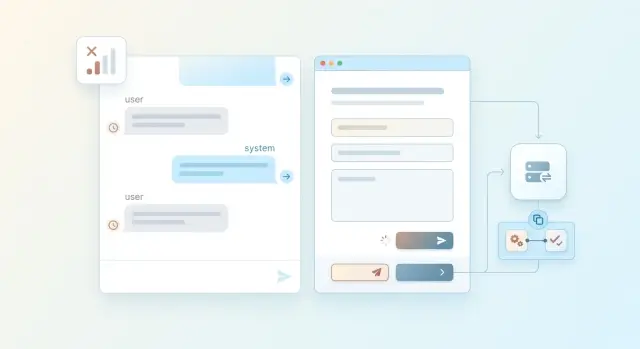
Why duplicate submissions happen
A repeat submission is usually not caused by a "careless user". It is the result of ordinary interface, network, and backend behavior. A person clicks once, does not see a response for a second, and clicks again. The system does the same thing: the client, mobile app, or queue can repeat the request automatically.
The most common cause is a silent interface. The button does not change state, no loading indicator appears, and the chat message is not shown right away. The user sees nothing and clicks again. For them, it is one attempt to finish an action. For the server, it is already two.
The second common cause is a timeout. The client sends a request, the server starts processing it, but the response does not come back in time. The app decides the request "disappeared" and sends it again. The problem is that by that moment the first request may already have created a record, sent an email, or saved a chat message. The second one arrives a few seconds later and does the same thing again.
This happens even more often on mobile networks. The connection can drop after the data is sent but before the response is received. The phone switches between Wi-Fi and LTE, the app restores the session, and sends the same packet again. The user sees one action, but you already have two nearly identical requests with close timestamps.
The story is similar with queues and workers. Many queues follow an "at least once" delivery rule. If a worker processed an event but did not confirm it before a failure, the queue will deliver the same event again. That is how repeats from queues appear: a second task run, a repeated charge, a duplicate notification, or one more message in a thread.
Sometimes the source of the repeat is not obvious. The same form can be submitted from web and mobile almost at the same time. A chat can send a message locally and then repeat it after reconnecting. Without deduplication of repeat requests, these cases look like "rare oddities," even though they are a normal cost of working over an unreliable network and in a distributed system.
The rule is simple: if an action passes through a button, a network, or a queue, a repeat will eventually appear.
How to tell a repeat from a new action
A repeat almost never looks like an exact copy. Its time, attempt number, network header, or technical trace id may be different. Comparing those fields is mostly useless. You need to catch the action itself.
The most reliable way is to give each action its own id on the client. The user clicks "Send" once, and the app immediately creates an action_id. If the network stalls, the mobile client repeats the request, or the queue sends it again, that same action_id keeps moving through the whole chain. Then the server sees not "another similar request," but the very same attempt.
One id is not enough if the client sometimes loses it or creates a new one on retry. That is why it helps to compare the meaning of the request as well. Usually it is enough to look at the actor, the recipient or object, the request content, and the screen where it happened.
In chats, the repeat window is usually short. If the same user sent the same message to the same conversation within 5-10 seconds, it is often a duplicate caused by bad network conditions or a double click. But after a couple of minutes, it may already be an intentional repeat. In forms, the window is often longer. A loan application, payment, or order can arrive again a minute or even ten minutes later if the person keeps pressing the button during a long load.
That is why the deduplication window should be stored separately for each action type. For chats, speed and gentle behavior matter. For forms, preventing a second charge, second order, or second registration matters more. One universal rule for all scenarios usually breaks either UX or business logic.
If the server recognizes the same action_id, it should not return a new error. It is better to return the previous result. For the user, this feels calm: the message has already been sent, the form has already been accepted, the task has already been created. That kind of response removes unnecessary anxiety and avoids making people wonder whether the action worked.
A working pattern looks like this: the client creates an id, the server stores it together with the result, and a repeated request gets the same response. That is how request idempotency helps distinguish double form submissions and repeated chat messages from a new action, even if repeats from queues arrive later and in a different order.
How to protect against repeats without hurting UX
A person clicks "Send" a second time not because they want to create a duplicate. Usually the interface is just silent for too long. For the user, silence looks the same as failure. That is why deduplication of repeat requests should go together with clear feedback.
It is best to disable the send button immediately after the click, but only for a short time. Often a couple of seconds is enough, or until the first response comes back from the server. If the network stalls longer than that, bring the button back and show what is happening. A button that stays stuck forever is more frustrating than the rare duplicate submission.
What the user should see
After sending, the screen should explain the request status in simple words. Usually messages like these are enough:
- "Sending..."
- "Request accepted, waiting for a response"
- "Connection lost. Retry?"
- "We already received this request"
The last message is especially useful where mobile networks are unstable. If the server has already accepted the first request, the second one should not look like a new error. It is better to show right away that the system recognized the repeat and did not create a duplicate. In a chat, that means one message bubble with a delivery status, not two identical messages in a row.
A draft also helps a lot. If a person typed a long chat message or filled out a form and the connection dropped, do not make them start over. Save the text locally after meaningful changes. For a form, fields and attachments are usually enough. For a chat, the text and selected files.
A normal scenario looks like this: the user sends a message from a phone while traveling, the network drops, and they press the button again. The first request already reached the server, and the second one came with the same idempotency key. The interface does not show a red error and does not create a second message. It calmly says: "Message already sent."
That is how duplicate form submissions and repeated chat messages disappear for the system and become almost invisible to the person. The user does not think about retries, queues, or network failures. They simply see that the request was not lost.
The setup for client, server, and queue
A working setup starts on the client, not on the server. If the user clicked a form button twice, lost the network, or the app decided to retry on its own, the system should treat it as one action until proven otherwise.
To do that, the client creates a unique id before the first request. It sends the same id with every retry, even if the request is resent through mobile data, a retry in the SDK, or another attempt after a timeout.
- The client generates a
request_idbefore sending and stores it next to the action draft. - The server receives the request, looks for that id in storage, and immediately understands whether this call has happened before.
- If it is the first attempt, the server performs the action, stores the final response, and marks the request as processed.
- If a repeat arrives with the same id, the server does not create a second record and returns the same response that it stored after the first attempt.
- If the server places a task into a queue, it passes the same id along, and the worker writes it into its logs and processing result.
This order gives predictable behavior. The user sees one result instead of two orders, two messages, or two charges.
On the server, it is important to store not only the fact of a repeat, but also the outcome of the first processing. Otherwise you will catch the duplicate, but you will not be able to honestly answer the client with the same body and the same status. In practice, that breaks UX: the interface thinks the request failed, even though the server already completed everything.
The same logic applies to queues. If the broker or worker retries, you cannot invent a new id. Otherwise one action splits into several independent events, and deduplication stops working in the most expensive place: after writing to the database or calling an external service.
Logs should also keep the same id across the entire chain: client, API, queue, worker, external call. If a team sends LLM requests through AI Router, it is useful to pass that same id before the model call and into audit logs. Then a disputed case is easy to investigate: you can see where the first request was, where the retry happened, and why the user saw a duplicate.
What to change in chats
In chat, the unit of action is a message, not pressing the "Send" button. As soon as the user sends text, the client should create a message_id and keep it for the entire life of that message: during rerenders, reconnects, and any retry. If the UI creates a new id after a component update, you created the duplicate yourself.
Deduplication of repeat requests in chat usually comes down to one rule: one meaningful user input equals one id. That id must be sent to the server together with the text, and the server must store the result by it. If the network glitches and the client repeats the request, the server does not create a second record; it returns the already known message and its current status.
A bad pattern is common: a timeout happens, the UI does not wait for the response, and it creates a new message with the same text. The user sees two identical replies, and the model answers both. It is much better to keep one bubble in the history and change only its state: "sending," "delivered," or "error."
What to do about streaming
With streaming, it is easy to confuse a transport failure with new user input. If SSE or WebSocket dropped in the middle of the response, that is not a new message. The client should reconnect to the already existing response_id or request the current response state, instead of starting generation again.
A new response is needed only when the user sent new text with a new message_id. A stream interruption, repeated ACK, or repeated delivery of a chunk should not create a new message in the history.
In practice, four rules are usually enough: keep message_id on the client until confirmation or a clear error, send the same id on retry, bind the response stream to a specific message, and show one item in the history even if the network reconnects several times.
This is especially noticeable in an LLM chat. The user sends "Write a short summary of the email," the mobile network flickers, and the app resends the request. If the id stays the same, the server returns the same message and the history stays clean. If the id changes, you get two identical questions, double token usage, and confusion in the conversation.
What to change in forms and background jobs
Forms and background jobs have the same problem: the user or the network thinks the request is lost and sends it again. If the server does not see the connection between these attempts, you get extra submissions, repeated charges, or a second run of a long task.
Forms
When the user clicks "Send," assign a permanent id to that attempt and keep it until the page reloads or the data changes explicitly. If the browser sends the request again because of a double click, weak mobile network, or automatic retry in client code, the server sees the same id and understands that this is not a new action.
A form fingerprint is also useful, but it must be built carefully. Do not include fields that change on their own: send time, a random nonce, a service counter, or field order after a rerender. Otherwise two identical requests will start looking different.
A new submission should appear only after an explicit change in the data. If a person opened the form, clicked the button twice, and changed nothing, that is the same attempt. If they corrected the phone number or comment, that is a new action, and the id should be generated again.
The UI rule is short: create the id at the moment of the first send, keep it while the data has not changed, do not change the id on retry, and show a clear status like "sending" or "already accepted."
Background jobs
If a form places a task into a queue, pass the same id along, without replacing it at each step. The same id should reach the API, the queue, and the worker. Otherwise the form may be protected, but the queue will still run the job twice.
For long-running tasks, store the state: "accepted," "in progress," "done," "error." Then a repeat request will not start the process again, but will return the current status or the already finished result. This is especially important for heavy operations like batch processing, fine-tuning, or mass evaluation of model answers.
The same approach is useful in AI Router: if the client repeated the request, the internal task should not start the same work a second time and waste extra resources. One id, one state, one result.
Common mistakes
The most common mistake is simple: deduplication exists only on the frontend. The button is blocked, the spinner keeps turning, the second click does not go through, and it feels like everything is under control. But the mobile network can resend the request, a server-side retry can happen on its own, and a queue sometimes delivers the same message again. If the server does not check request idempotency, screen-level protection does very little.
Another common mistake is the wrong deduplication window. A short window looks good in tests on stable Wi-Fi, but in real life a person can lose network in an elevator, wait for reconnection, and accidentally send the same request again after 20-40 seconds. If the record of the first request has already disappeared, the system will accept the duplicate as a new action.
A window that is too long also causes problems. A user may intentionally send the same chat message again or fill out a form anew later. If the system keeps considering the action old for too long, it will start suppressing legitimate repeated actions.
Problems also appear when a new id is created on every retry. In tests everything looks fine, but at the first timeout one action splits into several independent requests. The server can no longer tell that it is looking at a repeat.
Another mistake is storing only the fact of deduplication, but not the result of the first processing. In that case the server recognizes the duplicate but responds with something like "already happened" instead of the previous response body and status. The user still does not understand whether the action went through.
And finally, do not lose the id between the API, queue, and worker. This happens more often than it seems. On the way in, you have one attempt, and inside the system, two different events suddenly appear with two different identifiers. After that, repeats from queues no longer get merged.
A short real-world scenario
A user is riding the metro and sending a form from their phone: for example, a callback request or a support inquiry. They click the button once, see a spinner, but the connection drops in the tunnel. The screen does not receive a response in time and shows the familiar message: try again.
The person clicks the button again. For them, it is one action. For the system, it is already two almost identical requests that arrived a few seconds apart.
If the protection is done badly, the server creates two tickets. Then both go into the queue, the operator sees duplicates, and the user may get two calls instead of one. On paper, it looks minor. In practice, those duplicates hurt records, waste support time, and are simply annoying.
The normal scenario works differently. The app sends the request with the same client_request_id. The repeated submission goes out with the same id, even if the user clicked again. The server finds that id in the idempotency store and understands that the action has already been accepted. Instead of creating a new record, it returns the previous status or ready response. The queue receives one task, not two.
Most of the time, the user does not even notice the system handled a repeat. They just see a clear outcome: the form is accepted, the ticket number is the same, and no second duplicate appears. This kind of deduplication does not argue with human behavior. It starts from a simple fact: in a bad network, people click the button again.
Support sees the difference immediately too. There is one ticket in the CRM, not a pile of identical cards. The operator does not waste time checking which copy to close. The queue does not run extra work, and background processors do not send duplicate notifications.
That is how deduplication should work in production: quietly, predictably, and without punishing the user for a bad connection.
Quick check before launch
Before release, run a short test with the same request id. Send the request three times: immediately, after 2-3 seconds, and after an artificial timeout. The first call should go through as new, and the next two should be recognized by the system as repeats.
For chat, this is quick to check. The history should contain one user message and one reply, even if the send button was clicked several times or the mobile network interrupted the connection. If the chat renders a duplicate, the client or server is comparing ids too late.
For forms, the check is stricter. The same request should create one database record and only one job in the queue. Teams often look only at the database, see that everything is fine, and relax, only to later discover that the queue received two identical tasks. As a result, the email is sent twice, the document is generated twice, or the limit is charged again.
Check four things:
- the server returns the same result for a repeated submission with the same id
- the chat shows one message, not copies of the same text
- the form creates one record and puts one job into the queue
- the logs preserve the request id without exposing personal data
Also open the logs and check that they clearly show the decision for each request: whether it was new or a repeat. If you mask PII, make sure that phone numbers, email, IIN, address, and other fields that could identify a person are not left in the logs.
Check the retention period for the id as well. If the system forgets the id too early, repeats from queues or unstable networks will pass as new requests. If you keep the id for too long, the user will not be able to repeat a legitimate action later. For chat, a short window is often enough. For a background task, the window usually needs to be longer.
If this test passes without duplicates in the interface, without a second database record, and without an extra job, the setup already looks healthy. That is a good minimum before launch, especially where mistakes cost money or damage the conversation with the user.
What to do next
Start with one decision that keeps the whole setup from falling apart: define where the action id is born. For a form, that is usually the client before the first submission. For chat, it is also best to create the id on the client for each message, even if the network drops and the app tries to send it again. For a background task, the server often creates the id when the job is queued, but after that the id must not change.
If that rule does not exist, deduplication turns into a set of random checks. Today you catch a double click, tomorrow you catch a mobile network retry, and the day after that you receive a repeat from the queue with a new technical identifier and can no longer connect it to the first request.
After that, write down a simple table of rules. It should live not in one developer’s head, but in a task, an ADR, or a short internal note. For each scenario, specify who creates the id, how long it lives, what counts as a repeat, and what response the system returns for a duplicate. Separately note how the id flows through the API, queue, worker, and logs.
And one more practical rule: store not only the id, but also the result of the first processing. Otherwise you will recognize the repeat, but you will not be able to answer calmly and consistently.
If you do only these steps, most duplicates will disappear right from the start. And where a repeat still happens, the system will handle it as a normal case, not as an incident.