Choosing an LLM Provider for a Company in Kazakhstan: Questions
Choosing an LLM provider for a company in Kazakhstan is easier when you start with a list of questions: where data is stored, what documents are available, SLA, support, and API compatibility.
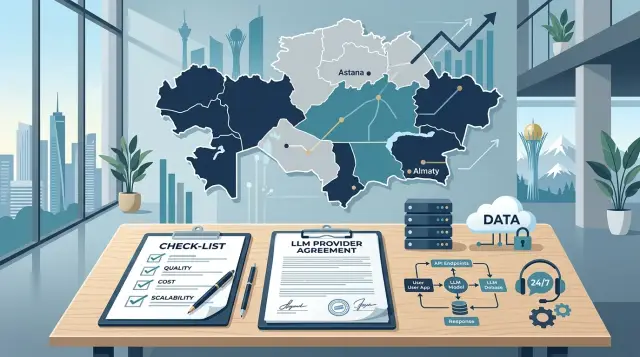
Where to start
At the demo stage, almost every provider looks convincing. The model responds quickly, the interface is smooth, and the price seems reasonable. Problems appear later, when the pilot ends and the team asks for a contract, access, logs, and clear data rules.
That is why choosing a provider for a company in Kazakhstan is better to start not with a comparison of nice answers. For production, four things are usually more important: where requests and logs are stored, what documents accounting will receive, how support works, and whether the service can be connected without rewriting the current integration.
For local companies, this gap between the demo and real work is especially noticeable. During testing, everything seems fine. Then lawyers ask about data storage inside the country, finance asks about invoices and acceptance documents, and developers ask about OpenAI API compatibility and current SDKs.
Before the pilot, put together a short list of questions on these four topics. That saves time. Otherwise, the team can easily spend a week or two testing and then find out that the provider does not meet data requirements, does not provide the necessary documents, or responds to incidents without deadlines.
A good sign is simple: the provider answers work-related questions calmly even before the pilot starts. If you get general promises instead of direct answers, it is better to pause and clarify the details. A mistake at this stage almost always costs more than the difference in token price.
What data you are really sending
First, look not at the contract or the price, but at the actual requests that people and systems will send to the model. Usually, this step already shows that much more is going into prompts than the team expected.
Requests often contain customer and employee personal data, business numbers, internal documents, chat history, CRM IDs, ticket numbers, attached files, and system fields. Teams often look only at the prompt text and miss everything else.
This is not a formality. This kind of review helps you understand what can be sent to an external API without changes, what needs to be masked before sending, and what should not leave your environment at all.
The difference is usually obvious. Anonymized FAQs and marketing copy can often be sent out. Medical records, passport data, phone numbers, HR documents, and draft contracts are a completely different risk level.
After the inventory, define three rules. Which data is allowed for the external API, which data passes through PII masking, and which data is prohibited from being sent. Then it becomes much easier to discuss storage, deletion, access, and audit.
If you use a gateway that is compatible with OpenAI API, check more than the request format. See where masking is enabled, how the audit trail is maintained, and who on your team can manage it.
What to ask about data storage
Phrases like “the data is protected” do not solve anything. You need precise answers: where prompts, responses, files, system logs, and backups are stored, who can access them, and how long everything is kept.
It is better to separate the question by data type right away. With some providers, the requests themselves are stored in one country, while logs and backups are stored in another. For a bank, clinic, or government company, that is already a separate risk.
It is useful to ask a few direct questions:
- Where are prompts, responses, files, and logs physically stored?
- How many days is each type of data retained?
- How does deletion work, including deletion from backups?
- Are your requests used for training, analytics, or manual labeling?
- Can you see the access history by keys, roles, and requests?
It is better to verify retention periods through documents and settings, not just the manager’s words. If you are told “we do not keep logs for long,” that is not enough. You need a number: 7 days, 30 days, 180 days. And you should immediately ask whether that period can be shortened for your project.
Training on your data is a separate issue. The phrase “we do not train the model” should apply not only to the main model, but also to the proxy layer, analytics, anti-fraud checks, and incident analysis. Otherwise, the data may remain in the provider’s internal processes.
Access logs are not a small detail either. If a provider employee opened the logs, you need to understand when that happened, under which role, and for what reason.
What documents to request before the pilot
Paperwork often says more about a provider than a presentation. If they are happy to show a demo but hesitate on the contract, SLA, and data processing terms, that is already a signal.
It is easier to ask for the full package right away: a draft contract, data processing terms or a separate data agreement, SLA, a description of security measures, and sample financial documents. This makes it faster to see what is missing and which promises the provider is ready to put in writing.
In the contract, check the basics: who is responsible for what, how data access is described, how long data is stored, how it is deleted, and what happens in the event of an incident. The vaguer these points are, the more disputes there will be later.
The SLA is not just for show. Look at how quickly the provider responds to incidents, how urgent requests are handled, and what escalation looks like at night or on weekends. A good document does not stop at phrases like “operational support.” It includes first-response times, status update times, and a clear process.
For security, ask for specific measures rather than general wording. Usually, it is enough to understand whether there is logging, access control, key limits, masking of sensitive fields, and rules for handling personal data.
Also check the financial side separately. For many companies in Kazakhstan, this is one of the most practical questions: can the provider issue invoices in a clear format and provide acceptance documents that accounting and procurement will accept?
A useful approach is to ask for a real monthly document set for a typical client scenario. One invoice, one acceptance document, and a billing template often show the situation better than a long process description.
How to check support and SLA
Support is best checked before signing the contract. The simplest test is to ask a few specific questions and look not only at the content of the answers, but also at the speed, clarity, and willingness to work through your scenario.
First, find out who manages the account and who handles incidents. If the provider has no clear contact and everything goes into a general queue, you will waste time finding the right person when a failure happens.
Then check the everyday but very important things: what hours support works, which time zone it follows, what language you can use, and whether there is a separate channel for urgent issues.
Here is what you should ask:
- Who is responsible for our account and who handles incidents?
- What hours does support work, and what language is used?
- Where should we write or call if the service goes down right now?
- How long does the first response take for a normal request and for a critical failure?
- What do you do if the model or the model provider becomes unavailable?
Do not accept phrases like “we respond quickly.” Ask for numbers. For example: first response in 30 minutes, status updates every 30 minutes, critical incident review within 2 hours. Even an approximate range is better than a promise without numbers.
Also discuss the failure scenario separately. The model may start making mistakes, limits may run out, responses may suddenly slow down, or the external model provider may become unavailable. Support should explain what it does in each case: switches traffic, suggests a backup model, warns about the status, and helps quickly change the request route.
How to check API compatibility
Here the test is even simpler: take your current code and try connecting a new provider without changing the business logic. If the team has to change not only the base_url and key, but also the client, request format, or response handling, the switch will be expensive.
First ask whether you can keep your current SDK and existing prompts. For many teams, this is the most sensitive point. Prompts build up over months, and even small differences in parameters quickly change the result.
Then compare the specific details: message and role format, parameter names, support for tools and JSON responses, error codes for rate limit and timeout, token and request limits, and the method for authorization and key rotation.
Another common source of confusion is token counting and logs. Ask how input and output tokens are counted, what goes into billing, and whether you can see those numbers for each request. Also check whether error logs by key are available and how long they are stored.
If compatibility is real, verification takes a few hours, not a week. For teams that do not want to touch the existing stack, this is one of the most practical selection criteria.
How to run the check step by step
Do not start with a polished demo. First gather requirements from security, legal, finance, and the product team. They each have different questions, and if you do not bring them into one list right away, you will go through the same approval cycle twice.
After that, make a simple comparison table. Usually 6–8 columns are enough: data storage country, log retention period, documents, SLA, API compatibility, price at your volume, latency, and response quality in a real scenario.
Send the same list of questions to all providers. Otherwise, the answers will be hard to compare. If someone claims OpenAI API compatibility, ask them to show it in practice: can you keep your current SDK and code and change only the base_url and key?
The pilot should be short and based on one clear use case. Do not test an abstract prompt. Take a scenario that already affects the team’s work: summarizing inquiries, checking documents, or drafting answers for an operator from the knowledge base.
During the pilot, do not look at just one metric, but at a set of factors: answer quality, average latency, price at a typical volume, contract and payment convenience, and support response speed. After that, the table should contain facts, not impressions.
Example: a clinic chain choosing a provider
A clinic chain wants to reduce call center workload. The model drafts a response for appointment booking, visit rescheduling, test preparation, and common complaints. The operator checks the text, edits the details, and sends the message to the patient.
Very quickly it becomes clear that requests may contain a full name, insurance number, appointment date, symptoms, and free text with a complaint. This is no longer a case where you can simply connect any external service and think about rules later.
That is why, on the first call, the clinic asks two direct questions: where is the data stored, and what happens to personal data in the request. If the provider answers vaguely, they are removed from the list. If they can show clear storage terms, PII masking, and an audit trail, the conversation continues.
During the pilot, the team looks at more than just response text. It measures latency, the frequency of actual mistakes, and whether it is possible to know who sent the request, when, and with which key. For a clinic, that is a normal working check.
At the same time, finance asks for the contract, the invoice, and familiar acceptance documents. Lawyers review how data storage, staff access, and action logging are described. The support lead asks the most practical question: if the integration fails at night, who will respond and how quickly.
In the end, the winner is usually not the one with the longest model list, but the one that gives clear answers about data, documents, support, and integration.
Where companies make mistakes most often
The most common mistake is simple: the team focuses on token price and model list, and leaves everything else for later. A month later, it turns out that a cheap plan does not help if the provider responds slowly, cuts limits, or cannot issue a proper invoice.
The second mistake is related to logs. Companies ask whether data is protected, but do not clarify who exactly can see the requests, how many days the records are stored, and whether the retention period can be shortened. For a bank, clinic, or government company, this is not a detail; it is a requirement.
The third mistake is making the pilot too fast. Developers get an API key, send a couple of requests, see a normal response, and consider the check finished. Legal and security teams join later, when it already feels painful to say no. That is when questions about data storage inside Kazakhstan, audit, PII masking, and document format appear.
The same is true for the API. A demo proves almost nothing. You need to run your own code, SDKs, prompts, limits, and error scenarios. If you already have an integration for OpenAI API, check not only the successful response, but also timeouts, retries, streaming, limits, and log format.
Another common mistake is not thinking through the financial process. What currency the invoice is in, whether monthly documents are available, who signs the acceptance document, and what happens if spending suddenly rises in the middle of the month. These are the things that often slow projects down more than the model itself.
Short checklist before the contract
Before signing, check five things on paper:
- Where data, logs, and backups are stored.
- How long requests are stored and who can see the logs.
- What response and escalation times are fixed in the SLA.
- What the API truly supports and whether you can keep your current SDK and code.
- Which invoices, acceptance documents, and other papers your accounting team will receive.
If even one answer is vague, it is better not to rush the contract. In practice, projects do not fail because of model quality, but because of a much simpler question: can the solution get through security, legal, finance, and procurement without unnecessary disputes.
A good sign is when the provider immediately sends a document package, API method list, and a short support policy. That greatly reduces approval time.
What to do next
Put all candidate answers into one table. That makes it easier to see not promises, but gaps: where data is stored, how logs are handled, who provides documents, how support works, what is included in billing, and how honest the API compatibility really is.
After that review, 2–3 options usually remain. Then a short 5–7 day pilot with the same scenario, the same load, and shared metrics for price, latency, answer quality, and integration convenience is enough.
If your team needs a single gateway compatible with OpenAI API, it is worth comparing it separately from access to one model. This approach often lets you keep your current code and switch models or providers faster without rebuilding the integration.
For companies that care about data storage inside Kazakhstan, PII masking, audit logs, and monthly B2B documents in tenge, you can add AI Router to the comparison table and test it on the same scenario. With airouter.kz, there is one OpenAI-compatible endpoint, and things like in-country data storage and log handling can be discussed concretely before the pilot.
A normal ending looks simple: after a week of testing, you have a fact-based table, one winner, and a list of conditions to record in the contract.
Frequently asked questions
Where should you start when choosing an LLM provider?
Start not with a demo, but with four checks: where data is stored, what documents you will receive, how support responds, and how well the service works with your API.
If the provider gives vague promises instead of precise answers, do not spend time on a long pilot. Problems usually show up in these areas first.
What data should not be carelessly sent to an external API?
Review the real requests, not just the prompt text. They often include full names, phone numbers, CRM IDs, ticket numbers, files, chat history, and internal fields.
Anonymous FAQs and marketing copy can usually be sent out. Medical data, passport details, HR documents, and draft contracts are better masked or kept out of the external API entirely.
What should you ask about data and log storage?
Ask where prompts, responses, files, system logs, and backups are stored. Clarify the retention period for each data type and the deletion process, including backups.
Ask for numbers, not phrases like “we keep logs for a short time.” Also check who can see the logs and whether access by role and key is recorded.
How can you tell the provider does not use your data for training?
You need a clear statement in the documents: your requests and responses are not used for training, manual labeling, or internal analytics unless you separately agree to that.
Check that this rule applies not only to the model itself, but also to the proxy layer, logs, and incident handling. Otherwise, the data may remain in the provider’s internal processes.
Which documents should you request before the pilot?
Before the pilot, request the draft contract, data processing terms or a separate data agreement, SLA, a description of security measures, and sample invoice and acceptance documents.
That is usually enough to quickly spot weak points. If the provider is slow with paperwork, things rarely get easier later.
How can you check support and SLA before signing?
Test support in real interaction. Send a few specific questions and one urgent scenario, such as the model being unavailable at night.
Watch the speed of the first response, clarity, language, time zone, and whether there is a separate channel for emergencies. If answers are vague, support during an incident will be the same.
How can you quickly check OpenAI API compatibility?
Take your current code and try changing only the base_url and API key. If your business logic, SDK, message format, or error handling has to change, the move is no longer simple.
Also check tools, JSON responses, streaming, timeouts, rate limits, and log format. A demo without these tells you very little.
What should you look at in a pilot besides answer quality?
Use one real scenario and measure more than just answer quality. Look at latency, error frequency, cost at your actual volume, billing transparency, log usability, and support response speed.
If the pilot does not go through legal, security, and finance, it does not tell you much. For production, not only the model matters, but the whole operational layer around it.
What are companies most often mistaken about?
Most often, teams choose by token price and model list, while leaving logs, documents, and support for later.
Another mistake is making the test too short. A couple of successful requests will not show how the service behaves during timeouts, limits, night incidents, and normal monthly billing.
When should you look at a single LLM gateway like AI Router?
This option is useful when you already work with an OpenAI-compatible API and do not want to rewrite code for every new provider or model.
AI Router has one OpenAI-compatible endpoint at api.airouter.kz, so teams can keep their current SDKs, code, and prompts. That is especially helpful if you need data storage inside Kazakhstan, PII masking, audit logs, and monthly B2B documents in tenge.