AI-Powered Review of Credit and Legal Documents
AI-powered review of credit and legal documents helps you spot risky clauses faster, but the final decision on the case still belongs to a specialist.
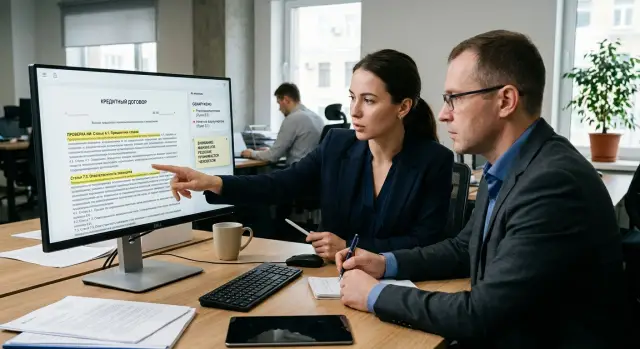
What makes documents hard to review quickly
Reviewing credit and legal documents rarely slows down because of one big file. Most of the time goes somewhere else: the text is long, the terms are spread across different sections, and the real meaning is often hidden in footnotes, appendices, and references to other documents. A person reads straight through, goes back, checks wording, and gets tired fast. After the fifth similar agreement, attention is no longer the same.
The problem gets worse when the document looks familiar. On the first page, everything may seem fine: amount, term, parties, general obligations. The risk is further down. For example, in a clause on early collection, in a limitation of liability, in the bank’s right to change terms after notice, or in a dispute resolution clause that was missed the first time. These places do not stand out because they are written in dry, almost identical language.
In credit work, this is especially clear. An analyst quickly finds the interest rate, payment schedule, and collateral, but may miss a phrase that changes the meaning of the whole document. Sometimes one word like "entitled," "at its discretion," "unless otherwise agreed," or "may be changed" is enough to shift the risk. A lawyer and a credit specialist usually do not look for the whole text at once, but for the small fragments where the most unpleasant issues are hidden.
Most mistakes sit in four places:
- in exceptions and carve-outs inside a long paragraph;
- in references to an appendix that is opened at the very end;
- in different versions of the same term across several sections;
- in deadlines, thresholds, and penalties written in small, repetitive text.
That is why it helps to separate two tasks. First, the system finds the fragments that should be checked first. Then the specialist makes the final call. This removes false speed. If the model gives a final opinion right away, it may sound confident even when it has seen only part of the context.
When fragment search is separated from the final conclusion, the work becomes steadier. The model flags disputed points, shows where the text contradicts itself, and surfaces high-risk clauses. The specialist no longer spends half an hour reading everything line by line. They look at 8-10 sections, check the meaning, compare them with internal policy, and make the decision themselves.
This is especially useful where mistakes are expensive. In a contract, it is easy to miss an inconvenient deadline. In a credit package, it may be a clause that breaks the entire risk calculation. Reading quickly is not enough. You need to find fast what really deserves attention.
Which fragments the model checks first
The model does not read a contract the way a lawyer or credit analyst does. For a quick review, it is better for it to go straight to the places where money, deadlines, and grounds for disputes are concentrated. That order creates less noise and finds what really affects risk faster.
A good workflow does not start with long general wording, but with anchor fields. First, the model gathers basic details: who is involved in the document, which version it is, the date, the number, and the file type. If one place names the company as the borrower and another as the guarantor, the rest of the review can no longer be considered reliable.
Then it pulls out the numbers: amount, currency, rate, term, payment schedule, fees, penalties, and late charges. These fields often repeat in several places, and that is where mismatches show up. Next, the model looks for restrictions and exceptions: early repayment, the right to refuse, grounds for unilateral changes to terms, and cases of suspension or termination. After that, it compares sections against each other. The nastiest mistakes are often not in one paragraph, but between the main text, the appendix, and the payment table.
In a credit agreement for 120 million tenge, the model will usually first find the rate, term, and penalty. Then it checks whether that data matches in the preamble, the main section, and the appendix. If the grace period in the body of the agreement is 90 days but the schedule says 60, it is better to flag it right away instead of after summarizing the whole document.
Legal documents are also better reviewed by risk weight, not page order. In an agreement, the first pages may be completely neutral, while the real problem sits in a short clause on limitation of liability or in a fine-print exception in an appendix.
In practice, the best approach is a request that asks the model not to summarize the whole text, but to return a short review map. It is enough to include four things: which fragment was found, what it says, why it matters, and what it should be checked against next. The team sees not just an answer, but the path of the review.
If you compare several models through a single gateway like AI Router, you can quickly run the same scenario across different options and see which model catches mismatches in numbers and wording more accurately. For contract review, this is often more useful than choosing one "strongest" model for every case.
A good first pass is almost always short. It does not try to understand the whole document at once. First it finds the parties, the money, the deadlines, the right to refuse, and contradictions between sections. That is where mistakes usually cost the most.
How to keep the decision with the specialist
To make sure AI does not replace a lawyer or credit analyst, it is given a narrow role: find disputed points and show exactly where they are. The model does not issue a verdict on the application and does not decide whether a contract can be signed. It saves time on the first pass and raises flags where a person might miss something.
The working setup is simple. The system reads the text, marks risky fragments, and shows a quote from the document next to each one. The specialist immediately sees not just a short note like "penalty risk," but the exact paragraph it is based on. This greatly reduces false confidence: the person checks the text instead of trusting a polished model response.
If there is no quote, the remark is almost useless. The analyst has to search for the right place again, and that takes time. Worse, without a source fragment, people start treating the model’s answer like a finished fact.
What the workflow looks like
Usually four steps are enough:
- The model flags a clause, amount, deadline, or disputed wording.
- The system shows the quote and a short explanation in simple language.
- The specialist confirms the remark or rejects it.
- The team saves a comment explaining why the decision was made that way.
The last step is often underestimated. The comment is not for bureaucracy, but for team memory. A month later, you can go back to a disputed contract and understand why a clause was considered acceptable. Six months later, those notes help refine the rules and prompts.
A simple example: the model sees a bank’s right in a credit agreement to change the rate in the event of a "material change in market conditions." It flags the phrase as vague, shows the quote, and briefly explains that the clause does not set a clear threshold for change. The lawyer opens the clause, reads the full section, and decides the wording is too general. They reject the model’s default answer, write their own comment, and send the document back for revision. The final decision stays with the person.
This approach is easier to defend both inside the company and during an audit. It is clear what the model found, who made the decision, and what it was based on. If the team builds the process through AI Router, it is convenient to keep audit logs and model checks in one place. But the point is not the tool itself. The point is to help AI speed up reading while keeping responsibility for the decision with the specialist.
How to roll out this kind of assistant
It is best to start not with the model choice, but with real documents. If the team does not have a set of typical contracts and a list of common mistakes, the assistant quickly turns into a nice demo that gets confused on real cases. It is better to use an archive of already reviewed files where the specialist knows exactly what the problem was.
A working launch usually looks like this. First, documents are grouped by type: credit agreements, collateral, guarantees, addenda, forms, powers of attorney. Each type gets examples of common mistakes: different amounts in appendices, a missing deadline, the wrong party, a disputed clause, or a missing required appendix.
Then the experience of lawyers and risk analysts is turned into short rules. Not "check risks," but specific tasks: verify the borrower across all files, find a mismatch between the amount in the contract and the schedule, check signing authority and the date of the power of attorney. The narrower the wording, the less noise in the answers.
Next, the assistant is forced to cite the text. Every conclusion should come with a quote, page number, clause, or paragraph. If the model says "there is a risk" but does not show where it saw that, the specialist cannot check the answer quickly and will stop trusting it.
After that, the archive of old cases is run through the system and the result is compared with what a person found earlier. You need to look not only at misses, but also at false alarms. If the system flags every second phrase as a problem, it does not help — it slows the work down.
The final decision should still stay with the specialist. A convenient format is simple: "found," "not found," "unsure," plus a field for the human comment.
It is better to start with one narrow scenario. For example, first check only the credit agreement and payment schedule, not the entire package. That way the team can more quickly see where the rules are too vague and where the model lacks context.
It also helps to think about the review log from the start. The specialist should be able to see which document the model reviewed, which fragments it surfaced first, and why the person agreed with or rejected the remark. That log later makes it easier to refine the rules and change prompts.
A simple example from credit review
A client applies for a loan to buy equipment. The package includes a form, a draft credit agreement, a payment schedule, a collateral agreement, and several appendices with early repayment terms. Even on the first pass, the employee spends a lot of time because the important clauses are spread across different files.
The assistant takes this package and does not try to give a verdict right away. First, it looks for the places where mistakes are most expensive: the loan term, the interest rate, the way it can change, late payment penalties, and early repayment terms. If one appendix says the rate is 19% and another says 21%, the system does not guess. It flags both fragments and shows the mismatch.
That is the practical value of the review: the model does not replace the expert, but quickly narrows the search field. Instead of reading 40 pages in a row, the specialist gets several marked sections that really affect the risk and the economics of the deal.
Then the assistant moves on to collateral. Here it looks for wording that people often miss when reading quickly: too vague a description of the collateral item, the right to replace collateral without separate approval, an unclear valuation process, or obligations that can be interpreted in different ways.
Imagine a simple case. The collateral agreement says: "equipment according to the supplier’s list," but the list itself is not in the package. For the model, that is not a small issue. It flags the phrase, briefly explains the risk, and moves that section higher in the review queue. Next to it, it may also flag a penalty clause if the sanction appears in one part of the contract but does not match the appendix.
The employee no longer starts from scratch. They open only the marked sections, read a couple of paragraphs before and after, compare them with the bank’s internal rules, and make a decision. Sometimes ten minutes is enough instead of an hour. But the decision is still made by a person.
The roles are best separated clearly and without ambiguity:
- the assistant finds and highlights the fragments;
- the specialist checks context and mismatches;
- the employee approves the conclusion and takes responsibility.
This also works because disputes are usually not about the whole contract, but about two or three phrases. If the model shows exactly those, the team works faster and with less stress. AI helps spot problem areas earlier, but the right to say "approve," "return for revision," or "reject" stays with the specialist.
Mistakes that create false confidence
The most dangerous mistake is trusting a short summary if it has no quotes from the document. A phrase like "no material risks found" sounds calm, but it proves nothing by itself. If the model does not show the page, clause, and exact fragment, the specialist is checking someone else’s summary, not the document.
This is especially noticeable in contracts with appendices. The model may briefly describe the main text and miss the appendix, where penalties, the right to unilaterally change terms, or a special early collection process are hidden. Such an answer is dangerous precisely because it sounds confident.
Another common mistake is mixing credit and legal rules in one request. When one prompt simultaneously looks for default indicators, checks the signer’s authority, calculates financial covenants, and assesses collateral, the model starts to mix priorities. In the end, it gives a smooth report, but some checks are only superficial.
It is better to separate the tasks. One block looks for legal risks in the contract text, another checks credit terms and numbers, and the specialist then combines the result into one decision. That structure is easier to control and easier to explain during an internal review.
Bad scans also create a false sense of accuracy. If the text is recognized with errors, the model can confuse a date, rate, or term and still write a confident conclusion. On paper, that looks like automation, but in practice it is just reading damaged text with a neat summary on top.
A simple example: in a scan, 3.5% was recognized as 8.5%, and "no later than 10 days" became "no later than 40 days." If the team does not set an OCR quality threshold and send such pages for manual review, the assistant will start making mistakes exactly where accuracy was expected.
Another quiet problem is old templates and old rules. The policy changes, lawyers add a new stop factor, the credit committee changes a metric threshold, but the assistant keeps working with the previous version. The report still looks neat, but it no longer matches the current workflow.
Checking two or three documents almost always gives too rosy a picture. On clean templates, the system looks smart. Problems appear later: on old forms, addenda, poor scans, documents with handwritten edits, and rare exceptions.
A proper quality check should include different cases: standard contracts without surprises, documents with appendices and notes, poor scans, disputed cases, old forms, and files after an internal policy change.
And even a strong model does not remove these issues on its own. You need quotes, separate checks, OCR control, and regular review of templates. If the system does not show the source of its conclusion and cannot honestly say "unsure," it is too early to trust it even as a first filter.
Short checklist before launch
Before a pilot, you need not a broad plan, but a short working checklist. It helps avoid confusing a convenient demo with a real review, where the cost of a mistake is much higher.
First, check whether each document type has its own set of required fields. For a loan application, that is one list; for a collateral agreement or power of attorney, another. If there is no such list, the model will start looking for "something important," and that almost always creates extra noise.
Then make sure the assistant shows the source fragment for every conclusion. The employee should immediately see the paragraph, table, or contract clause the system relied on. It is equally important that the person can see where the model is not sure: a missing field, a weak match, an ambiguous phrase, or poor scan quality.
Another must-have is a log of corrections and disputed cases. Without it, mistakes repeat themselves, and review rules live in messages and phone calls. And of course, before sending anything to the model, you need to remove unnecessary personal data. For banks, insurance, and the public sector, that is not a preference — it is a basic requirement.
Even such a short list quickly brings people back to reality. The model may correctly notice that a contract has no notice period, but the employee still needs to see the clause itself and make the final call, not rely on a "high risk" tag.
It is also worth testing disputed cases in advance. What does the assistant do if an IIN is hard to read in a scan, if the guarantor is listed only in an appendix, or if the amount in the table does not match the amount in the main text? It is better to collect such documents before launch, not after the first awkward moment in production.
If the team works in Kazakhstan, check the operational details too: where the data is stored, who can see the audit log, and how personal data is masked before the request goes to the model. Here, it is better not to rely on verbal agreements. You need a clear process that an employee can open and check in a minute.
A good sign of readiness is simple: a new specialist opens the document, sees the required fields, sees the basis for each remark, sees the model’s doubts, and understands how to record a correction. If even one of these steps depends only on the experience of a specific employee, it is too early to roll it out into the flow.
What to do next
Start with a narrow pilot. Take one document type, such as a credit agreement, collateral agreement, or a KYC package, and give the assistant to just one team. That makes it easier to understand where it really speeds up work and where it still gets in the way. For contract review, this is almost always better than trying to cover the whole flow right away.
First, measure the current baseline. Count how much time is spent reading the document, finding disputed clauses, checking details, and preparing the conclusion. Without that, it will later be hard to prove that the project really saves time and is not just modern-looking.
Then create a simple test plan:
- Collect 30-50 real documents with a known review outcome.
- Mark the most expensive mistakes: missed risk, false alarm, wrong reference to a clause.
- Compare 2-3 models on the same set, not on polished demo files.
- Look not only at answer quality, but also at price, speed, and how clear the quotes are.
- Define when the specialist must read the full document.
This kind of test quickly shows the real picture. One model handles long contracts better, another is less likely to hallucinate, and a third is cheaper but misses more small mismatches in dates, amounts, and parties. You need to compare them on your own documents, because on someone else’s examples the difference often looks very different.
Data storage and audit logs are also worth planning in advance. Decide where the files live, who can see the source text, which fields must be masked, how long to keep model responses, and who can review the history. For banks, telecom, the public sector, retail, and healthcare, this is part of the workflow, not an add-on.
If the team needs a single access point to different models and data handling inside the country, AI Router can be useful in that setup. The service offers one OpenAI-compatible endpoint, routing across many models, audit logs, rate limits, and PII masking, and for Kazakhstan it is also a way to keep data inside the country without rewriting the integration for each provider.
A normal pilot result after 2-4 weeks is simple: you understand which documents the assistant speeds up, where it makes mistakes most often, and which checks the person should always keep for themselves.